Teclast F7 Plus: A Comprehensive Review and Buyer’s Guide
Outline
- Introduction to the Teclast F7 Plus
- Design and Build Quality
- Display and Audio Performance
- Performance and Specifications
- Battery Life and Portability
- Keyboard and Trackpad Experience
- Software and User Experience
- Teclast F7 Plus: Pros and Cons
- Best Teclast F7 Plus Alternatives for Budget Buyers
- Dell G15 vs. Teclast F7 Plus: A Comparison
- Who Should Buy the Teclast F7 Plus?
- Frequently Asked Questions (FAQ)
Introduction to the Teclast F7 Plus
The Teclast F7 Plus is a budget-friendly ultraportable laptop that aims to provide a balance between affordability and functionality. Targeting students, casual users, and those seeking a lightweight machine for basic tasks, the F7 Plus attempts to deliver a streamlined experience without breaking the bank. This review will delve into the various aspects of the device, examining its design, performance, display, and overall value proposition. We’ll explore whether it lives up to the hype and if it’s the right choice for your needs.
Design and Build Quality
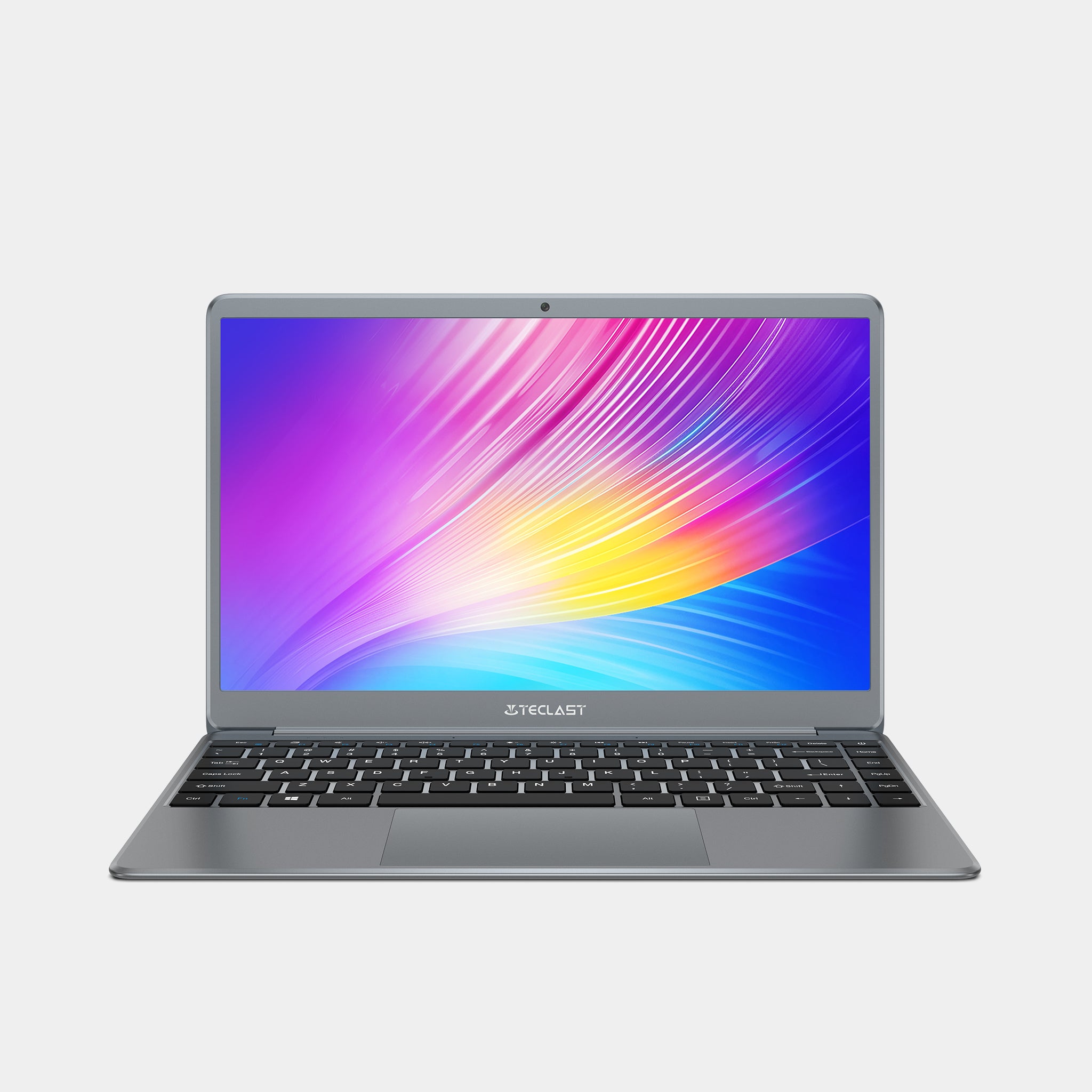
The Teclast F7 Plus boasts a sleek and minimalist design, featuring an all-metal build. This contributes to its premium feel, especially considering its price point. The chassis feels solid, and the build quality is surprisingly good for a budget laptop. The device is thin and lightweight, making it highly portable. The silver finish is visually appealing, and the overall aesthetic is clean and modern. However, the metal construction can be prone to fingerprints and scratches, so careful handling is recommended. The hinges offer a decent amount of resistance, allowing the screen to stay in place at various angles.
Display and Audio Performance
The F7 Plus features a 14.1-inch IPS display with a Full HD (1920 x 1080) resolution. The display quality is acceptable for the price, offering decent viewing angles and color accuracy. While not ideal for professional graphic design, it’s perfectly adequate for web browsing, streaming videos, and general productivity tasks. The screen is also relatively bright, making it usable in various lighting conditions.
The audio performance is less impressive. The built-in speakers are positioned at the bottom of the device, resulting in a somewhat tinny and quiet sound output. While adequate for basic tasks like video calls, you’ll likely want to use headphones or external speakers for a more immersive audio experience, especially when watching movies or listening to music.
Performance and Specifications
Under the hood, the Teclast F7 Plus is powered by an Intel Celeron N4100 processor, coupled with 8GB of LPDDR4 RAM and either 128GB or 256GB of eMMC storage. This configuration is suitable for everyday tasks like web browsing, document editing, and light multimedia consumption. However, the processor is not designed for demanding workloads.
The eMMC storage offers fast boot times and acceptable loading speeds for applications. The integrated Intel UHD Graphics 600 handles light gaming and basic photo editing, but don’t expect to play graphically intensive games smoothly.
Battery Life and Portability
One of the strengths of the Teclast F7 Plus is its portability and battery life. The laptop is incredibly lightweight and easy to carry around. The battery offers approximately 6-8 hours of typical usage, which is respectable for a budget laptop. This makes it a great choice for students or users who need a device for on-the-go productivity. The power adapter is also compact, making it easy to pack in a bag.
Keyboard and Trackpad Experience
The keyboard on the F7 Plus is generally comfortable to type on, offering a decent amount of key travel for a thin laptop. The keys are well-spaced, and the typing experience is surprisingly good for its price range. The trackpad is also responsive and accurate, supporting multi-finger gestures for ease of navigation. While not the best keyboard and trackpad in the market, they are functional and serve their purpose well.
Software and User Experience
The Teclast F7 Plus typically ships with Windows 10 Home (or sometimes Windows 11), providing a familiar and user-friendly experience. The software runs smoothly on the device, especially with the 8GB of RAM. The pre-installed software is minimal, which is a plus, as it avoids unnecessary bloatware that can slow down performance. The overall user experience is satisfactory for basic computing needs.
Teclast F7 Plus: Pros and Cons
Pros:
- Affordable price
- Lightweight and portable design
- Good build quality for the price
- Decent display
- Acceptable keyboard and trackpad
- Respectable battery life
Cons:
- Performance limited by the Intel Celeron N4100 processor
- eMMC storage instead of SSD
- Weak audio quality
- Not suitable for demanding tasks or gaming
Best Teclast F7 Plus Alternatives for Budget Buyers
Finding a laptop in the same price range as the Teclast F7 Plus means sacrificing certain features. However, several other devices also offer excellent value for the money. Here are some viable alternatives:
-
Acer Aspire 5: Offers a better processor and sometimes an SSD for improved performance. The build quality may not be as premium as the F7 Plus, but it provides a wider range of configurations and performance options.
-
Lenovo Chromebooks: Chromebooks often provide a faster and more fluid experience for basic tasks, particularly if the user relies heavily on web applications. They tend to be very affordable and offer long battery life.
-
Other Chinese Brands: Brands like Chuwi and Jumper also offer budget laptops with similar specifications and price points. Researching their offerings may reveal a device that fits your specific needs.
Dell G15 vs. Teclast F7 Plus: A Comparison
To illustrate the differences between a budget laptop and a gaming laptop, here is a comparison table:
| Feature | Teclast F7 Plus | Dell G15 (Example Configuration) |
|---|---|---|
| Price | \$250 – \$350 (approx.) | \$800 – \$1200+ (approx.) |
| Processor | Intel Celeron N4100 | Intel Core i5/i7/i9 (various generations) |
| RAM | 8GB LPDDR4 | 8GB-32GB DDR5/DDR4 |
| Storage | 128GB/256GB eMMC | 256GB-1TB+ SSD |
| Graphics | Intel UHD Graphics 600 | NVIDIA GeForce RTX 3050/3060/3070/3080/4050/4060/4070/4080 |
| Display | 14.1″ 1920×1080 IPS | 15.6″ 1920×1080/2560×1440 120Hz-360Hz |
| Battery Life | 6-8 hours | 4-6 hours (gaming), 6-8 hours (casual) |
| Weight | ~1.3 kg | ~2.8 kg |
| Intended Use | Web browsing, Office, light media | Gaming, Content Creation, demanding tasks |
As the table demonstrates, the Dell G15 is a significantly more powerful laptop designed for gaming and demanding tasks, while the Teclast F7 Plus excels in portability and basic productivity.
Who Should Buy the Teclast F7 Plus?
The Teclast F7 Plus is an ideal choice for:
- Students: Its portability, affordability, and ability to handle essential school tasks make it a great student laptop.
- Casual Users: Those who primarily use their laptops for web browsing, email, and streaming videos will find the F7 Plus sufficient.
- Budget-Conscious Consumers: If you need a functional laptop and want to avoid spending a lot of money, the F7 Plus provides good value.
- Travelers: Its lightweight design makes it an excellent travel companion.
Frequently Asked Questions (FAQ)
- Does the Teclast F7 Plus support external displays? Yes, it typically has a Mini-HDMI port for connecting to external monitors.
- Can I upgrade the RAM or storage? The RAM is soldered onto the motherboard and cannot be upgraded. The storage is eMMC, and while you can’t upgrade the eMMC itself, some models have a slot for an M.2 SSD. Check the model specifications.
- Is the Teclast F7 Plus good for gaming? Light gaming is possible, but it is not designed for demanding games. The integrated graphics will struggle with anything beyond casual gaming.
- What operating system does it come with? It typically ships with Windows 10 Home or Windows 11.
- Where can I buy the Teclast F7 Plus? It is usually available on online retailers such as Amazon, AliExpress, and other tech stores.
- What is the warranty like? Warranty periods and terms can vary depending on the retailer and country of purchase. Check the seller’s details at the time of purchase.