Samsung Galaxy Book3 Pro: A Deep Dive Review
The Samsung Galaxy Book3 Pro series represents a premium offering in the ultraportable laptop market, blending powerful performance with a stunning design and a vibrant display. Aimed at professionals, creatives, and anyone seeking a sleek and capable machine, the Book3 Pro aims to deliver a refined user experience. This in-depth review explores the key features, performance capabilities, and overall value of the Galaxy Book3 Pro, helping you determine if it’s the right laptop for you.
Outline
- Design and Build Quality
- Display Quality and Experience
- Performance and Specifications
- Battery Life and Portability
- Keyboard, Trackpad, and Audio
- Software and Ecosystem
- Is the Samsung Galaxy Book3 Pro Worth Buying?
- Best Alternatives to the Samsung Galaxy Book3 Pro
- FAQ
Design and Build Quality
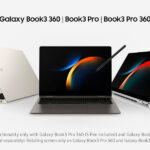
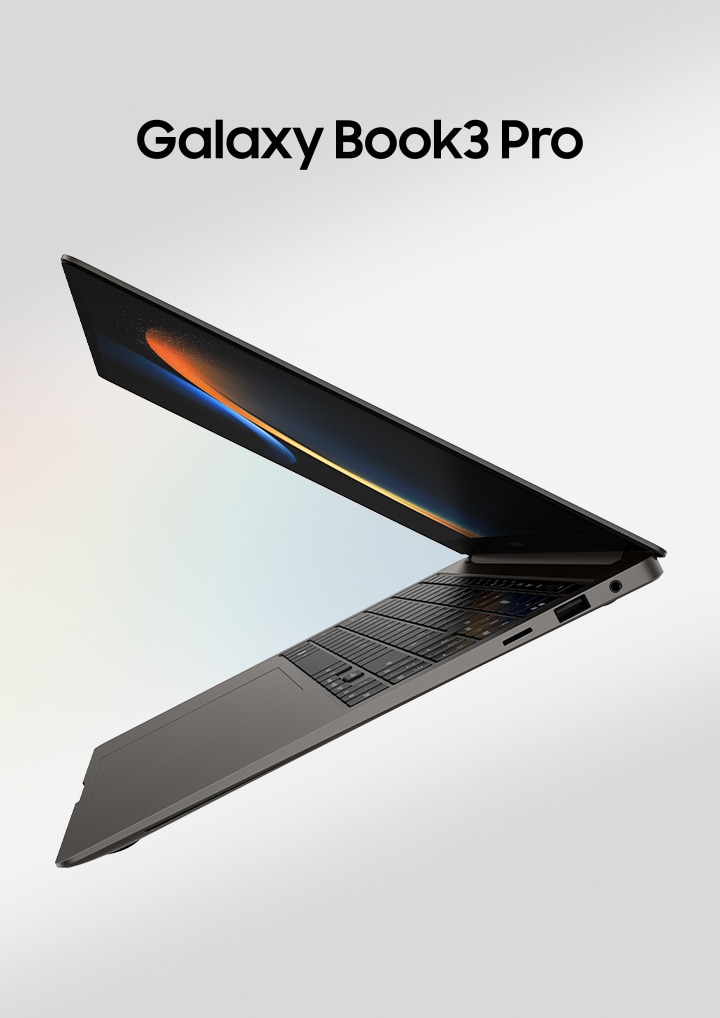
The Galaxy Book3 Pro boasts a minimalist and elegant design, characteristic of Samsung’s premium product line. Available in a variety of colors, it typically features a sleek aluminum chassis that feels incredibly solid and premium to the touch. The slim profile and lightweight design contribute significantly to its portability, making it easy to carry around all day. Attention to detail is evident in the precise hinge mechanism, which allows for smooth opening and closing of the lid. The thin bezels surrounding the display further enhance the aesthetic appeal, maximizing screen real estate. Fingerprint resistance on the chassis can vary based on the specific finish.
Display Quality and Experience
One of the standout features of the Galaxy Book3 Pro is its exceptional display. Samsung is renowned for its vibrant and high-quality screens, and the Book3 Pro is no exception. It typically features a Super AMOLED display, offering rich colors, deep blacks, and excellent contrast ratios. The high resolution, often 2.8K or higher, ensures sharp and detailed visuals. The fast refresh rate, found in some configurations, contributes to a smoother and more responsive user experience, particularly beneficial for scrolling and animations. The display’s brightness levels are generally good, making it suitable for both indoor and outdoor use (though direct sunlight might still pose a challenge). The screen is typically glossy, which contributes to color vibrancy but can reflect ambient light.
Performance and Specifications
The Galaxy Book3 Pro is equipped with powerful internal components to handle demanding tasks. It often features the latest Intel Core i5 or i7 processors, providing a significant boost in performance compared to previous generations. These processors are paired with ample amounts of RAM (typically 8GB, 16GB, or even 32GB) to facilitate smooth multitasking and handle memory-intensive applications. Storage is typically provided by a fast PCIe NVMe SSD, ensuring quick boot times and rapid application loading. While some configurations might offer integrated graphics, others utilize dedicated graphics cards (like Iris Xe) to enhance performance for creative workloads or light gaming. The specific configuration options, including processor, RAM, storage, and graphics, will influence the overall price and performance of the device.
Battery Life and Portability
Portability is a key selling point of the Galaxy Book3 Pro. Its lightweight design and slim profile make it exceptionally easy to carry, allowing users to work or consume content on the go. Battery life is generally decent, with users typically achieving several hours of use on a single charge. The exact battery life will vary depending on usage patterns, screen brightness, and the specific tasks being performed. Samsung often includes fast charging capabilities, enabling users to quickly top up the battery when needed. The combination of a lightweight design and good battery life makes the Book3 Pro a practical choice for users who frequently travel or work remotely.
Keyboard, Trackpad, and Audio
The Galaxy Book3 Pro typically features a comfortable and responsive keyboard. The keys offer a good amount of travel and feedback, making typing a pleasant experience. The trackpad is usually large, smooth, and accurate, providing precise cursor control. Audio quality is generally above average, with the built-in speakers delivering clear sound and decent bass. While the audio quality might not match dedicated audio setups, it’s more than adequate for everyday use, such as watching videos or listening to music. The position of the speakers is usually optimized to provide a balanced and immersive audio experience.
Software and Ecosystem
The Galaxy Book3 Pro comes pre-installed with Windows, providing access to a vast library of applications and services. Samsung also includes its own suite of software, such as Samsung Flow, which facilitates seamless integration with other Samsung devices. This allows for file sharing, screen mirroring, and other useful features that enhance the user experience. The integration with the Samsung ecosystem, including smartphones, tablets, and wearables, is a key benefit for users who already own Samsung devices. Regular software updates are provided to ensure optimal performance and security.
Is the Samsung Galaxy Book3 Pro Worth Buying?
The Galaxy Book3 Pro is a compelling laptop that offers a premium user experience. It’s an excellent choice for users who value a sleek design, a vibrant display, and powerful performance in a portable package. Its price point typically places it in the premium segment, making it a significant investment. Consider the following factors when deciding whether the Galaxy Book3 Pro is the right choice for you: your budget, your need for a high-quality display, your preference for a lightweight and portable design, and your existing reliance on the Samsung ecosystem. If these factors align with your needs, then the Galaxy Book3 Pro is a strong contender. However, always consider your specific use cases (e.g., photo editing, video editing, gaming) and compare it with the alternatives available.
Best Alternatives to the Samsung Galaxy Book3 Pro
Choosing the right laptop depends on your specific needs and budget. Here are some of the best alternatives to the Galaxy Book3 Pro, broken down by category:
Best [device] Alternatives for Professionals
For professionals who prioritize productivity, the Dell XPS 13 and Apple MacBook Air (M2 or later) are excellent alternatives. The XPS 13 offers a similar sleek design and powerful performance, along with a stunning display. The MacBook Air provides a seamless user experience within the Apple ecosystem and exceptional battery life.
Best [device] Alternatives for Creatives
For creatives who need a powerful and versatile machine, consider the Apple MacBook Pro (14-inch or 16-inch). These devices offer professional-grade performance and a larger display.
Best [device] Alternatives for Value
If budget is a primary concern, the Acer Swift 3 offers a good balance of performance, features, and affordability.
Comparison Table: Dell XPS 13 vs. Samsung Galaxy Book3 Pro
| Feature | Samsung Galaxy Book3 Pro | Dell XPS 13 |
|---|---|---|
| Display | Super AMOLED, high resolution | InfinityEdge, high resolution |
| Processor | Intel Core i5/i7 | Intel Core i5/i7 |
| RAM | 8GB/16GB/32GB | 8GB/16GB/32GB |
| Storage | PCIe NVMe SSD | PCIe NVMe SSD |
| Graphics | Integrated or Iris Xe | Integrated or Iris Xe |
| Battery Life | Good | Excellent |
| Design | Sleek, Aluminum | Premium, Aluminum |
| Ports | Thunderbolt 4, USB-C, etc. | Thunderbolt 4, USB-C, etc. |
| Price (Approximate) | Varies, Premium | Varies, Premium |
Comparison Table: Apple MacBook Air (M2) vs. Samsung Galaxy Book3 Pro
| Feature | Samsung Galaxy Book3 Pro | Apple MacBook Air (M2) |
|---|---|---|
| Display | Super AMOLED, high resolution | Liquid Retina |
| Processor | Intel Core i5/i7 | Apple M2 chip |
| RAM | 8GB/16GB/32GB | 8GB/16GB/24GB |
| Storage | PCIe NVMe SSD | SSD |
| Graphics | Integrated or Iris Xe | Integrated (M2 GPU) |
| Battery Life | Good | Excellent |
| Design | Sleek, Aluminum | Sleek, Aluminum |
| Ports | Thunderbolt 4, USB-C, etc. | Thunderbolt / USB 4, etc. |
| Price (Approximate) | Varies, Premium | Varies, Premium |
FAQ
-
Does the Galaxy Book3 Pro support a stylus?
- Some models may support the S Pen stylus, offering a more versatile user experience. Check the specific model specifications.
-
What are the port options?
- Typical port selection includes Thunderbolt 4, USB-C, HDMI, and a microSD card slot.
-
Can I upgrade the RAM or storage?
- RAM is often soldered to the motherboard and not upgradeable. Storage may be upgradeable, but it depends on the specific configuration.
-
Is the display touchscreen?
- Yes, the displays are generally touchscreen enabled.
-
What is the warranty period?
- The standard warranty period is usually one year, but it can vary by region and retailer.