Lenovo Legion 7: A Deep Dive into Premium Gaming Performance
The Lenovo Legion 7 has consistently been a top contender in the premium gaming laptop market. Known for its powerful components, sleek design, and feature-rich experience, the Legion 7 caters to gamers who demand the best possible performance and a premium feel. This article provides a comprehensive overview of the Lenovo Legion 7, examining its features, performance, and its place in the competitive gaming laptop landscape.
Outline
- Design and Build Quality
- Display and Audio Experience
- Performance: Powering Through Games
- Keyboard and Trackpad: A Comfortable Gaming Experience
- Ports and Connectivity: Staying Connected
- Battery Life: Gaming On the Go?
- Best Lenovo Legion 7 Alternatives for Gamers
- Pros and Cons
- Frequently Asked Questions (FAQ)
Design and Build Quality
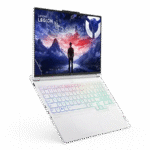
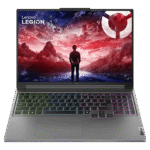
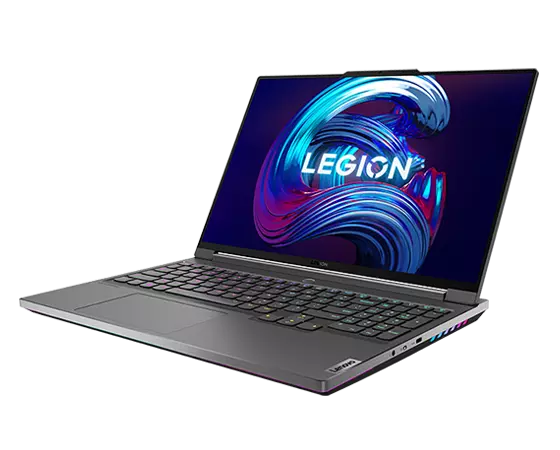
The Lenovo Legion 7 is a masterclass in premium design. It typically sports an all-aluminum chassis, offering a robust and sleek aesthetic. The minimalist design is accentuated by the Legion logo, often backlit, and subtle design cues. The build quality is exceptional, providing a solid feel and minimizing flex. The overall design prioritizes a professional, yet gamer-centric aesthetic, making it suitable for use in both gaming and professional environments. Attention to detail is evident, from the smooth hinge to the strategically placed vents for efficient cooling.
Display and Audio Experience
The Legion 7 usually features high-quality displays, crucial for an immersive gaming experience. These often include:
- High Refresh Rates: 165Hz or even 240Hz refresh rates, providing smooth and responsive gameplay.
- High Resolution: QHD (2560×1440) or higher resolutions, offering sharp and detailed visuals.
- Color Accuracy: Displays with excellent color accuracy, covering a significant portion of the sRGB and DCI-P3 color gamuts, crucial for both gaming and content creation.
- G-Sync or FreeSync: Adaptive sync technologies that synchronize the display’s refresh rate with the GPU’s frame rate, eliminating screen tearing and stuttering.
The audio experience is also a highlight. Legion 7 models often incorporate:
- Stereo Speakers: Typically, high-quality stereo speakers often tuned by companies like Harman Kardon, delivering clear and balanced sound.
- Dolby Atmos: Support for Dolby Atmos for immersive spatial audio, enhancing the gaming experience.
Performance: Powering Through Games
The performance of the Lenovo Legion 7 is its primary selling point. It’s equipped with top-of-the-line components to handle demanding games and applications:
- Processors: High-performance CPUs from Intel or AMD, such as the latest generation Core i9 or Ryzen 9 processors. These processors provide exceptional processing power for demanding tasks, including multitasking, video editing, and streaming.
- Graphics Cards: Powerful NVIDIA GeForce RTX series GPUs, like the RTX 4080 or RTX 4090, delivering incredible graphics performance and enabling features like ray tracing and DLSS.
- RAM: Ample amounts of RAM, typically 16GB or 32GB of DDR5 or higher, ensuring smooth multitasking and ample memory for demanding games.
- Storage: Fast NVMe SSD storage, often offering capacities of 1TB or 2TB or more, providing fast boot times, application loading, and game installations.
- Cooling System: An advanced cooling system is essential to manage the heat generated by the powerful components. Legion 7 models use effective cooling solutions, such as vapor chambers and multiple fans, to prevent thermal throttling and maintain peak performance.
Keyboard and Trackpad: A Comfortable Gaming Experience
The Legion 7 features a well-designed keyboard and trackpad, crucial for a comfortable gaming and typing experience. Key features include:
- Keyboard: A comfortable and responsive keyboard, typically with per-key RGB lighting for customization. Key travel is often optimized for gaming, providing a satisfying tactile feel.
- Trackpad: A smooth and responsive trackpad, often with a large surface area for precise cursor control. The trackpad is typically integrated seamlessly into the design of the laptop.
Ports and Connectivity: Staying Connected
The Legion 7 is well-equipped with a comprehensive selection of ports and connectivity options, ensuring you can connect all your peripherals and accessories:
- USB Ports: Multiple USB-A and USB-C ports, supporting high-speed data transfer and charging.
- HDMI Port: An HDMI port for connecting to external displays or TVs.
- Audio Jack: A 3.5mm audio jack for headphones or external speakers.
- Ethernet Port: A Gigabit Ethernet port for a stable and fast wired network connection.
- Wi-Fi: Wi-Fi 6E support for fast and reliable wireless connectivity.
- Bluetooth: Bluetooth 5.2 or higher for connecting wireless accessories.
Battery Life: Gaming On the Go?
While gaming laptops prioritize performance, battery life is still a consideration. The Legion 7, with its powerful components, typically has a battery life that is adequate, but not exceptional, for gaming on the go. Battery life will vary depending on the usage.
- Gaming: Expect a short battery life, typically around 1-2 hours during intense gaming sessions.
- General Use: Under less demanding tasks like web browsing or office work, the battery can last longer, potentially up to 4-6 hours, depending on the screen brightness and power settings.
Best Lenovo Legion 7 Alternatives for Gamers
The gaming laptop market is competitive, with many excellent alternatives to the Lenovo Legion 7. Here’s a comparison table:
| Feature | Lenovo Legion 7 | Dell Alienware m17 R5 | ASUS ROG Strix Scar 17 | Razer Blade 17 |
|---|---|---|---|---|
| Processor | Intel Core i9 or AMD Ryzen 9 | AMD Ryzen 9 | AMD Ryzen 9 | Intel Core i9 |
| GPU | NVIDIA GeForce RTX 4080/4090 | NVIDIA GeForce RTX 3080/3080 Ti/4080/4090 | NVIDIA GeForce RTX 3070/3080/3080 Ti/4090 | NVIDIA GeForce RTX 3070/3080/3080 Ti/4090 |
| Display | 16″ QHD 165Hz/240Hz, or 16″ WQXGA 240Hz | 17.3″ FHD/QHD 165Hz/360Hz | 17.3″ QHD 240Hz | 17.3″ FHD/QHD/UHD 144/240/360Hz |
| RAM | Up to 32GB DDR5 | Up to 64GB DDR5 | Up to 64GB DDR5 | Up to 64GB DDR5 |
| Storage | Up to 2TB NVMe SSD | Up to 4TB NVMe SSD | Up to 4TB NVMe SSD | Up to 8TB NVMe SSD |
| Design | Premium, minimalist | Aggressive, Alienware style | Aggressive, gamer-centric | Sleek, minimalist |
| Cooling | Excellent | Excellent | Excellent | Excellent |
| Keyboard | Excellent, RGB per-key | Good | Excellent, per-key RGB | Excellent, per-key RGB |
| Price (Approx.) | $2,000 – $4,000+ | $2,300 – $4,500+ | $2,500 – $4,800+ | $2,800 – $5,000+ |
- Dell Alienware m17 R5: Offers a powerful gaming experience with distinctive design elements and a high-refresh-rate display. Alienware often has unique customization options.
- ASUS ROG Strix Scar 17: Provides exceptional performance with a focus on cooling and customization, appealing to hardcore gamers.
- Razer Blade 17: Known for its sleek design, powerful performance, and premium build quality. A top choice for gamers who prioritize aesthetics.
Pros and Cons
Pros:
- Exceptional Performance: Powerful processors and GPUs handle the most demanding games and applications.
- Premium Design and Build Quality: Sleek and durable aluminum chassis.
- High-Quality Display: High refresh rates, resolution, and color accuracy for an immersive gaming experience.
- Excellent Keyboard and Trackpad: Comfortable for both gaming and everyday use.
- Comprehensive Connectivity: Wide range of ports and connectivity options.
- Effective Cooling System: Keeps components running cool even during intense gaming sessions.
Cons:
- Price: Premium laptops come with a premium price tag.
- Battery Life: Battery life is not a strength, especially during gaming.
- Weight: Can be heavy, making it less portable compared to thinner laptops.
Frequently Asked Questions (FAQ)
- What is the typical battery life of a Lenovo Legion 7?
Battery life varies depending on usage, but typically ranges from 1-2 hours of gaming to 4-6 hours for general use. - What kind of display does the Legion 7 have?
The Legion 7 typically features high-quality displays with high refresh rates (165Hz/240Hz), high resolution (QHD), and excellent color accuracy. - What are the key differences between the Legion 7 and the Legion Slim 7?
The Legion Slim 7 prioritizes portability and a thinner design over raw performance, while the Legion 7 focuses on maximizing performance and offers a more robust cooling system. - Does the Legion 7 support ray tracing?
Yes, depending on the GPU configuration, the Legion 7 supports ray tracing and DLSS through NVIDIA’s RTX series graphics cards. - Is the Lenovo Legion 7 suitable for content creation?
Yes, the Legion 7, with its powerful components and accurate display, is suitable for content creation tasks like video editing, photo editing, and 3D modeling. - What is the typical warranty for a Lenovo Legion 7?
The standard warranty is typically one year, but it can be extended with additional plans. Check the specific product page for the warranty details.