
Huawei MateBook D14: A Comprehensive Review
Outline
- Introduction
- Design and Build Quality
- Display and Audio
- Performance and Specs
- Battery Life
- Software and Features
- Who is the MateBook D14 For?
- Best Huawei MateBook D14 Alternatives
- Pros and Cons
- Conclusion
- Frequently Asked Questions (FAQ)
Introduction
The Huawei MateBook D14 has established itself as a popular choice in the crowded laptop market, particularly for users seeking a balance of portability, performance, and affordability. This review will delve deep into the various aspects of the MateBook D14, assessing its design, display, performance, battery life, software, and overall value proposition. We’ll explore who this laptop best serves and compare it to its key competitors to help you make an informed purchasing decision.
Design and Build Quality
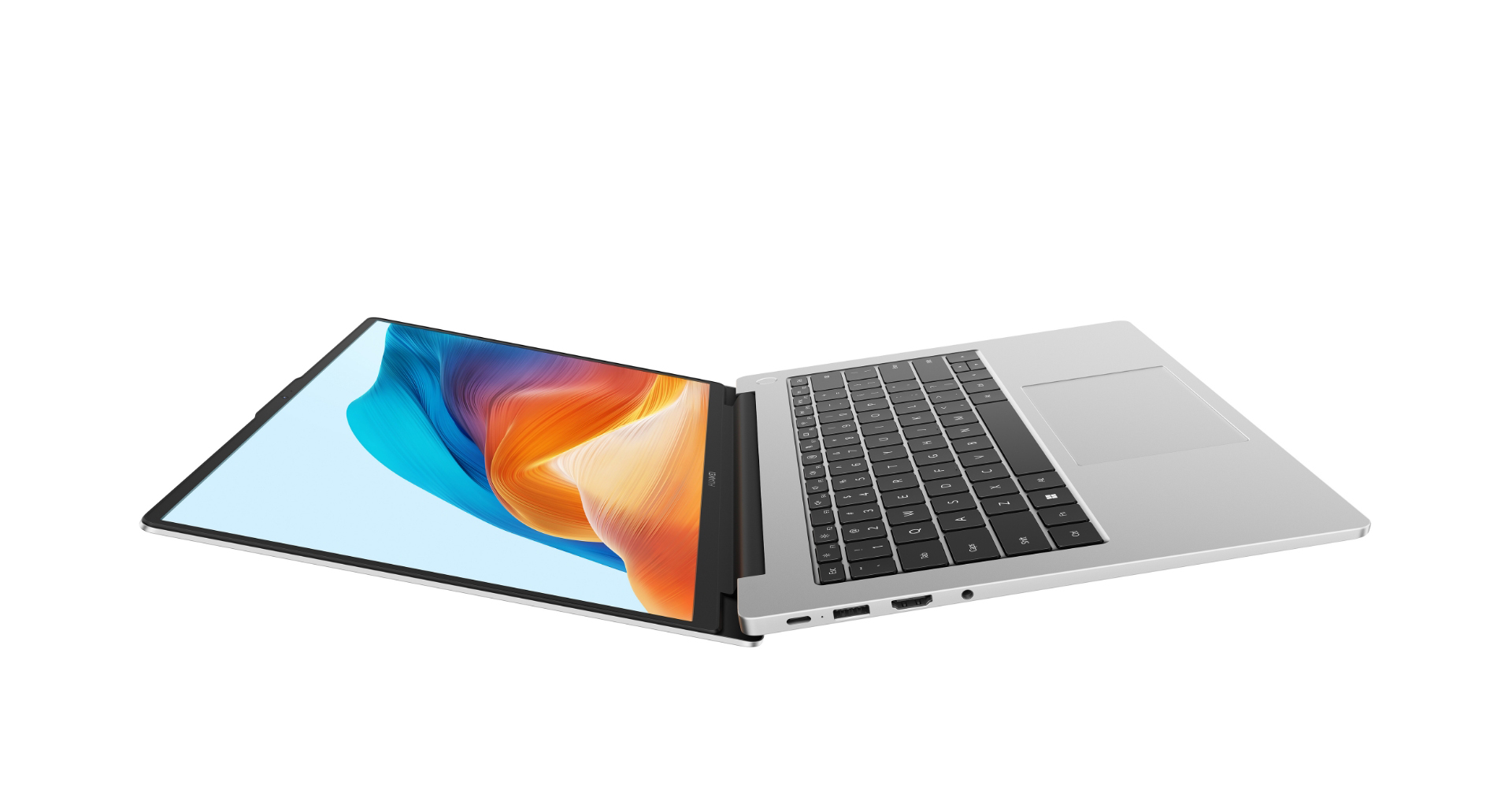
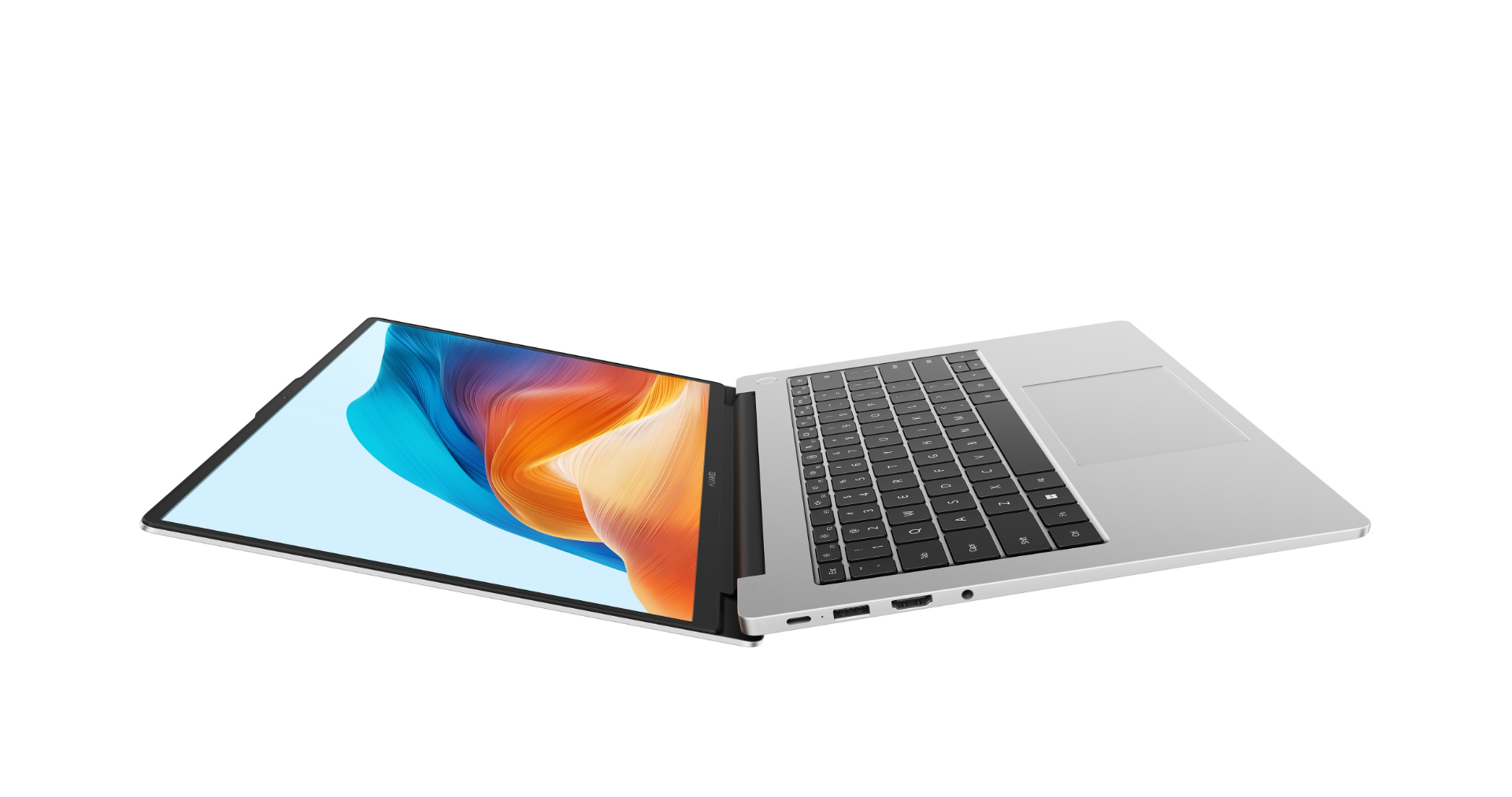
The Huawei MateBook D14 boasts a sleek and minimalist design, typical of Huawei’s laptop lineup. It features a slim profile and lightweight construction, making it highly portable and easy to carry around. The chassis is typically made of aluminum, lending a premium feel and adding to its durability. The build quality is generally excellent, with a solid feel and minimal flex. The keyboard offers a comfortable typing experience, and the trackpad is responsive and accurate. Available colors often include Space Gray, Mystic Silver, and sometimes other variants depending on the year of release.
Display and Audio
The MateBook D14 is typically equipped with a 14-inch FullView display, which is a key selling point. The display offers slim bezels, maximizing the screen real estate and enhancing the viewing experience. Resolution often ranges from 1920 x 1080 (Full HD) to higher resolutions on more premium models. Colors are generally vibrant, and the display brightness is adequate for indoor use. Audio quality is acceptable for a laptop of this size, with speakers often positioned on the sides or bottom of the device, providing decent sound output for media consumption and video conferencing.
Performance and Specs
The performance of the MateBook D14 largely depends on the specific configuration. Huawei typically offers several processor options, from Intel Core i5 and i7 processors to AMD Ryzen 5 and Ryzen 7 processors. These processors are paired with integrated graphics or dedicated graphics cards, with choices varying across different model years. RAM usually starts at 8GB and goes up to 16GB, while storage options commonly include SSDs ranging from 256GB to 1TB. Performance is generally sufficient for everyday tasks like web browsing, document editing, and video streaming. Higher-end configurations can handle more demanding tasks, such as photo editing and light video editing.
Battery Life
Battery life is a crucial factor for a portable laptop. The MateBook D14 generally offers decent battery life, allowing for a full day of use for typical tasks. The battery capacity varies depending on the model year, but it’s often around 56Wh or higher. Huawei typically includes a fast-charging adapter that can quickly replenish the battery, allowing for quick top-ups when needed. Actual battery life will vary based on usage, display brightness, and the specific tasks being performed.
Software and Features
The MateBook D14 typically runs Windows, providing access to a wide range of software and applications. Huawei often includes pre-installed software, such as the Huawei PC Manager, which allows users to manage drivers, update the system, and connect to other Huawei devices. One of the standout features is the integration with Huawei smartphones, enabling seamless file sharing and multi-screen collaboration.
Who is the MateBook D14 For?
The Huawei MateBook D14 is ideally suited for:
- Students: Its portability, performance, and affordability make it a great option for studying and academic tasks.
- Professionals: It’s well-suited for professionals who need a reliable and portable laptop for work, such as those in marketing, writing, and design.
- Everyday users: Individuals who need a laptop for general use, such as web browsing, email, media consumption, and basic productivity tasks.
- Those on a Budget: It provides a compelling value proposition, delivering solid performance and features at a competitive price point.
Best Huawei MateBook D14 Alternatives
Finding the right laptop can depend on your specific needs. Here are some of the best alternatives in the same category:
Dell XPS 13
The Dell XPS 13 often represents the pinnacle of premium ultraportable laptops. It boasts a stunning display, a sleek design, and top-tier performance. However, it typically comes at a higher price point than the MateBook D14.
Apple MacBook Air M1
The Apple MacBook Air M1 is a powerhouse in a lightweight form factor. Powered by Apple’s M1 chip, it offers exceptional performance and incredible battery life. This is a great choice if you prefer macOS and are willing to pay a premium.
Lenovo IdeaPad Slim 7
The Lenovo IdeaPad Slim 7 is a strong competitor, offering a balance of performance, features, and affordability. It typically comes with powerful processors, a good display, and a comfortable keyboard.
Pros and Cons
Pros:
- Sleek and portable design
- Excellent build quality
- Good display with slim bezels
- Solid performance for everyday tasks
- Competitive price
- Good battery life
- Seamless integration with Huawei devices
Cons:
- Can be expensive at the high-end configuration.
- The display can be brighter, with some models.
- May not offer the same level of performance as some premium alternatives.
- Availability may vary depending on the region.
Conclusion
The Huawei MateBook D14 remains a compelling choice for users seeking a balance of portability, performance, and affordability. Its sleek design, solid build quality, good display, and decent performance make it a strong contender in the ultraportable laptop market. While it may not outperform the premium offerings from competitors, the MateBook D14 offers excellent value and is a great option for students, professionals, and everyday users alike. Ultimately, deciding whether the Huawei MateBook D14 is the right choice depends on your specific needs and budget.
Frequently Asked Questions (FAQ)
Q: Does the Huawei MateBook D14 come with a touchscreen?
A: Some models of the MateBook D14 are available with a touchscreen, but it is not a standard feature across all configurations.
Q: What operating system does the MateBook D14 use?
A: The Huawei MateBook D14 typically runs on the Windows operating system.
Q: Does the MateBook D14 support Thunderbolt 4?
A: Thunderbolt 4 support is available in some configurations of the MateBook D14, but not all. Check the specific specifications of the model you are considering.
Q: Is the MateBook D14 a good laptop for gaming?
A: The MateBook D14 can handle some light gaming, but it is not primarily designed for gaming. It is best suited for casual games or less demanding titles. Consider other options if heavy gaming is your priority.
Q: What is the warranty on the Huawei MateBook D14?
A: The warranty period typically depends on the region of purchase but usually includes a standard one-year warranty on parts and labor.









