Huawei MateBook 16s: A Comprehensive Review (2024)
Outline
- Introduction
- Design and Build Quality
- Display and Audio Experience
- Performance and Specs
- Keyboard, Touchpad, and Webcam
- Battery Life and Charging
- Software and Features
- Connectivity and Ports
- Pricing and Availability
- Who is the Huawei MateBook 16s For?
- Huawei MateBook 16s: Pros and Cons
- Best Huawei MateBook 16s Alternatives for Professionals
- Verdict: Should You Buy the Huawei MateBook 16s?
- Frequently Asked Questions (FAQ)
Introduction
The Huawei MateBook 16s is a premium laptop designed to cater to professionals, creators, and users who prioritize a large, vibrant display, powerful performance, and a sleek design. This review provides an in-depth look at its features, performance, and overall value proposition, helping you determine if it’s the right laptop for your needs. Launched as a high-end offering, the MateBook 16s aimed to compete in a competitive market dominated by brands like Dell, Apple, and HP.
Design and Build Quality
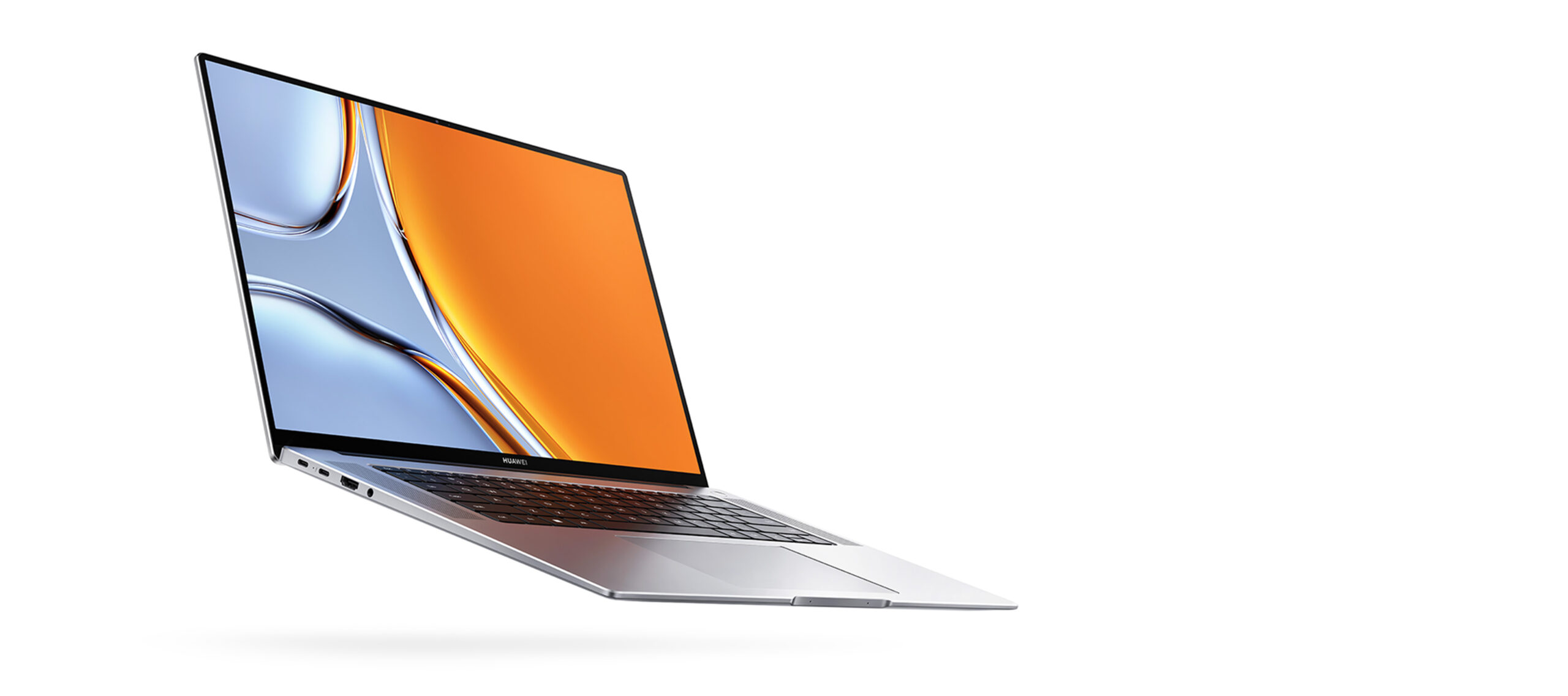
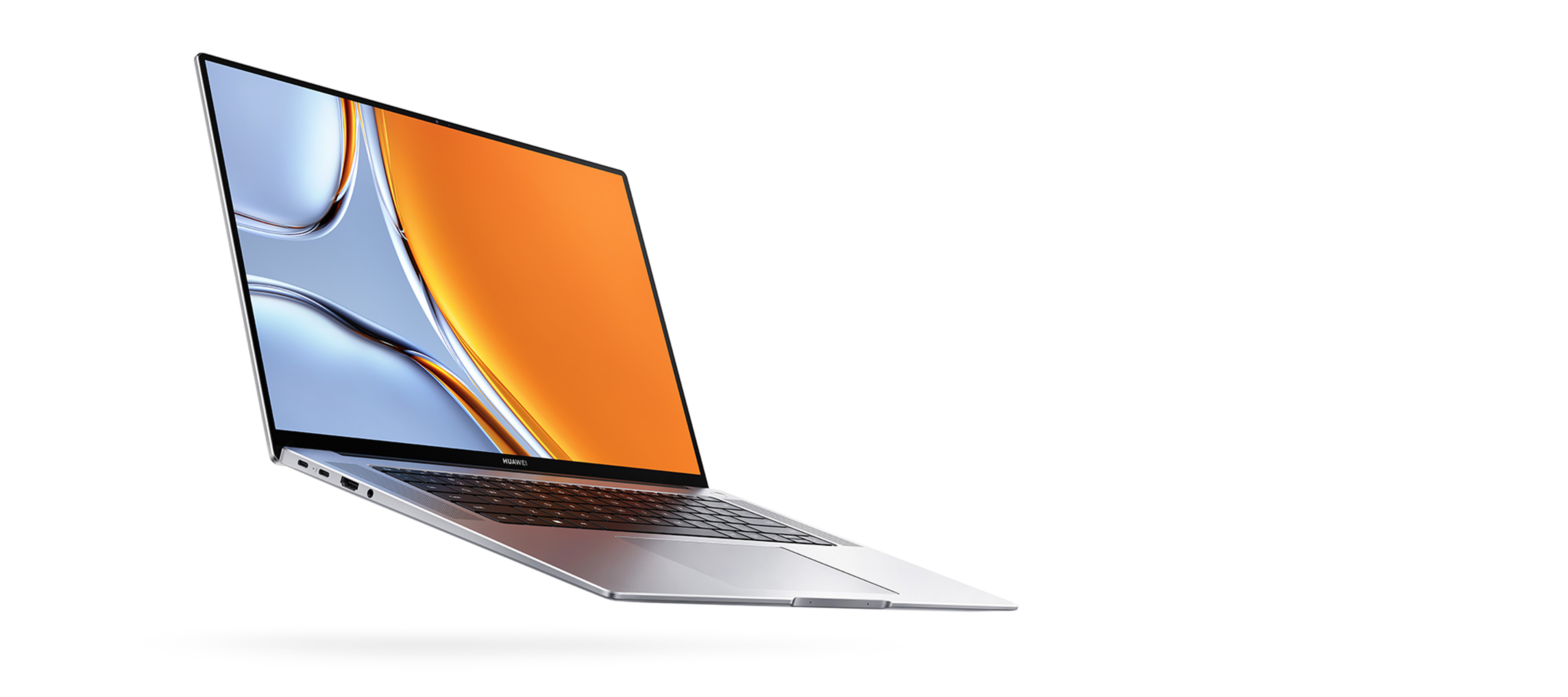
The Huawei MateBook 16s boasts a minimalist and elegant design, characteristic of the MateBook series. It’s constructed from a durable aluminum alloy, giving it a premium feel and a solid build. The laptop is relatively thin and lightweight for its size, making it portable despite its 16-inch display. The design focuses on clean lines and a subtle Huawei logo, contributing to its sophisticated aesthetic. The build quality is excellent, with minimal flex in the chassis and a sturdy hinge. Color options typically include Space Gray or Silver, providing a professional and understated appearance.
Display and Audio Experience
One of the highlights of the MateBook 16s is its large 16-inch display. The display usually features a high resolution (often 2520 x 1680 or similar), offering sharp visuals and ample screen real estate. The display is typically a touchscreen with vibrant colors, excellent brightness, and wide viewing angles, making it suitable for content creation, media consumption, and productivity tasks. The screen also often has a 3:2 aspect ratio, which provides more vertical space than the traditional 16:9 ratio, increasing productivity. The audio experience is enhanced by its dual speakers. The speakers are well-positioned and deliver clear and balanced sound.
Performance and Specs
The Huawei MateBook 16s is designed to deliver a smooth and responsive user experience, powered by high-performance components.
Processor Options and Benchmarks
The MateBook 16s is often equipped with powerful Intel Core processors, typically from the latest generations (e.g., Intel Core i7 or i9). These processors provide excellent performance for demanding tasks such as video editing, photo editing, and multitasking. These processors perform well on various benchmarks, offering strong single-core and multi-core performance. The specific performance will vary depending on the chosen CPU and cooling capabilities.
Graphics Performance
The graphics performance of the MateBook 16s depends on the processor. As the processor includes integrated Intel Iris Xe Graphics. While this integrated graphics solution is suitable for everyday use and light creative work, it may not be ideal for demanding gaming or graphics-intensive applications. Users who require better graphics performance for gaming or more intensive creative tasks may need to consider laptops with discrete graphics cards.
Storage and RAM
The MateBook 16s typically offers ample storage and RAM to handle demanding workloads. The laptop generally comes with fast SSD storage (512GB or 1TB or more) and a generous amount of RAM (16GB or more). This combination allows for quick boot times, rapid application loading, and smooth multitasking. The storage capacity and RAM amount are crucial for content creators who work with large files and need to multitask efficiently.
Keyboard, Touchpad, and Webcam
The Huawei MateBook 16s features a comfortable and responsive keyboard. The keys offer good travel and tactile feedback, making typing a pleasant experience. The touchpad is typically large, accurate, and responsive, with smooth tracking and support for multi-finger gestures. The webcam is usually a high-resolution camera, and it can include features such as a physical privacy shutter.
Battery Life and Charging
The battery life of the MateBook 16s is generally good, providing enough power for a full day of productivity. The exact battery life will vary depending on usage patterns, display brightness, and power settings. The laptop supports fast charging, which allows users to quickly replenish the battery when needed. The charging is often done via USB-C, offering convenience and compatibility.
Software and Features
The Huawei MateBook 16s comes with Windows 11 pre-installed. Huawei often integrates its own software to enhance the user experience, such as Huawei Share, which allows for seamless file transfer and screen sharing between Huawei devices. It also may include features designed for productivity and collaboration.
Connectivity and Ports
The Huawei MateBook 16s offers a range of ports for connecting peripherals and accessories. These ports typically include USB-C ports (with Thunderbolt support on some models), USB-A ports, an HDMI port, and a headphone jack. The presence of multiple USB-C ports is a major plus, as these ports support both charging and data transfer. The inclusion of a full-sized HDMI port eliminates the need for an adapter for connecting to external displays.
Pricing and Availability
The Huawei MateBook 16s is positioned as a premium laptop, and its price reflects its high-end features and performance. The price varies depending on the configuration and region, but it generally falls in the upper-mid-range price bracket. The laptop is available through Huawei’s official website, select retailers, and online stores.
Who is the Huawei MateBook 16s For?
The Huawei MateBook 16s is an excellent choice for:
- Professionals: Those who need a powerful laptop for work, with a large display, good performance, and a sleek design.
- Content Creators: Individuals who work with photo or video editing, or other creative applications.
- Students: Students who want a capable laptop for coursework, research, and multimedia projects.
- Users who value a large and vibrant display: Anyone who enjoys a high-quality visual experience.
- Users who value portability: While not the thinnest or lightest laptop in its class, its form factor remains ideal for carrying
Huawei MateBook 16s: Pros and Cons
Pros:
- Large, high-quality display.
- Excellent performance with powerful processors.
- Premium design and build quality.
- Comfortable keyboard and touchpad.
- Good battery life.
- Fast charging capabilities.
- Useful Huawei software features.
Cons:
- Integrated graphics may limit gaming performance.
- Pricey compared to some competitors.
- Availability may be limited in some regions.
Best Huawei MateBook 16s Alternatives for Professionals
Here are some alternative laptops that cater to the needs of professionals:
Comparison Table: Dell XPS 15 vs. Huawei MateBook 16s
| Feature | Huawei MateBook 16s | Dell XPS 15 |
|---|---|---|
| Display | 16-inch, High Resolution | 15-inch, High Resolution |
| Processor | Intel Core i7/i9 | Intel Core i7/i9 |
| Graphics | Intel Iris Xe Graphics | NVIDIA GeForce RTX (Optional) |
| RAM | 16GB+ | 16GB+ |
| Storage | 512GB/1TB+ SSD | 512GB/1TB+ SSD |
| Design | Sleek, Aluminum | Premium, Aluminum/Carbon Fiber |
| Battery Life | Good | Good |
| Ports | USB-C, USB-A, HDMI, Headphone | USB-C (Thunderbolt), SD Card, Headphone |
| Starting Price | Varies | Varies |
| Primary Target | Professionals, Creators | Professionals, Creators |
Other alternatives include:
- Apple MacBook Pro 16-inch: Offers a fantastic display, powerful performance (especially with Apple Silicon), and a robust ecosystem.
- HP Spectre x360 16: A convertible laptop with a beautiful display and flexible design.
- Microsoft Surface Laptop Studio: A unique design with a dynamic hinge and powerful performance options.
Verdict: Should You Buy the Huawei MateBook 16s?
The Huawei MateBook 16s is a compelling laptop that offers a great combination of features, performance, and design. It is a suitable option for professionals, content creators, and students. Its large, high-quality display, powerful performance, and premium build quality make it an excellent choice for those who value a seamless and productive computing experience. However, the graphics limitations (integrated only) and premium pricing should be considered, as alternatives may offer better value or more tailored features. Overall, the MateBook 16s is a strong contender in the premium laptop market and worth considering if you are looking for a reliable, feature-rich device.
Frequently Asked Questions (FAQ)
- Is the Huawei MateBook 16s good for gaming? The MateBook 16s is suitable for light gaming due to the integrated graphics. However, it is not designed for demanding games.
- Does the MateBook 16s have a touchscreen? Yes, it does.
- What is the battery life like? The battery life is generally good, offering a full day of use depending on your workload.
- Does it support Thunderbolt? Some configurations include Thunderbolt ports.
- What operating system does it use? It runs on Windows 11.
- What are the common storage options? Usually 512GB or 1TB SSD.
- What is the refresh rate of the display? Typically 60Hz.
- Is the webcam good? Yes, the webcam typically offers high resolution and can include a privacy shutter.