
ASUS ZenBook 14X: A Comprehensive Review for 2024
The ASUS ZenBook 14X series has established itself as a versatile and stylish laptop, catering to a wide range of users from students and professionals to creatives. Its blend of performance, portability, and premium features makes it a compelling option in the crowded laptop market. This review delves into the key aspects of the ZenBook 14X, examining its design, specifications, performance, and overall value proposition.
Outline
- Design and Build Quality
- Display and Audio
- Performance and Specifications
- Keyboard, Touchpad, and Features
- Battery Life
- Pros and Cons
- Best ASUS ZenBook 14X Alternatives
- Pricing and Availability
- Conclusion
- Frequently Asked Questions (FAQ)
Design and Build Quality
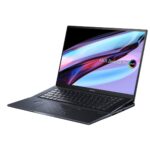
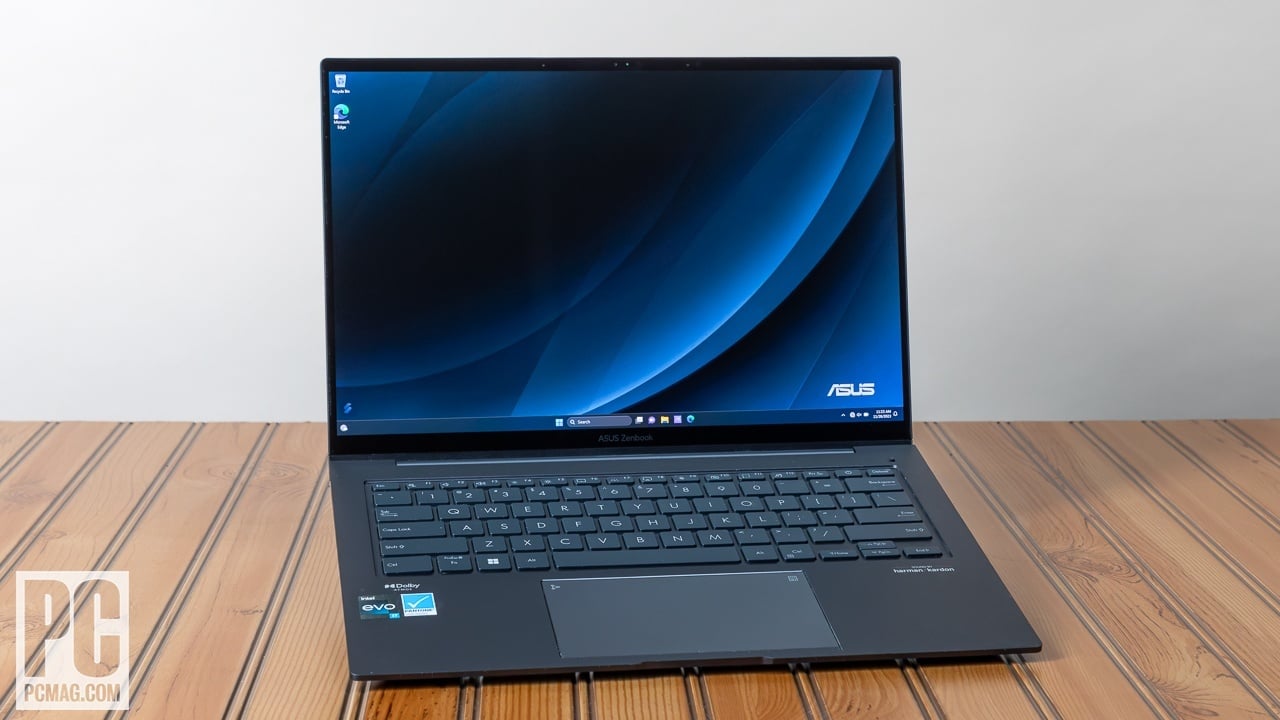
The ASUS ZenBook 14X boasts a sleek and premium design. Typically crafted with an aluminum alloy chassis, it feels solid and durable. The iconic concentric circle pattern on the lid, a signature of the ZenBook line, adds a touch of elegance. The laptop is generally thin and lightweight, making it highly portable and suitable for on-the-go use. Build quality is consistently high, with minimal flex in the chassis and a reassuringly sturdy feel. The various color options offered often include a range of sophisticated hues, adding to the device’s aesthetic appeal.
Display and Audio
The display is a crucial element of the ZenBook 14X experience. It frequently features a 14-inch OLED display, known for its vibrant colors, deep blacks, and exceptional contrast ratios. These OLED panels often offer a 2.8K or 4K resolution, providing sharp and detailed visuals. The screen is typically glossy, which can enhance the visual experience, but might also contribute to glare in bright environments. The display often includes touch capabilities and sometimes even stylus support.
Audio quality on the ZenBook 14X is generally good, with ASUS incorporating stereo speakers often tuned by Harman/Kardon. The sound is usually clear and relatively loud, offering a decent listening experience for media consumption and video conferencing. While not a replacement for dedicated audio equipment, the speakers are adequate for everyday use.
Performance and Specifications
The ASUS ZenBook 14X is offered in a variety of configurations, catering to different performance needs. These configurations often include Intel Core i5 or i7 processors from recent generations, alongside options for integrated Intel Iris Xe Graphics or even discrete NVIDIA GeForce MX series graphics cards for improved graphical performance.
Memory options typically range from 8GB to 16GB of LPDDR4x or LPDDR5 RAM, ensuring smooth multitasking capabilities. Storage is usually provided by fast NVMe PCIe SSDs, offering quick boot times and application loading. The combination of these components results in a laptop that can handle demanding tasks such as content creation, productivity, and light gaming.
Keyboard, Touchpad, and Features
The keyboard on the ZenBook 14X typically offers a comfortable typing experience. The keys are well-spaced with a decent amount of travel, providing a responsive feel. Backlit keys are common, making it easier to type in dimly lit environments.
The touchpad is generally large and responsive, often integrating the ASUS NumberPad 2.0 feature. This transforms the touchpad into a virtual number pad with the touch of a button, providing added convenience for data entry. The touchpad also supports Windows Precision drivers for accurate and smooth tracking.
Additional features may include a fingerprint sensor for secure login, an HD webcam for video calls, and a comprehensive selection of ports, including USB-C with Thunderbolt 4 support (depending on the model), USB-A, HDMI, and a microSD card reader.
Battery Life
Battery life on the ZenBook 14X can vary depending on the specific configuration and usage patterns. Models with OLED displays, which are known to consume more power, may have shorter battery runtimes compared to models with LCD displays. However, ASUS often optimizes the laptops for efficiency, resulting in battery life that typically lasts for a full workday of moderate usage. Expect around 8-10 hours of general productivity tasks, with video playback potentially reducing this time.
Pros and Cons
Pros:
- Premium Design: Sleek and stylish with a durable build.
- Excellent Display: Often features a vibrant OLED display with high resolution.
- Good Performance: Powerful processors and ample RAM for various tasks.
- Comfortable Keyboard: Responsive keys and a pleasant typing experience.
- Versatile Features: Includes NumberPad, fingerprint sensor, and a comprehensive port selection.
- Portability: Thin and lightweight design.
Cons:
- Glossy Display: Can be prone to glare in bright environments.
- OLED Burn-in Risk: Potential for burn-in with static elements on OLED displays (though ASUS implements measures to mitigate this).
- Price: Can be relatively expensive compared to some competitors.
- Battery Life (potentially): Battery life may vary based on configuration.
Best ASUS ZenBook 14X Alternatives
If the ASUS ZenBook 14X isn’t the perfect fit, here are some of the best alternatives available in the market.
For a focus on Gaming:
Here is a comparison table of ASUS ZenBook 14X and others:
| Feature | ASUS ZenBook 14X | Dell G15 | Apple MacBook Pro 14″ |
|---|---|---|---|
| Target Audience | Productivity, Content Creation | Gaming | Productivity, Content Creation |
| Processor | Intel Core i5/i7 | AMD Ryzen or Intel Core i7/i9 | Apple M1/M2 Pro/Max |
| Graphics | Intel Iris Xe/Nvidia MX series | NVIDIA GeForce RTX series | Integrated |
| Display | 14″ OLED/LCD, touch | 15.6″ LCD, High Refresh Rate | 14″ Mini-LED, ProMotion |
| RAM | 8GB – 16GB | 8GB – 32GB | 16GB – 64GB |
| Storage | 512GB – 1TB SSD | 512GB – 2TB SSD | 512GB – 8TB SSD |
| Portability | Excellent | Moderate | Excellent |
| Price (approx.) | $900 – $1800 | $800 – $2500 | $1999 – $6499 |
Other Alternatives
- Dell XPS 13/15: Offers a premium design, excellent display, and solid performance.
- Apple MacBook Air (M1/M2): Provides excellent performance, long battery life, and a seamless user experience.
- HP Spectre x360: A premium 2-in-1 laptop with a sleek design and versatile features.
- Lenovo Yoga Series: Often features excellent performance and innovative 2-in-1 designs.
Pricing and Availability
The price of the ASUS ZenBook 14X can vary depending on the configuration, retailer, and current promotions. It typically falls in the mid-range to high-end price bracket, reflecting its premium features and performance capabilities. It’s readily available at major electronics retailers, online stores, and directly from ASUS.
Conclusion
The ASUS ZenBook 14X is a well-rounded laptop that excels in several key areas. Its premium design, stunning display options (particularly the OLED models), and solid performance make it an attractive choice for users seeking a blend of style, portability, and productivity. While the price might be a consideration for some, the ZenBook 14X offers a compelling package for those who value a premium user experience.
Frequently Asked Questions (FAQ)
- What is the difference between the ZenBook 14X and other ZenBook models? The ZenBook 14X typically focuses on a 14-inch display, offering a balance of portability and screen real estate. Other ZenBook models may have different screen sizes, features, and performance profiles.
- Does the ZenBook 14X support gaming? While the ZenBook 14X is not specifically designed for gaming, it can handle light to moderate gaming, especially if equipped with a discrete graphics card.
- Does the ZenBook 14X have a touchscreen? Many ZenBook 14X models feature touchscreen capabilities, enhancing the user experience, particularly when using Windows 11.
- Is the ASUS NumberPad useful? Yes, the ASUS NumberPad can be a very convenient feature for users who frequently input numerical data, transforming the touchpad into a virtual number pad.
- How long does the battery last? Battery life varies depending on the usage. Expect around 8-10 hours of battery life with general productivity tasks.