
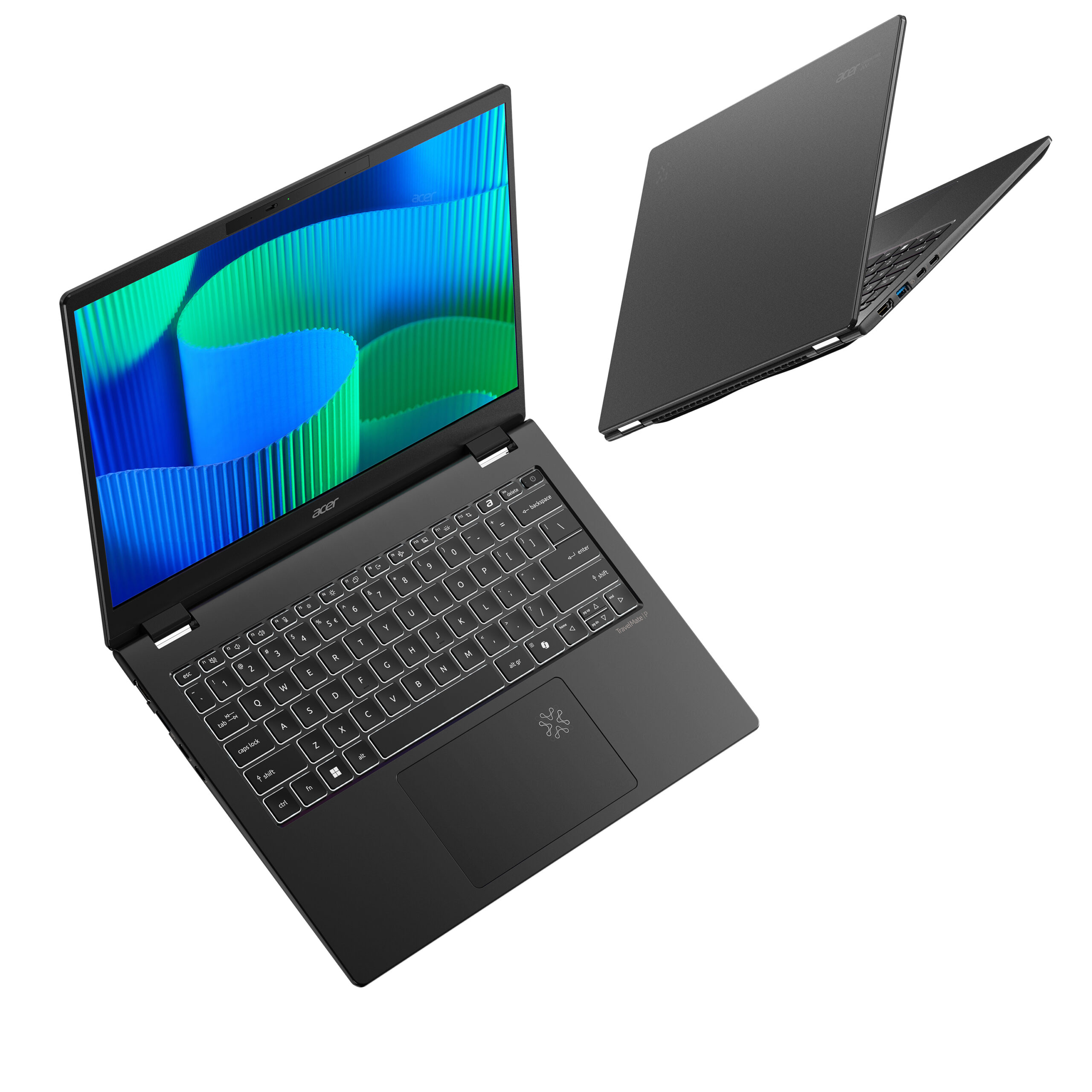
-02.jpg "Acer TravelMate P6")
Acer TravelMate P6: A Deep Dive into Business Productivity
The Acer TravelMate P6 series represents Acer’s foray into the premium business laptop market. Designed for professionals on the move, these laptops prioritize portability, performance, and robust security features. They are engineered to withstand the rigors of travel while offering the necessary power and connectivity for demanding workloads. From video conferencing to complex data analysis, the TravelMate P6 aims to be a reliable and efficient work companion.
Outline
- Design and Build Quality
- Performance and Specifications
- Display and Audio
- Keyboard and Touchpad
- Connectivity and Ports
- Security Features
- Battery Life and Portability
- Who is the Acer TravelMate P6 For?
- Best Acer TravelMate P6 Alternatives for Business Users
- Acer TravelMate P6: Pros and Cons
- Frequently Asked Questions (FAQ)
Design and Build Quality
The Acer TravelMate P6 typically features a sleek, professional design. It often employs a magnesium-aluminum alloy chassis, making it both lightweight and durable. This build quality allows the laptop to withstand accidental bumps and drops, crucial for frequent travelers. The overall aesthetic is understated and modern, fitting well in any business environment. Build quality is a significant selling point, ensuring longevity and a premium feel. The hinges are often robust, allowing for a smooth and stable screen opening and closing experience.
Performance and Specifications
The TravelMate P6 series is equipped with a range of Intel Core i5 or i7 processors, typically from the latest generation, offering a balance of performance and efficiency. RAM options often start at 8GB and can be configured up to 32GB or more, catering to demanding multitasking needs. Solid-state drives (SSDs) are standard, providing fast boot times and application loading speeds. Graphics processing is usually handled by integrated Intel Iris Xe Graphics, adequate for everyday tasks and some light content creation. Specific configurations will depend on the model year, but generally, the TravelMate P6 offers powerful specifications suitable for business applications.
Display and Audio
The display on the TravelMate P6 is designed for productivity. Expect Full HD (1920×1080) or higher resolution panels, often featuring anti-glare coatings to reduce reflections and improve viewing comfort in various lighting conditions. Some models may offer brighter displays and wider color gamuts. Audio quality is adequate for video conferencing and media consumption, though it may not rival dedicated multimedia laptops. Expect a decent pair of stereo speakers.
Keyboard and Touchpad
The keyboard on the TravelMate P6 is typically designed for comfortable and efficient typing. Key travel is usually good, providing tactile feedback. Backlit keyboards are common, enabling use in low-light environments. The touchpad is generally responsive and accurate, supporting multi-finger gestures. The overall typing experience is a key consideration for business users who spend significant time writing emails, documents, and other content.
Connectivity and Ports
The TravelMate P6 offers a comprehensive selection of ports to cater to various connectivity needs. Expect to find USB-C ports with Thunderbolt 4 support (enabling fast data transfer, display output, and power delivery), USB-A ports, HDMI ports, an Ethernet port, and a headphone/microphone jack. Wireless connectivity includes Wi-Fi 6E and Bluetooth 5.2 (or later) for fast and reliable wireless connections. These ports ensure compatibility with a wide range of peripherals and accessories.
Security Features
Security is a paramount concern for business users, and the TravelMate P6 incorporates several features to protect sensitive data. These typically include a fingerprint reader for biometric authentication, a TPM (Trusted Platform Module) chip for hardware-based security, and a webcam privacy shutter. Some models also feature optional NFC (Near Field Communication) for secure login. These features ensure data protection and secure access to company networks.
Battery Life and Portability
Battery life is a critical factor for mobile professionals. The TravelMate P6 is designed for all-day productivity, often delivering impressive battery life that can last for eight hours or more under typical usage conditions. The lightweight and slim design of the laptop enhances its portability, making it easy to carry in a backpack or briefcase. The combination of long battery life and a portable form factor makes it an ideal choice for users who frequently travel or work remotely.
Who is the Acer TravelMate P6 For?
The Acer TravelMate P6 is best suited for business professionals, executives, and anyone who requires a reliable and portable laptop for work. It’s an excellent choice for:
- Frequent travelers: Its lightweight design and long battery life make it ideal for on-the-go productivity.
- Business users: Its performance, security features, and comprehensive connectivity cater to the needs of professional users.
- Remote workers: Its portability and robust feature set make it a good choice for working from home or other remote locations.
Best Acer TravelMate P6 Alternatives for Business Users
The business laptop market is competitive, and several alternatives offer similar features and performance. Here’s a comparison table to help you decide:
| Feature | Acer TravelMate P6 | Dell XPS 13 | Lenovo ThinkPad X1 Carbon | HP EliteBook Series |
|---|---|---|---|---|
| Build Quality | Excellent, Magnesium-Aluminum | Excellent, Aluminum & Carbon Fiber | Excellent, Carbon Fiber | Excellent, Aluminum |
| Performance | Strong, Intel Core i5/i7 | Strong, Intel Core i5/i7 | Strong, Intel Core i5/i7 | Strong, Intel Core i5/i7 |
| Display | Good, Anti-Glare | Excellent, Bright & Vivid | Excellent, Variety of Options | Good, Anti-Glare |
| Keyboard | Comfortable | Comfortable | Industry-Leading | Comfortable |
| Portability | Excellent, Lightweight | Excellent, Very Lightweight | Excellent, Lightweight | Very Good, Lightweight |
| Security | Strong, Fingerprint, TPM, Webcam | Good, Fingerprint, Webcam | Excellent, Fingerprint, TPM, Privacy | Excellent, Fingerprint, TPM, Privacy |
| Price | Competitive | Premium | Premium | Competitive |
Why Consider These Alternatives?
- Dell XPS 13: Offers a stunning display and sleek design, appealing to users who prioritize aesthetics.
- Lenovo ThinkPad X1 Carbon: Known for its legendary keyboard and robust build quality, a favorite among business professionals.
- HP EliteBook Series: Offers a balance of performance, security, and features, with a strong focus on enterprise solutions.
Acer TravelMate P6: Pros and Cons
Pros:
- Lightweight and portable design
- Excellent build quality
- Strong performance for business tasks
- Comprehensive security features
- Long battery life
- Good selection of ports
Cons:
- Display quality may not be as vibrant as some competitors
- Audio quality is adequate but not exceptional
- Price can be on the higher side, depending on the configuration
Frequently Asked Questions (FAQ)
Q: What is the typical battery life of the Acer TravelMate P6?
A: Battery life varies depending on the configuration and usage but generally lasts for 8 hours or more.
Q: Does the TravelMate P6 have a touchscreen option?
A: Some models may offer touchscreen displays. Check the specific configuration.
Q: What security features are included?
A: Features include a fingerprint reader, TPM chip, and webcam privacy shutter, and often NFC.
Q: What processors are available in the TravelMate P6?
A: Intel Core i5 and i7 processors are commonly used, offering a range of performance options.
Q: Is the Acer TravelMate P6 suitable for gaming?
A: While it can handle some light gaming, it’s primarily designed for business tasks and professional use.









