
Acer Swift X 14: A Deep Dive into Performance and Portability
The Acer Swift X 14 has carved a niche for itself as a powerful yet portable laptop, designed to cater to professionals and creators who demand performance without sacrificing mobility. Featuring a blend of AMD Ryzen processors and NVIDIA GeForce RTX graphics, the Swift X 14 offers a compelling package for users seeking a balance between productivity and light gaming. This article delves into the details of the Acer Swift X 14, exploring its design, performance, display, battery life, and overall value proposition.
Outline
- Design and Build Quality
- Performance: Powering Through Tasks
- Display and Audio: Visual and Auditory Experience
- Battery Life: Staying Productive On the Go
- Ports and Connectivity
- Best Acer Swift X 14 Alternatives for Professionals
- Verdict: Is the Acer Swift X 14 the Right Laptop for You?
- FAQ
Design and Build Quality
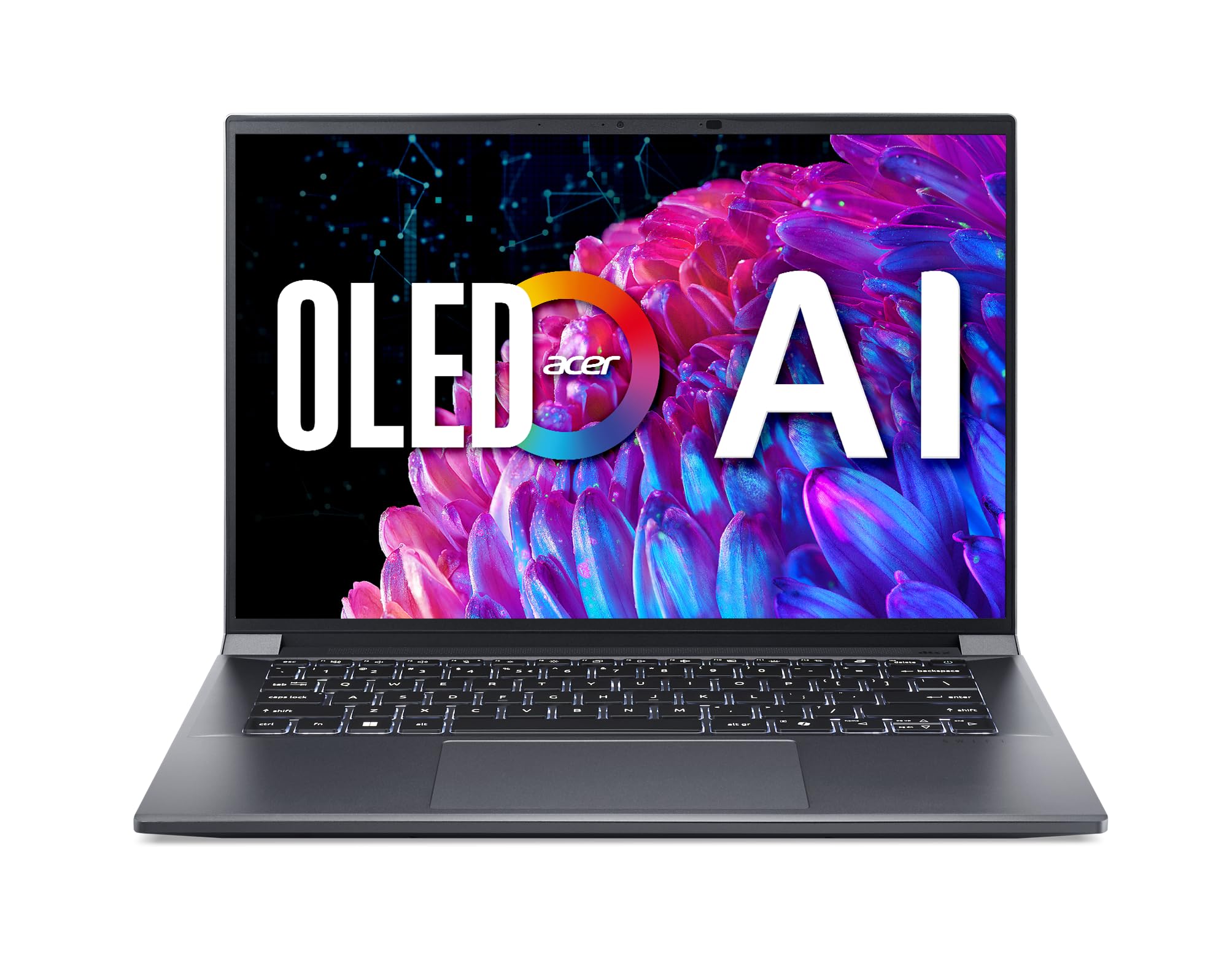
The Acer Swift X 14 showcases a sleek and minimalist design. It’s constructed with an aluminum chassis, contributing to its premium feel and durability. The laptop is notably thin and lightweight, making it easily portable. The build quality feels solid, with minimal flex in the keyboard deck and screen, even under pressure. Available in a variety of color options, the Swift X 14 presents a professional aesthetic suitable for any setting. The overall design emphasizes portability without compromising on a refined look. The hinge allows for a smooth opening and closing of the laptop, and it can be tilted back to a comfortable angle for various usage scenarios.
Performance: Powering Through Tasks
The Acer Swift X 14 is equipped with powerful AMD Ryzen processors, often coupled with NVIDIA GeForce RTX graphics cards, delivering a performance punch for demanding tasks. This combination makes it suitable for content creation, video editing, and even light to moderate gaming. The processing power allows for quick application loading times and responsive multitasking. The inclusion of an RTX graphics card allows for ray tracing and DLSS support in compatible games, improving visual fidelity and frame rates. The system also includes ample RAM and fast SSD storage, minimizing bottlenecks and maximizing overall system responsiveness. Benchmarks consistently show impressive scores, solidifying its place as a top performer within its class.
Display and Audio: Visual and Auditory Experience
The display on the Acer Swift X 14 is typically a 14-inch IPS panel, offering vibrant colors, wide viewing angles, and sharp image quality. The resolution can range from Full HD to QHD+, providing a clear and detailed visual experience. The display also boasts good color accuracy, making it ideal for creative professionals. While not always the brightest in its class, the display is generally bright enough for comfortable use in most environments.
The audio performance is adequate for everyday use, with speakers that provide clear sound. The built-in speakers are suitable for video calls, listening to music, and watching movies, although external speakers or headphones are recommended for a more immersive audio experience. The placement of the speakers is usually on either side of the keyboard or on the bottom, depending on the model variation.
Battery Life: Staying Productive On the Go
The Acer Swift X 14 offers a respectable battery life, allowing users to stay productive on the go. Depending on the configuration and usage, users can expect several hours of battery life on a single charge. This makes it a practical choice for students and professionals who need to work without being tethered to a power outlet. The battery life is generally optimized by the efficient AMD Ryzen processors and other power-saving features. Charging the laptop is typically done via a USB-C port, providing fast charging capabilities with a compatible adapter.
Ports and Connectivity
The Acer Swift X 14 provides a decent selection of ports and connectivity options, ensuring compatibility with various peripherals and accessories. It typically includes USB-C ports (with Thunderbolt 4 support in some models), USB-A ports, an HDMI port, and a headphone jack. The presence of a USB-C port with Thunderbolt 4 offers high-speed data transfer and the ability to connect to external displays and docks. Wireless connectivity includes Wi-Fi 6E, providing fast and reliable internet access, and Bluetooth for connecting wireless accessories.
Best Acer Swift X 14 Alternatives for Professionals
When considering alternatives, several laptops compete directly with the Acer Swift X 14. Here’s a comparison to help you choose the best fit:
Comparison Table: Acer Swift X 14 vs. Dell XPS 13
| Feature | Acer Swift X 14 | Dell XPS 13 |
|---|---|---|
| Processor | AMD Ryzen | Intel Core i7/i5 |
| Graphics | NVIDIA GeForce RTX | Intel Iris Xe Graphics |
| Display | 14″ IPS, QHD+ Options | 13.4″ InfinityEdge, OLED/LCD Options |
| Battery Life | Moderate | Excellent |
| Portability | Very Good | Excellent |
| Price | Mid-range | Premium |
| Best For | Professionals, Creative Work, Light Gaming | Portability, General Use, Premium Experience |
Comparison Table: Acer Swift X 14 vs. MacBook Air (M2)
| Feature | Acer Swift X 14 | MacBook Air (M2) |
|---|---|---|
| Processor | AMD Ryzen | Apple M2 |
| Graphics | NVIDIA GeForce RTX | Apple M2 (Integrated) |
| Display | 14″ IPS, QHD+ Options | 13.6″ Liquid Retina, Excellent Quality |
| Battery Life | Moderate | Excellent |
| Operating System | Windows 11 | macOS |
| Price | Mid-range | Mid-range |
| Best For | Professionals, Creative Work, Light Gaming | General Use, macOS Ecosystem, Portability |
Verdict: Is the Acer Swift X 14 the Right Laptop for You?
The Acer Swift X 14 is a compelling laptop that successfully balances performance and portability. It offers a powerful processor, dedicated graphics, and a vibrant display, making it suitable for both professional tasks and light gaming. Its sleek design, solid build quality, and decent battery life enhance its appeal. However, if extended battery life is a top priority, or you prioritize a premium design aesthetic, other options like the Dell XPS 13 may be more appropriate. Ultimately, the Acer Swift X 14 is an excellent choice for users seeking a versatile and powerful laptop that can keep up with their demanding workflows without sacrificing on the go experience.
FAQ
Q: What is the target audience for the Acer Swift X 14?
A: The target audience includes professionals, content creators, students, and anyone who needs a powerful and portable laptop for productivity and creative tasks.
Q: Does the Acer Swift X 14 have good battery life?
A: The battery life is generally good, providing several hours of use on a single charge, making it suitable for working on the go, though battery life can vary based on usage.
Q: Does the Acer Swift X 14 support gaming?
A: Yes, with the dedicated NVIDIA GeForce RTX graphics cards, the Swift X 14 is capable of playing modern games at reasonable settings.
Q: Does the Acer Swift X 14 have a good display?
A: Yes, the display typically features an IPS panel with vibrant colors, wide viewing angles, and sharp image quality, making it suitable for creative work.
Q: Does the Acer Swift X 14 offer a good selection of ports?
A: Yes, it usually includes USB-C ports, USB-A ports, an HDMI port, and a headphone jack, providing good connectivity options.