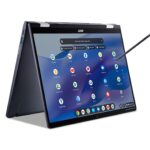
Acer Swift 5: A Deep Dive into Ultraportable Excellence
The Acer Swift 5 has long been a frontrunner in the ultraportable laptop market, consistently delivering a blend of performance, portability, and premium features. Known for its lightweight design, vibrant displays, and strong battery life, the Swift 5 has become a favorite among professionals and students alike. This comprehensive guide will delve into the various aspects of the Acer Swift 5, examining its specifications, performance, features, and overall value proposition.
Outline
- Design and Build Quality
- Display and Audio Quality
- Performance and Specifications
- Battery Life and Portability
- Keyboard and Trackpad
- Software and Features
- Who is the Acer Swift 5 for?
- Best Acer Swift 5 Alternatives
- Acer Swift 5: Pros and Cons
- Frequently Asked Questions (FAQ)
Design and Build Quality
The Acer Swift 5 distinguishes itself with its exceptional portability. Constructed primarily from magnesium-lithium and magnesium-aluminum alloys, the laptop boasts an incredibly lightweight chassis, often weighing under 2.5 pounds. This makes it ideal for users who are constantly on the move and need a device that’s easy to carry around. The design typically incorporates a clean and minimalist aesthetic, with a focus on slim profiles and sleek lines. Build quality is generally robust, with minimal flex and a premium feel. While the exact design can vary slightly between generations, Acer typically prioritizes a balance between durability and aesthetics in the Swift 5 series.
Display and Audio Quality
The Acer Swift 5 usually features a high-quality display. Acer often equips the Swift 5 with vibrant and color-accurate panels, typically ranging from 14 to 16 inches. These displays usually offer Full HD (1920×1080) or higher resolutions, providing sharp visuals and ample screen real estate for productivity and entertainment. Some models may include touchscreens and even options for higher refresh rates, enhancing the overall user experience.
Audio quality, while not the primary focus of an ultraportable, is generally acceptable for casual use. The Swift 5 typically incorporates stereo speakers, often positioned on the bottom or sides of the chassis. While the audio won’t match the richness of dedicated audio systems, it’s usually sufficient for video conferencing, media consumption, and general use. Users looking for a more immersive audio experience might consider using external speakers or headphones.
Performance and Specifications
The Acer Swift 5 is powered by a range of processors, varying across different generations and configurations. Recent models have typically incorporated Intel Core i5 or i7 processors, providing sufficient processing power for everyday tasks, including web browsing, email, document editing, and light content creation. In some cases, Acer may offer configurations with AMD Ryzen processors.
RAM configurations usually start at 8GB and can go up to 16GB or even 32GB in some models. Storage is typically handled by fast NVMe solid-state drives (SSDs), offering ample storage space and rapid boot and application loading times. The presence of integrated Intel Iris Xe Graphics or AMD Radeon Graphics provides adequate graphics performance for general use and light gaming.
Battery Life and Portability
Battery life is a key selling point of the Acer Swift 5. Designed for on-the-go use, the laptop typically offers impressive battery performance, allowing users to work or browse the web for several hours on a single charge. Actual battery life will depend on usage patterns, display brightness, and other factors, but the Swift 5 is generally capable of lasting through a full workday.
The ultraportable design, combined with its lightweight construction, makes the Swift 5 exceptionally portable. Its slim profile allows it to easily fit into backpacks, briefcases, and travel bags. The overall combination of battery life and portability makes it an excellent choice for users who need a device that can keep up with their busy lifestyles.
Keyboard and Trackpad
The keyboard on the Acer Swift 5 typically provides a comfortable typing experience. Key travel is usually good for a laptop of this size, and the keys are well-spaced, which minimizes typos. Backlighting is often included, allowing for comfortable typing in low-light environments.
The trackpad is another highlight. It is generally responsive, accurate, and supports multi-finger gestures, making navigation easy and intuitive. The surface is smooth and the buttons are integrated.
Software and Features
The Acer Swift 5 usually runs on Windows. Acer preinstalls a few utilities and software applications, but they typically avoid bloatware, which is a significant plus. These pre-installed apps may include Acer Care Center for system updates and diagnostics, and perhaps some trial versions of third-party software. The focus is on a clean and streamlined user experience. The Swift 5 also includes the standard features of Windows, such as the ability to install and run a wide variety of software applications.
Who is the Acer Swift 5 for?
The Acer Swift 5 is ideally suited for:
- Professionals: Who need a lightweight, portable, and reliable laptop for work.
- Students: Who need a versatile device for studying, note-taking, and completing assignments.
- Frequent Travelers: Who need a laptop that’s easy to carry around and offers good battery life.
- Users who value portability: Anyone who prioritizes a lightweight and compact design.
Best Acer Swift 5 Alternatives
Here’s a comparison table that contrasts the Acer Swift 5 with some key competitors:
| Feature | Acer Swift 5 | Dell XPS 13 | Apple MacBook Air M2 |
|---|---|---|---|
| Starting Price | ~$800 – $1200 | ~$900 – $1400 | ~$1000 – $1500 |
| Weight | ~2.2 – 2.8 lbs | ~2.6 lbs | ~2.7 lbs |
| Processor | Intel Core i5/i7, AMD Ryzen (select models) | Intel Core i5/i7 | Apple M2 |
| Display | 14-16″ FHD/QHD, Touchscreen (optional) | 13.4″ FHD+/UHD+, Touchscreen (optional) | 13.6″ Liquid Retina |
| RAM | 8GB – 32GB | 8GB – 32GB | 8GB – 24GB |
| Storage | 256GB – 1TB SSD | 256GB – 2TB SSD | 256GB – 2TB SSD |
| Battery Life | Up to 10+ hours | Up to 12+ hours | Up to 15+ hours |
| Operating System | Windows 11 | Windows 11 | macOS |
| Portability | Excellent | Excellent | Excellent |
| Strengths | Lightweight, good battery life, value | Premium design, powerful, excellent display | Excellent performance, great battery life, macOS ecosystem |
| Weaknesses | Performance can be middling, speakers | Pricey | Limited ports |
Here’s another table which contrasts the Acer Swift 5 with a laptop geared for gamers:
| Feature | Acer Swift 5 | Dell G15 |
|---|---|---|
| Starting Price | ~$800 – $1200 | ~$900 – $1500 |
| Weight | ~2.2 – 2.8 lbs | ~5.5 – 6.5 lbs |
| Processor | Intel Core i5/i7, AMD Ryzen (select models) | Intel Core i5/i7, AMD Ryzen 7/9 |
| Display | 14-16″ FHD/QHD, Touchscreen (optional) | 15.6″ FHD 120Hz/165Hz/240Hz, or QHD 165Hz/240Hz |
| RAM | 8GB – 32GB | 8GB – 32GB |
| Storage | 256GB – 1TB SSD | 256GB – 2TB SSD |
| Battery Life | Up to 10+ hours | Up to 4-7 hours |
| Operating System | Windows 11 | Windows 11 |
| Portability | Excellent | Poor |
| Strengths | Lightweight, good battery life, value | Powerful, good graphics, fast refresh rates |
| Weaknesses | Performance can be middling, speakers | Bulky, poor battery life |
Acer Swift 5: Pros and Cons
Pros:
- Ultra-Portable Design: Exceptionally lightweight and easy to carry.
- Good Battery Life: Offers all-day battery performance.
- Vibrant Display: Features high-quality displays with good color accuracy.
- Comfortable Keyboard and Trackpad: Provide a pleasant typing and navigation experience.
- Competitive Pricing: Offers good value for the features provided.
Cons:
- Performance: Not as powerful as some competitors, particularly in graphics-intensive tasks.
- Speakers: Audio quality can be underwhelming.
- Port Selection: The number of ports might be limited in certain models.
Frequently Asked Questions (FAQ)
-
Q: Does the Acer Swift 5 have a touchscreen?
- A: Some models include touchscreen functionality, but it is not standard across all configurations.
-
Q: What operating system does the Swift 5 run?
- A: The Acer Swift 5 runs on Windows 11.
-
Q: How long does the battery last?
- A: Battery life varies based on usage, but users can expect at least 8-10 hours of use, and sometimes even longer.
-
Q: Is the Acer Swift 5 good for gaming?
- A: The Acer Swift 5 is not primarily designed for gaming. While it can handle some light gaming, it is better suited for productivity and general use. For serious gaming, you should look for a gaming-focused laptop.
-
Q: What ports does the Swift 5 typically include?
- A: It usually includes a combination of USB-C (often with Thunderbolt support), USB-A ports, an HDMI port, and a headphone jack. The specific selection may vary slightly between models.