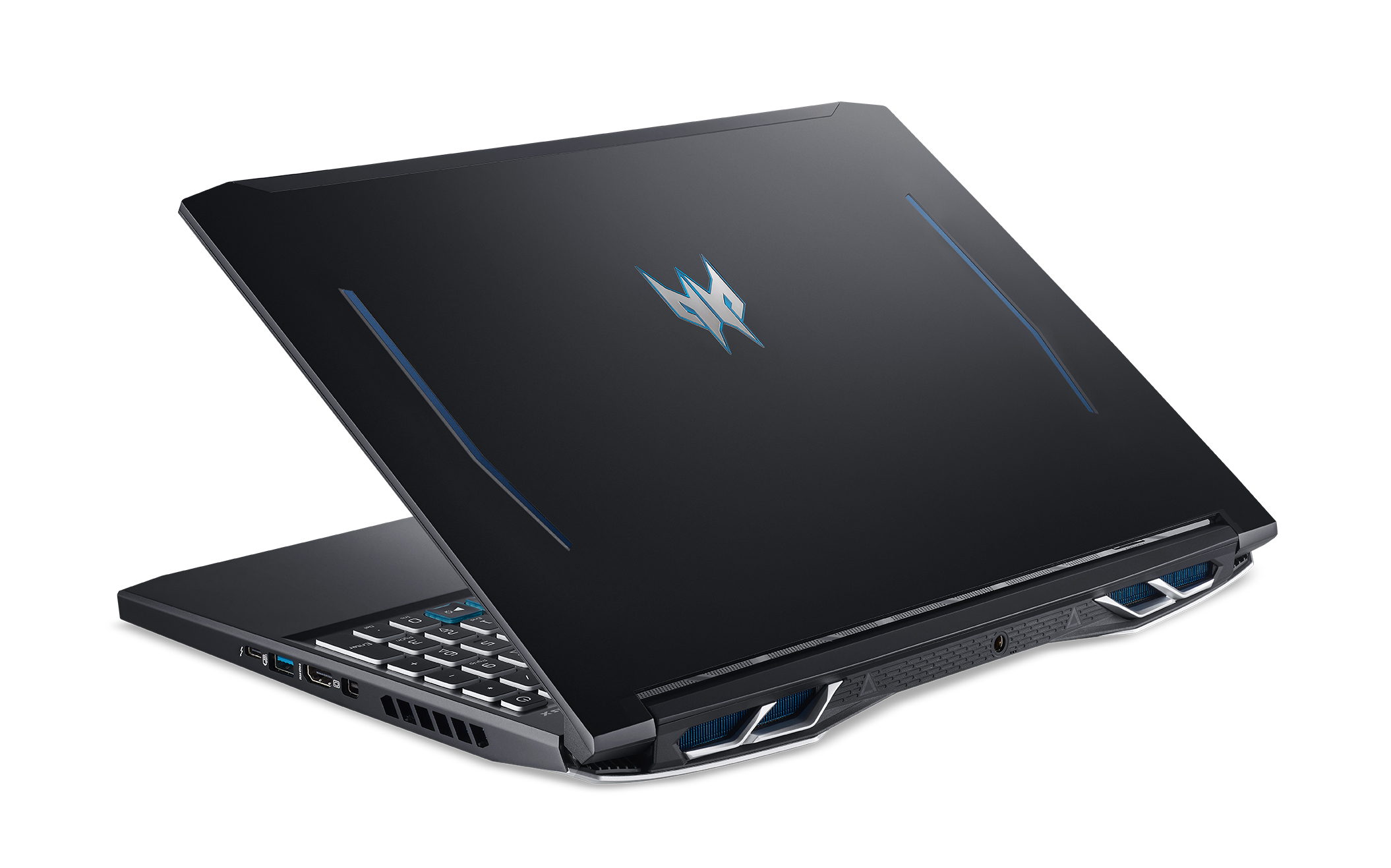

Acer Predator Helios 300: A Comprehensive Guide for Gamers
The Acer Predator Helios 300 has consistently been a frontrunner in the mid-range gaming laptop market. Offering a compelling blend of performance, features, and affordability, it appeals to both casual and dedicated gamers. This comprehensive guide delves into the specifics of the Helios 300, providing potential buyers with all the information they need to make an informed decision.
Outline
- Overview of the Acer Predator Helios 300
- Key Features and Specifications
- Performance Benchmarks: Gaming and Beyond
- Design, Build Quality, and Portability
- Display and Audio Quality
- Best Acer Predator Helios 300 Alternatives for Gamers
- Pricing and Availability
- Pros and Cons
- FAQ
Overview of the Acer Predator Helios 300
The Acer Predator Helios 300 is a gaming laptop designed to deliver a high-performance gaming experience without breaking the bank. It sits in a competitive segment, vying for attention against other popular gaming laptops. Acer regularly updates the Helios 300 with the latest generation of processors and graphics cards, ensuring it remains relevant in a rapidly evolving market. Its target audience primarily consists of gamers who prioritize performance and features within a reasonable budget. It also appeals to students and professionals who need a powerful machine for both gaming and demanding workloads like video editing or graphic design.
Key Features and Specifications
The Helios 300’s appeal stems from its well-rounded specifications. Here’s a breakdown of the typical components found in recent iterations:
- Processor: Typically features Intel Core i7 or i9 processors, offering high core counts and clock speeds for demanding tasks.
- Graphics Card: NVIDIA GeForce RTX series GPUs (e.g., RTX 3060, RTX 3070, RTX 3080, and now the RTX 40 series) provide excellent gaming performance and ray tracing capabilities.
- Memory (RAM): 16GB or 32GB of DDR5 RAM is common, allowing for smooth multitasking and efficient gameplay.
- Storage: Fast NVMe SSDs, typically ranging from 512GB to 2TB, provide rapid loading times for games and applications.
- Display: 15.6-inch or 17.3-inch displays with high refresh rates (144Hz, 165Hz, or 240Hz) and Full HD or QHD resolutions ensure a responsive and visually immersive gaming experience.
- Connectivity: Includes a range of ports, such as USB 3.2 Gen 1/2, USB-C (with Thunderbolt 4 support), HDMI, Ethernet, and a headphone jack.
- Keyboard: Backlit keyboard (usually RGB) with customizable settings.
- Cooling System: Acer’s proprietary cooling solutions, such as AeroBlade fans and strategically placed heat pipes, help keep the system cool during intensive gaming sessions.
These specifications are subject to variation depending on the specific model year and configuration.
Performance Benchmarks: Gaming and Beyond
The Acer Predator Helios 300 is designed for performance. Its gaming capabilities depend on the chosen configuration, with models featuring higher-end GPUs delivering higher frame rates in demanding titles. Here’s a general overview of its performance expectations:
- Gaming: Capable of running modern AAA titles at high or ultra settings with excellent frame rates (dependent on the GPU). The RTX 3060, for example, is well-suited for 1080p gaming and even capable of playing some games at 1440p with reduced settings. Models with RTX 3070 or 3080, and the new 40-series cards, offer even greater performance.
- Productivity: The powerful processors and ample RAM make the Helios 300 suitable for demanding productivity tasks, such as video editing, photo editing, and 3D rendering.
- Heat Management: While the cooling system is effective, the laptop can get warm under heavy load. The specific thermal performance will vary depending on the ambient temperature and the intensity of the tasks being performed.
Detailed benchmark results are readily available online from various tech review sites. These benchmarks provide insights into the performance of specific configurations across a range of games and applications.
Design, Build Quality, and Portability
The Helios 300 typically features a predominantly black or dark-themed design with subtle gaming aesthetics. The build quality is generally good, with a robust chassis that can withstand regular use.
- Design: Often features aggressive lines and accents, reflecting its gaming focus.
- Build Quality: Generally well-built, with a solid feel. The materials often include a combination of plastic and metal.
- Portability: While not the thinnest or lightest gaming laptop, the Helios 300 is reasonably portable. Its size and weight are typical for a 15.6-inch or 17.3-inch gaming laptop. The included power brick can be bulky.
Display and Audio Quality
The display and audio quality are crucial for an immersive gaming experience.
- Display: Offers vibrant colors and high refresh rates, essential for smooth and responsive gameplay. The display’s brightness and color accuracy will vary depending on the specific panel used.
- Audio: The built-in speakers provide acceptable audio quality, but for the best experience, users should consider using headphones. Acer often incorporates DTS:X Ultra audio technology to enhance the audio experience.
Best Acer Predator Helios 300 Alternatives for Gamers
The gaming laptop market is competitive, with several excellent alternatives to the Helios 300. Here are some of the top contenders:
Table 1: Dell G15 vs. Acer Predator Helios 300 – Comparison
| Feature | Acer Predator Helios 300 | Dell G15 |
|---|---|---|
| Processor | Intel Core i7/i9 | AMD Ryzen or Intel Core i5/i7/i9 |
| GPU | NVIDIA GeForce RTX Series | NVIDIA GeForce RTX Series |
| Display | 15.6″ or 17.3″, up to 240Hz, FHD/QHD | 15.6″, up to 360Hz, FHD/QHD |
| RAM | 16GB/32GB DDR5 | 8GB/16GB/32GB DDR5 |
| Storage | Up to 2TB NVMe SSD | Up to 2TB NVMe SSD |
| Design | Aggressive, Gaming Focused | Subtle, Modern |
| Cooling | Acer AeroBlade Fans | Alienware-inspired Cooling |
| Price (Approximate) | Varies by Configuration | Varies by Configuration |
| Best For | Performance focused gaming, value | Balance of Performance and design |
Other notable alternatives:
- Lenovo Legion Series: Known for excellent performance, build quality, and value. Offers a variety of configurations to suit different budgets.
- ASUS ROG (Republic of Gamers) Series: ASUS ROG laptops typically feature cutting-edge components and premium designs, often at a higher price point than the Helios 300.
- MSI Gaming Series: MSI offers a wide range of gaming laptops, with options for different budgets and performance needs.
When choosing an alternative, consider factors such as budget, desired performance level, build quality preferences, and specific features.
Pricing and Availability
The Acer Predator Helios 300 is available through major retailers, online marketplaces, and Acer’s website. Pricing varies depending on the configuration and retailer.
- Pricing: The price point of the Helios 300 makes it a good value proposition for its performance capabilities. Prices will fluctuate based on the specific configuration (CPU, GPU, RAM, storage) and the retailer.
- Availability: Generally readily available at major electronics retailers.
- Finding Deals: Look for sales events and promotions to get the best price.
Pros and Cons
Pros:
- High Performance: Powerful processors and graphics cards deliver excellent gaming performance.
- High Refresh Rate Displays: Offers smooth and responsive gameplay.
- Effective Cooling System: Keeps the system relatively cool under load.
- Good Value: Provides a strong balance of performance and price.
- Feature-Rich: Includes desirable features like a backlit keyboard and a range of ports.
Cons:
- Battery Life: Battery life is typically limited when gaming.
- Design: The design might not appeal to everyone.
- Can get Warm: Under heavy loads, the chassis can get warm.
- Price Creep: Depending on configuration, it can reach the price range of premium laptops.
FAQ
Q: What is the typical battery life of the Acer Predator Helios 300?
A: Battery life is typically around 4-6 hours during normal use and significantly less when gaming.
Q: Can I upgrade the RAM and storage in the Helios 300?
A: Yes, in most models, the RAM and storage are upgradeable. Check the specific model’s specifications for confirmation.
Q: What are the main differences between the 15.6-inch and 17.3-inch models?
A: The 17.3-inch model offers a larger screen, which can enhance the viewing experience. However, it can also be slightly heavier and more expensive. Internal components are usually similar between the two sizes, unless configured differently.
Q: Does the Helios 300 come with a warranty?
A: Yes, it comes with a standard manufacturer’s warranty. The warranty’s duration and coverage will vary depending on the region and the specific product.
Q: Is the keyboard comfortable for typing?
A: The keyboard is generally comfortable for typing, though individual preferences may vary. The keys typically have decent travel and feedback.