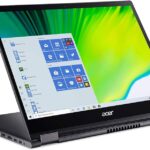
Acer Nitro 5: A Comprehensive Guide for Gamers
The Acer Nitro 5 has cemented its position as a popular choice in the gaming laptop market, offering a blend of performance, affordability, and features that appeal to both casual and dedicated gamers. This comprehensive guide delves into the specifics of the Nitro 5, exploring its various configurations, strengths, weaknesses, and how it stacks up against the competition. Whether you’re considering purchasing one or simply curious, this article will provide valuable insights.
Table of Contents
- Introduction
- Key Features and Specifications
- Performance: Gaming and Beyond
- Design and Build Quality
- Display and Audio
- Ports and Connectivity
- Battery Life
- Price and Value
- Best Acer Nitro 5 Configurations for Gaming
- Acer Nitro 5: Pros and Cons
- Best Acer Nitro 5 Alternatives for Gamers
- FAQ
Key Features and Specifications
The Acer Nitro 5 is known for its configurable options, allowing users to tailor their purchase to their specific needs and budget. Common specifications include:
- Processor: Intel Core i5 or i7 processors (varying generations, typically Core i5-11400H, i5-12500H, i7-11800H, i7-12700H, and newer) or AMD Ryzen 5 or 7 processors (Ryzen 5 5600H, Ryzen 7 5800H, Ryzen 5 6600H, Ryzen 7 6800H, and newer). The choice between Intel and AMD often comes down to personal preference and specific workload optimization.
- Graphics Card: NVIDIA GeForce RTX 3050, 3050 Ti, 3060, 3070, or newer generations, or AMD Radeon RX 6600M, RX 6700M, RX 7600M XT. The GPU significantly impacts gaming performance.
- Memory (RAM): 8GB, 16GB, or 32GB of DDR4 or DDR5 RAM, allowing for smooth multitasking and efficient game loading.
- Storage: 256GB, 512GB, 1TB, or 2TB NVMe PCIe Gen3 or Gen4 SSDs for fast boot times and game loading. Some configurations include a secondary 2.5-inch drive bay for additional storage.
- Display: 15.6-inch or 17.3-inch displays with Full HD (1920×1080) or QHD (2560×1440) resolution options. Refresh rates typically range from 144Hz to 165Hz or higher for a smoother gaming experience.
- Operating System: Windows 10 Home or Windows 11 Home.
- Connectivity: Wi-Fi 6 or Wi-Fi 6E, Bluetooth 5.1 or 5.2, Ethernet port.
- Ports: USB 3.2 Gen 1 and Gen 2 ports, USB-C ports with Thunderbolt 4 support (on some models), HDMI port, and a headphone/microphone combo jack.
- Cooling: Acer’s CoolBoost technology, with dual fans and multiple heat pipes, aimed at managing thermal performance.
Performance: Gaming and Beyond
The performance of the Acer Nitro 5 varies significantly depending on the chosen configuration. Models equipped with higher-end CPUs and GPUs, such as the RTX 3070 or RTX 3060, provide excellent gaming experiences at high or very high settings at 1080p and sometimes even 1440p resolutions.
- Gaming: The Nitro 5 handles modern AAA titles well, offering a balance of performance and affordability. Frame rates will vary based on graphics settings and the specific game.
- Productivity: Beyond gaming, the Nitro 5 performs well in general tasks, including web browsing, word processing, and video editing, particularly with a capable processor and ample RAM. The fast storage options contribute to a responsive user experience.
- Overclocking: Some models allow for limited overclocking of the CPU and GPU to squeeze out additional performance. This is typically managed through Acer’s NitroSense software.
Design and Build Quality
The Acer Nitro 5 generally sports a gaming-centric design, often featuring a black or red chassis with aggressive lines.
- Materials: Typically made of plastic, which contributes to its affordability, but might not feel as premium as laptops using metal construction.
- Keyboard: The keyboard usually includes a number pad and backlit keys, often with customizable RGB lighting.
- Chassis: The design prioritizes airflow for cooling, with vents placed strategically to dissipate heat.
- Durability: The build quality is acceptable for the price point, but it may not be as rugged as some more expensive gaming laptops.
Display and Audio
The display and audio capabilities of the Acer Nitro 5 are critical for an immersive gaming experience.
- Display Quality: The display is a significant aspect when choosing your Nitro 5. Many configurations include Full HD (1920×1080) or QHD (2560×1440) displays with refresh rates ranging from 144Hz to 165Hz or higher. While color accuracy might not be the best, the high refresh rates provide a smooth and responsive experience.
- Audio: The audio quality is decent, with stereo speakers often positioned on the bottom or sides. The audio isn’t the laptop’s strongest point, so gamers may want to consider using headphones for an enhanced experience.
Ports and Connectivity
The Acer Nitro 5 provides a good selection of ports for various peripherals and external devices.
- USB Ports: Several USB 3.2 Gen 1 and Gen 2 ports are available for connecting peripherals like mice, keyboards, and external drives.
- USB-C: Some configurations include USB-C ports with Thunderbolt 4 support, enabling fast data transfer, external display connectivity, and charging.
- HDMI: An HDMI port allows connecting to external monitors or TVs.
- Audio Jack: A headphone/microphone combo jack is included.
- Ethernet: An Ethernet port provides a stable wired network connection.
- Wireless Connectivity: Wi-Fi 6 or 6E and Bluetooth 5.1 or 5.2 for wireless networking and connecting Bluetooth devices.
Battery Life
Battery life is generally not a strong suit of the Acer Nitro 5, particularly when gaming.
- Gaming: Gaming on battery significantly reduces performance and results in a short battery life, typically around 1-2 hours.
- General Use: For tasks like web browsing or video playback, battery life can extend to 4-6 hours, depending on the screen brightness and other power-saving settings.
- Power Adapter: It is crucial to use the power adapter while gaming to maintain optimal performance and prevent battery drain.
Price and Value
The Acer Nitro 5 consistently offers good value for its price.
- Pricing: Prices vary significantly depending on the chosen configuration, with entry-level models starting at an affordable price and high-end models costing more.
- Value Proposition: The Nitro 5 provides a compelling value proposition by offering a balance of performance, features, and affordability, especially when compared to competitors with similar specifications.
Best Acer Nitro 5 Configurations for Gaming
For the best gaming experience, consider the following configurations:
- CPU: Aim for at least an Intel Core i5 or Ryzen 5 processor or better, depending on your budget.
- GPU: The NVIDIA GeForce RTX 3060, 3070, or newer is a good starting point for playing modern AAA titles at high settings.
- RAM: 16GB of RAM is highly recommended for smooth gaming and multitasking.
- Storage: A 512GB or 1TB SSD is essential for fast game loading and storage.
- Display: Choose a model with a high refresh rate (144Hz or higher) display, and consider a QHD resolution for a sharper image.
Acer Nitro 5: Pros and Cons
Pros:
- Affordable: Offers excellent value for its performance.
- Configurable: A wide range of configurations to meet different budgets and needs.
- Good Performance: Provides strong gaming performance, especially with higher-end GPUs.
- High Refresh Rate Displays: Provides smooth gameplay.
- Adequate Port Selection: Offers a good range of ports for connectivity.
- Cooling System: Effective cooling solutions with CoolBoost technology.
Cons:
- Build Quality: Primarily uses plastic, potentially not as durable as premium laptops.
- Battery Life: Battery life is short, particularly when gaming.
- Display Quality: While the displays have high refresh rates, color accuracy is not the best.
- Audio Quality: The built-in speakers are not the strongest aspect.
- Design: Gaming aesthetic may not appeal to everyone.
Best Acer Nitro 5 Alternatives for Gamers
When shopping for a gaming laptop, comparing options is essential. Here’s how the Nitro 5 stacks up against some competitors:
Comparison Table: Dell G15 vs. Acer Nitro 5
| Feature | Acer Nitro 5 | Dell G15 |
|---|---|---|
| Processor | Intel Core i5/i7 or AMD Ryzen 5/7 | Intel Core i5/i7 or AMD Ryzen 5/7 |
| Graphics Card | NVIDIA GeForce RTX 3050/3050 Ti/3060/3070 or newer, AMD Radeon RX 6600M/6700M/7600M XT | NVIDIA GeForce RTX 3050/3050 Ti/3060/3070 or newer, AMD Radeon RX |
| Display | 15.6″ or 17.3″, 1080p/1440p, 144Hz/165Hz+ | 15.6″, 1080p/1440p, 120Hz/165Hz/240Hz+ |
| Build Quality | Plastic construction, decent build. | Plastic construction, generally solid. |
| Cooling | Acer CoolBoost technology, dual fans. | Advanced cooling systems. |
| Price | Competitive pricing, good value. | Competitive pricing. |
| Design | Gaming-centric aesthetics. | Gaming-centric aesthetics, often with a more subtle design. |
| Ports | Good selection of ports. | Good selection of ports. |
| Battery Life | Short battery life when gaming. | Variable battery life. |
| Best For | Gamers on a budget, those seeking a highly configurable laptop. | Gamers seeking a blend of performance and build quality. |
Other viable alternatives include:
- Lenovo Legion Series: Known for excellent performance, build quality, and value. Offers a variety of configurations.
- MSI Katana/Sword/GF Series: Provides a strong combination of performance, features, and affordability, with varying designs.
- ASUS TUF Gaming Series: A robust option that offers a blend of performance and durability at an affordable price point.
FAQ
-
Is the Acer Nitro 5 good for gaming? Yes, the Acer Nitro 5 is generally a good gaming laptop, particularly at its price point, offering competitive performance. The performance varies depending on the configuration.
-
How long does the battery last? The battery life is typically short, especially when gaming. Expect 1-2 hours of gaming on battery. General use can extend the battery life up to 4-6 hours.
-
Can the RAM and storage be upgraded? Yes, the RAM and storage are typically upgradeable, allowing you to improve the laptop’s performance over time.
-
Does the Acer Nitro 5 have Thunderbolt? Some configurations include a USB-C port with Thunderbolt 4 support. Check the specific model’s specifications.
-
What resolution is best for the Nitro 5? 1080p (Full HD) is a good starting point, and 1440p (QHD) provides a sharper image, especially with more powerful GPUs. Choose the resolution that suits your desired performance and budget.
-
Is the Acer Nitro 5 good for video editing? The Nitro 5 can be suitable for video editing, particularly with an Intel Core i7 or AMD Ryzen 7 processor, ample RAM (16GB or more), and a fast SSD.
-
Does the Acer Nitro 5 get hot? Gaming laptops generate heat, and the Nitro 5 is no exception. While Acer’s CoolBoost technology helps, the laptop can get warm during intense gaming sessions. Using a laptop cooler is recommended for extended gaming sessions.