Panasonic Toughbook CF-33: A Deep Dive into Rugged Computing
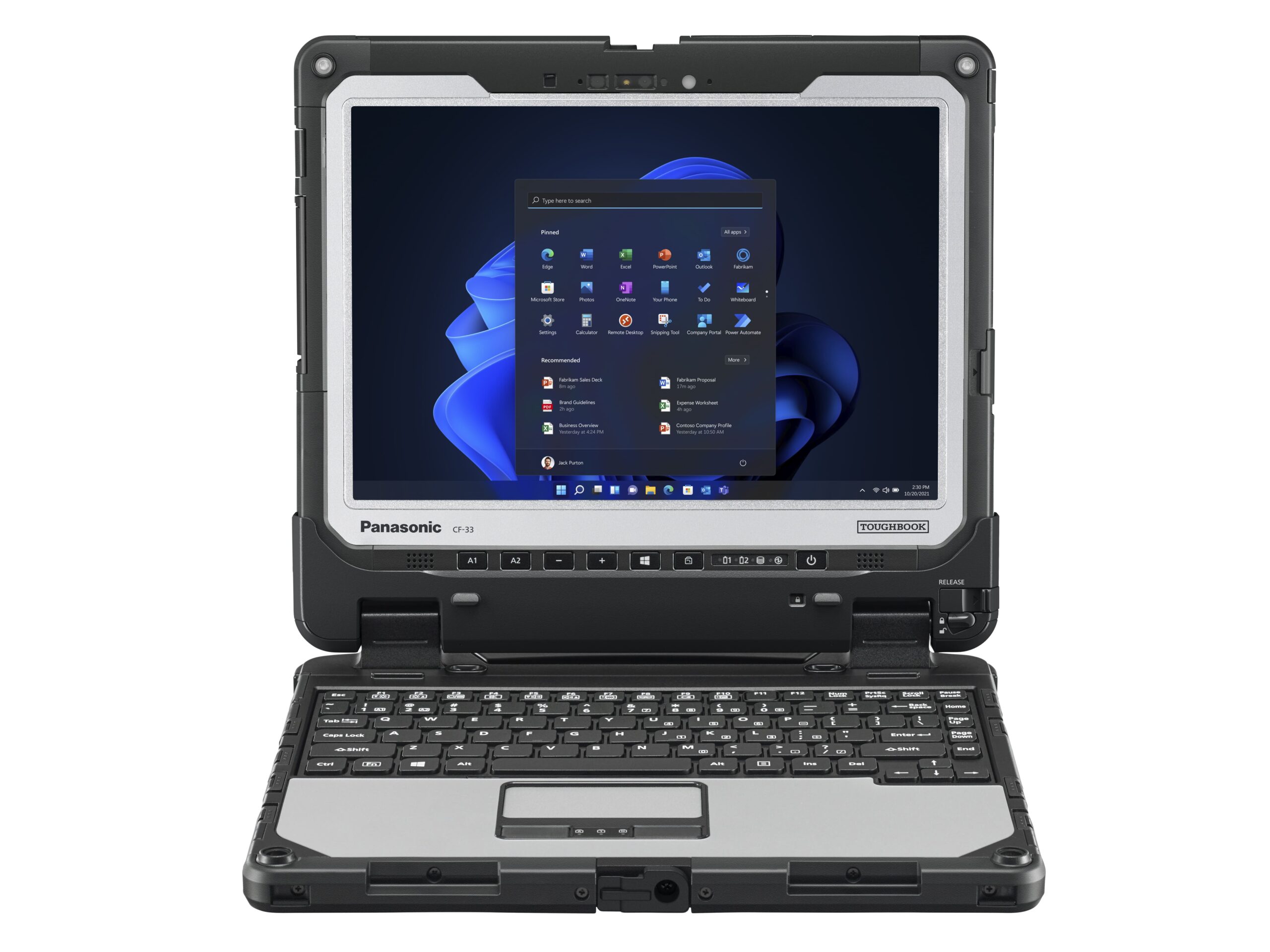
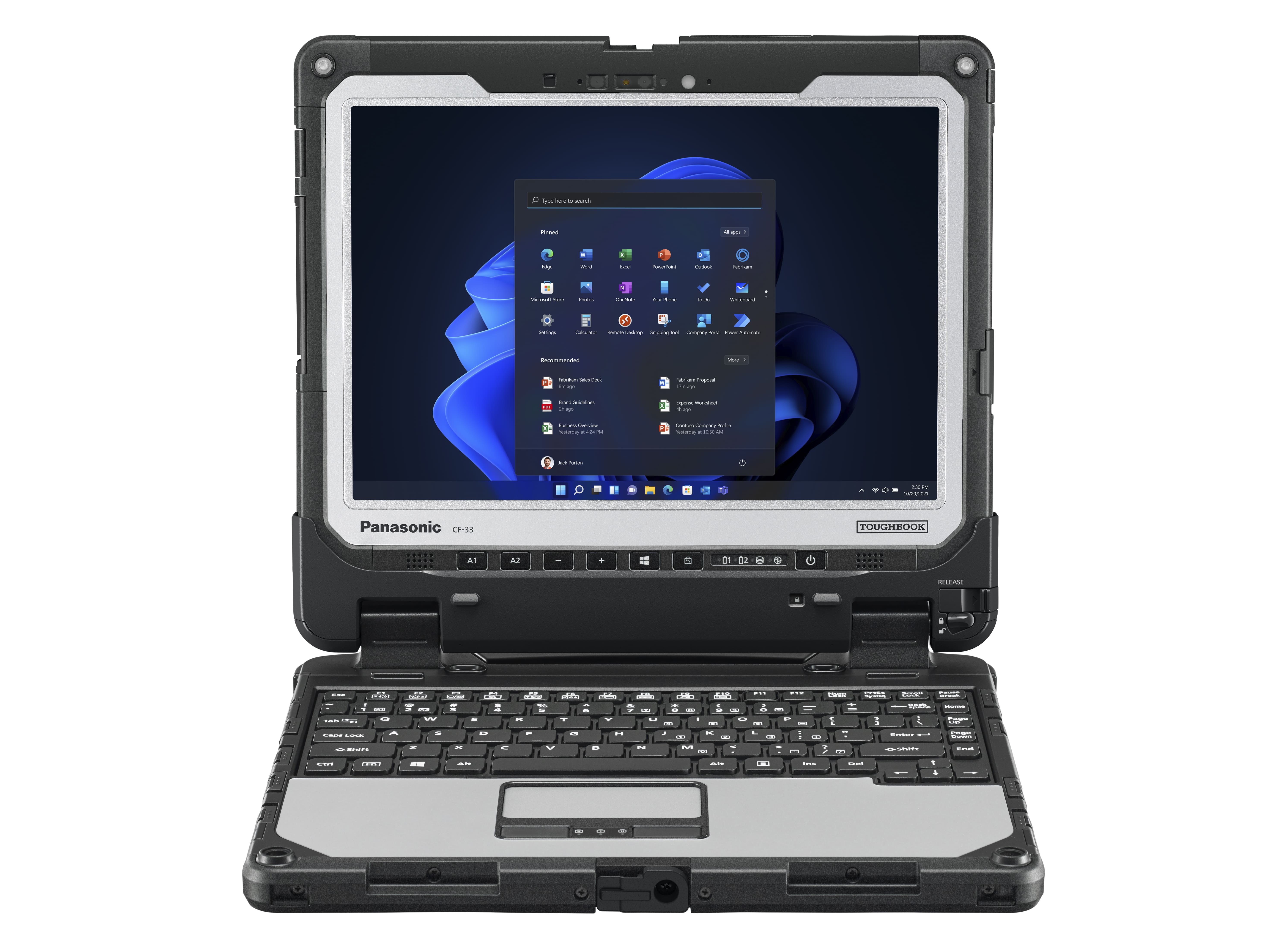
The Panasonic Toughbook CF-33 is a rugged 2-in-1 laptop designed for extreme environments. It represents a significant upgrade over its predecessor, the CF-31, offering a detachable tablet design and enhanced performance. This article will explore the CF-33’s features, specifications, and suitability for various use cases, making it easier for you to determine if it’s the right rugged device for your needs.
Outline
- Overview and Key Features
- Specifications and Performance
- Durability and Ruggedness
- Display and Touchscreen
- Connectivity and Ports
- Battery Life
- Software and Operating System
- Who Should Buy the Panasonic Toughbook CF-33?
- Best Panasonic Toughbook CF-33 Alternatives
- Pros and Cons
- Frequently Asked Questions (FAQ)
Overview and Key Features
The Panasonic Toughbook CF-33 is a rugged 2-in-1 laptop built to withstand harsh conditions. Its primary selling point is its exceptional durability, making it ideal for industries such as law enforcement, military, construction, and field service, where traditional laptops would quickly fail. The detachable design allows the screen to be used as a standalone tablet, increasing its versatility. Key features include:
- Detachable 2-in-1 design
- MIL-STD-810G certified for drop, shock, and vibration resistance
- IP65 rated for water and dust resistance
- Optional integrated features like GPS and a barcode reader
- Bright, sunlight-readable display
- Extended battery life options
Specifications and Performance
The CF-33 typically features Intel Core i5 or i7 processors, offering a solid level of performance for everyday tasks and resource-intensive applications. Available configurations often include up to 16GB of RAM and a fast SSD storage option, which contributes to quick boot times and responsive operation. The integrated Intel graphics are sufficient for general computing and some light graphical work, but it’s not designed for gaming.
Durability and Ruggedness
This is where the CF-33 truly shines. It is built to withstand extreme environments, having passed rigorous testing according to MIL-STD-810G standards. This means it can survive drops from up to 4 feet, exposure to extreme temperatures, humidity, vibration, and dust. The IP65 rating signifies its ability to resist water jets and dust ingress. These characteristics make it a dependable work tool in challenging environments.
Display and Touchscreen
The CF-33 boasts a 12-inch IPS display with a resolution typically of 2160 x 1440 pixels. The display is bright and sunlight-readable, making it easy to see in direct sunlight. The touchscreen supports multi-touch gestures and can be used with a stylus (sold separately), making it ideal for field service personnel and others who need to interact with applications in a variety of ways.
Connectivity and Ports
The CF-33 provides a wide array of ports, including USB 3.0, HDMI, Ethernet, and a serial port. This comprehensive selection enables easy connection to peripherals and legacy equipment. Additionally, many configurations offer optional features like a 4G LTE modem and GPS.
Battery Life
The standard battery configuration offers a reasonable battery life for a rugged device, typically around 9-10 hours. However, the CF-33 provides an optional extended battery pack that can significantly increase this time, making it suitable for users who require long operational periods away from a power outlet.
Software and Operating System
The CF-33 usually runs on Windows operating systems, often offering Windows 10 Pro. This provides access to a vast ecosystem of software and applications, making it easily integrated into existing IT environments. Panasonic also offers specialized software tools and drivers to optimize the device’s performance in rugged environments.
Who Should Buy the Panasonic Toughbook CF-33?
The Panasonic Toughbook CF-33 is best suited for professionals working in challenging environments. This includes:
- Field Service Technicians: For on-site repair and maintenance.
- Law Enforcement and Military Personnel: For data access and communication in the field.
- Construction Workers: For accessing blueprints, plans and managing project documents.
- Utility Workers: For managing infrastructure and conducting inspections.
- Outdoor Researchers: For data collection and analysis.
Best Panasonic Toughbook CF-33 Alternatives
While the CF-33 is a formidable rugged device, several alternatives are available, depending on your specific needs and budget. Here’s a comparison table:
| Feature | Panasonic Toughbook CF-33 | Dell Latitude Rugged 7220 | Getac F110 |
|---|---|---|---|
| Screen Size | 12 inch | 11.6 inch | 11.6 inch |
| Processor | Intel Core i5/i7 | Intel Core i5/i7 | Intel Core i5/i7 |
| RAM | Up to 16GB | Up to 32GB | Up to 32GB |
| Storage | Up to 1TB SSD | Up to 2TB SSD | Up to 2TB SSD |
| Rugged Rating | MIL-STD-810G, IP65 | MIL-STD-810G, IP65 | MIL-STD-810G, IP65 |
| Battery Life | Up to 10 hours | Up to 19 hours | Up to 10 hours |
| Detachable | Yes | No | Yes |
| Price (approx.) | $3,500+ | $2,500+ | $2,800+ |
This table provides a glimpse of competitive options. The best choice depends on your budget, required battery life, and whether a detachable design is essential. The Dell Latitude Rugged 7220 is a good option if you prioritize longer battery life, and the Getac F110 provides comparable features with a slightly lower price point.
Pros and Cons
Pros:
- Exceptional durability and ruggedness
- Detachable 2-in-1 design for versatile use
- Bright, sunlight-readable display
- Comprehensive connectivity options
- Reliable performance
Cons:
- Higher price point than consumer laptops
- Can be heavy and bulky
- Not designed for high-performance graphics tasks
Frequently Asked Questions (FAQ)
-
What is the warranty on the Panasonic Toughbook CF-33?
The warranty typically varies but is usually one to three years for the hardware. Extended warranties are often available for purchase.
-
Can the CF-33 be used in extreme temperatures?
Yes, the CF-33 is designed to operate in a wide range of temperatures, typically from -29°C to 60°C (-20°F to 140°F), depending on the specific model and configuration. Always check the official specifications for the precise temperature range.
-
Does the CF-33 have a touchscreen?
Yes, the CF-33 has a touchscreen.
-
Does the CF-33 support a stylus?
Yes, the CF-33 typically supports the use of a stylus, which is often sold separately.
-
What operating system does the CF-33 use?
The CF-33 typically runs on Windows operating systems, such as Windows 10 or Windows 11.