Dynabook Portégé X30: A Deep Dive into Ultraportable Productivity
The Dynabook Portégé X30 series represents a commitment to ultraportable computing designed for business professionals and users who prioritize mobility without sacrificing performance or essential features. This comprehensive analysis will explore the key aspects of the Portégé X30, examining its design, specifications, performance, and overall value proposition.
Outline
- Design and Build Quality
- Performance and Specifications
- Display and Audio
- Keyboard and Trackpad
- Ports and Connectivity
- Battery Life
- Software and Features
- Best Dynabook Portégé X30 Alternatives
- Pricing and Availability
- Who is the Dynabook Portégé X30 For?
- Frequently Asked Questions (FAQ)
Design and Build Quality
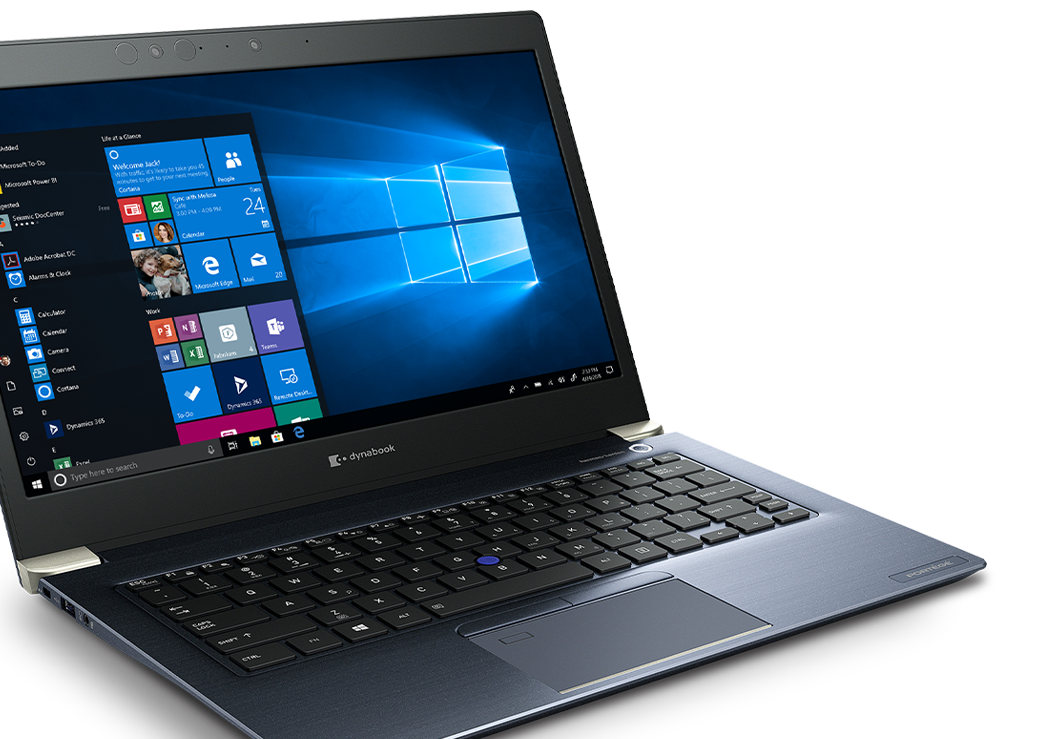
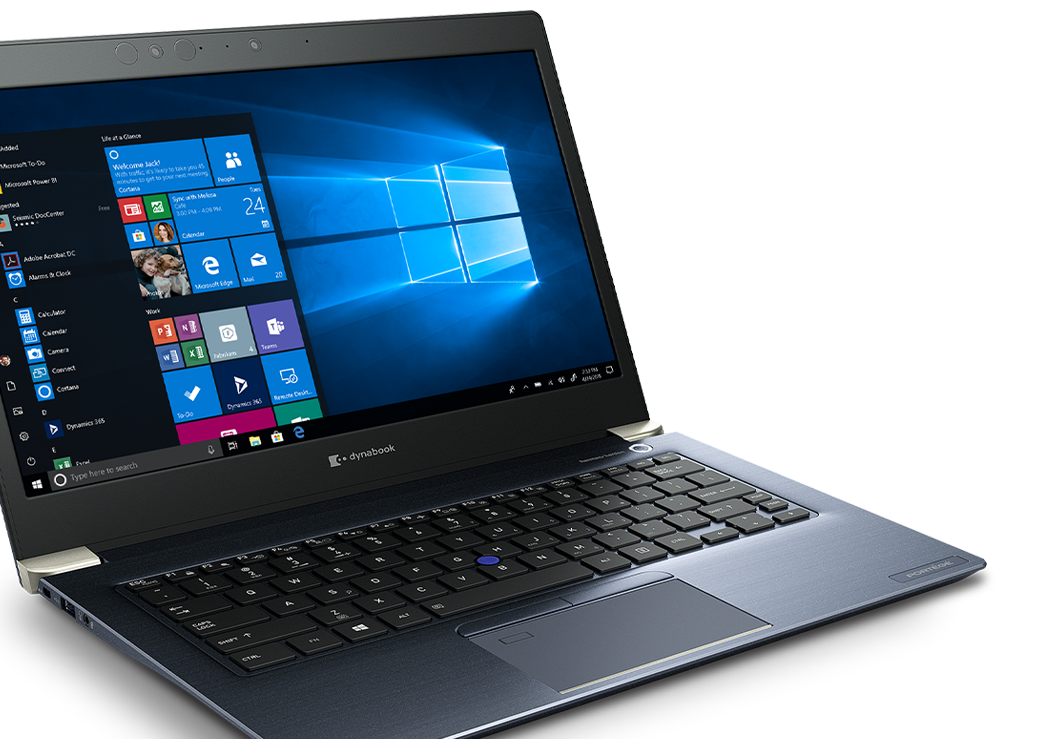
The Dynabook Portégé X30 typically boasts a sleek, minimalist design, emphasizing portability. Often constructed from magnesium alloy, the chassis offers a balance of durability and lightness. This robust build allows the device to withstand the rigors of frequent travel and daily use. The overall aesthetic is professional and understated, avoiding flashy elements in favor of a clean, business-oriented look. The focus is on thinness and a compact footprint, making it easy to slip into a bag or carry under one’s arm.
Performance and Specifications
The Portégé X30 typically offers a range of configurations to cater to different user needs. Expect to find Intel Core i5 or i7 processors from recent generations, providing ample power for everyday productivity tasks, including word processing, email, web browsing, and running business applications. RAM configurations usually start at 8GB and can scale up to 16GB or even 32GB in higher-end models, allowing for smooth multitasking. Solid-state drives (SSDs) are the standard storage option, offering fast boot times and application loading. These configurations ensure that the Portégé X30 delivers responsive performance for the intended user base. Graphics processing is typically handled by integrated Intel Iris Xe Graphics, suitable for light content creation and video playback, but not designed for demanding gaming or professional graphics workloads.
Display and Audio
The display on the Portégé X30 is typically a 13.3-inch Full HD (1920×1080) IPS panel. This resolution provides a sharp and clear visual experience, making it suitable for both work and media consumption. The IPS technology offers wide viewing angles, ensuring that the image remains consistent regardless of the angle from which it is viewed. While touchscreen options are available on some models, it isn’t a guaranteed feature. Audio quality is generally adequate for video conferencing and media playback, with speakers often positioned to project sound effectively, though external speakers or headphones are recommended for a richer audio experience.
Keyboard and Trackpad
The keyboard on the Portégé X30 is designed for comfort and productivity. The keys typically have a good amount of travel and provide a tactile typing experience. The layout is generally well-spaced, which minimizes typing errors. Backlit keyboards are a common feature, improving usability in low-light environments. The trackpad is generally responsive and accurate, offering smooth cursor control. Integrated physical buttons are typically present, as the trackpad has separate right and left click buttons.
Ports and Connectivity
The Portégé X30 usually offers a comprehensive selection of ports to cater to the needs of business users. This typically includes USB-A ports for legacy devices, USB-C ports for charging and connecting to peripherals, an HDMI port for connecting to external displays, a headphone/microphone combo jack, and a microSD card reader. Gigabit Ethernet (RJ45) ports may also be included, ensuring a reliable wired network connection. Wireless connectivity is provided by Wi-Fi 6 (or newer) and Bluetooth for fast and reliable connections to networks and accessories.
Battery Life
Battery life is a critical factor for an ultraportable laptop. The Portégé X30 typically delivers all-day battery performance, allowing users to work unplugged for a significant portion of the day. The exact battery life will vary depending on the specific configuration and usage patterns, but expect to get between 8-12 hours of moderate use. Dynabook frequently incorporates power-saving features to optimize battery consumption.
Software and Features
The Portégé X30 comes pre-installed with the Windows operating system. Dynabook often includes proprietary software and utilities designed to enhance security, improve performance, and manage the device. These utilities may include device management tools, security software, and features that optimize battery life.
Best Dynabook Portégé X30 Alternatives
Finding the right laptop can depend on specific needs, and here are a few alternatives.
Comparison Table: Dynabook Portégé X30 vs. Dell XPS 13
| Feature | Dynabook Portégé X30 (Example) | Dell XPS 13 (Example) |
|---|---|---|
| Processor | Intel Core i7-1260U | Intel Core i7-1260U |
| RAM | 16GB DDR4 | 16GB LPDDR5 |
| Storage | 512GB SSD | 512GB SSD |
| Display | 13.3″ FHD IPS | 13.4″ FHD+ IPS |
| Graphics | Intel Iris Xe Graphics | Intel Iris Xe Graphics |
| Ports | 2 x USB-C, 2 x USB-A, HDMI, etc. | 2 x Thunderbolt 4, USB-C |
| Weight | ~2.2 lbs | ~2.8 lbs |
| Price (Starting) | Around $1,600 | Around $1,500 |
| Battery Life | Up to 12 hours | Up to 10 hours |
Pricing and Availability
The price of the Dynabook Portégé X30 varies depending on the configuration and retailer. Expect to pay a premium for models with higher-end processors, increased RAM, and larger storage capacities. Availability may vary by region. It’s always worth checking with authorized Dynabook resellers and online retailers to compare prices and find the best deals.
Who is the Dynabook Portégé X30 For?
The Dynabook Portégé X30 is designed for business professionals, executives, and anyone who values portability, performance, and reliability. It is an ideal choice for users who need a laptop for everyday productivity tasks, presentations, and travel. Its lightweight design and long battery life make it an excellent companion for those who are always on the go.
Frequently Asked Questions (FAQ)
- What operating system does the Dynabook Portégé X30 use? The Dynabook Portégé X30 typically runs on the Windows operating system.
- Does the Portégé X30 have a touchscreen? Touchscreen availability varies depending on the specific model.
- What is the battery life like? Battery life is typically between 8-12 hours, depending on the configuration and usage.
- Does it have a good selection of ports? Yes, the Portégé X30 usually offers a good selection of ports, including USB-A, USB-C, HDMI, and a microSD card reader.
- Is the Dynabook Portégé X30 durable? The Portégé X30 is designed to be durable, often featuring a magnesium alloy chassis.