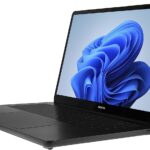
Infinix InBook X1: A Comprehensive Review and Guide
The Infinix InBook X1 series aims to carve a niche in the budget-friendly laptop market. Offering a blend of portability, decent performance for everyday tasks, and an attractive price point, it’s designed to appeal to students, casual users, and those seeking a lightweight machine for on-the-go productivity. This review delves into the InBook X1’s features, strengths, weaknesses, and how it stacks up against the competition, helping you determine if it’s the right laptop for you.
Outline
- Design and Build Quality
- Display and Audio Quality
- Performance and Specs
- Battery Life
- Keyboard and Trackpad
- Ports and Connectivity
- Software and Features
- Pricing and Availability
- Pros and Cons
- Best Infinix InBook X1 Alternatives for Students
- Conclusion
- Frequently Asked Questions (FAQ)
Design and Build Quality
The Infinix InBook X1 boasts a sleek and modern design. It’s constructed with a metal alloy chassis that contributes to a premium feel, particularly impressive for its price range. The slim profile and lightweight design make it highly portable, easily slipping into a backpack or messenger bag. The build quality, while generally good, might feel slightly less robust compared to higher-end laptops. The hinge offers a reasonable amount of resistance, preventing screen wobble during use. Available in a variety of colors, the X1 offers a stylish aesthetic that stands out. However, fingerprints can be a minor issue on the metal surface.
Display and Audio Quality
The InBook X1 features a display that’s suitable for everyday use. The screen resolution typically ranges from Full HD (1920 x 1080) on the base models to potentially higher resolutions depending on the configuration. The panel generally offers decent color accuracy and viewing angles, making it adequate for web browsing, video streaming, and document editing. Brightness levels are usually sufficient for indoor use, but visibility might suffer in direct sunlight. Audio quality is acceptable for basic use, with speakers that deliver decent sound clarity, but lacking in bass and overall volume compared to higher-end laptops.
Performance and Specs
The performance of the InBook X1 varies depending on the chosen configuration. The laptop is typically powered by Intel Core i3, i5, or i7 processors from the 10th or 11th generation (depending on the specific model). The amount of RAM typically starts at 8GB and can go up to 16GB, impacting multitasking capabilities. Storage options typically include SSDs (Solid State Drives) that contribute to faster boot times and application loading. Integrated Intel Iris Xe graphics handles the graphics processing. This configuration offers adequate performance for general tasks like web browsing, document editing, email, and video playback. Heavy multitasking or demanding applications, such as video editing or gaming, might result in slower performance.
Battery Life
Battery life is a key aspect for a portable laptop. The Infinix InBook X1 is equipped with a battery that provides a reasonable lifespan, often lasting for around 8-10 hours of light usage (web browsing, document editing). This figure varies depending on the specific tasks performed, screen brightness settings, and other factors. Under heavier workloads, battery life may be significantly shorter. Fast charging capabilities are usually included, allowing for quicker charging times.
Keyboard and Trackpad
The keyboard on the InBook X1 provides a comfortable typing experience. The keys are well-spaced, with a decent amount of travel. The typing feel is generally good, allowing for comfortable and accurate typing for extended periods. The trackpad is responsive and supports multi-touch gestures, enhancing navigation. While not the most premium feeling trackpad, it works effectively for daily use, offering smooth cursor control and accurate gesture recognition.
Ports and Connectivity
The InBook X1 offers a decent selection of ports and connectivity options. These typically include USB-C ports (for charging and data transfer), USB-A ports, an HDMI port, a microSD card reader, and a headphone jack. Connectivity options usually feature Wi-Fi (typically 802.11ac or Wi-Fi 6) for wireless internet access and Bluetooth for connecting peripherals. The specific number and type of ports vary depending on the specific model, so it is important to confirm what fits your needs.
Software and Features
The Infinix InBook X1 generally comes pre-loaded with Windows 10 or Windows 11 operating system. The software experience is largely standard, with the option to personalize settings and install your preferred applications. Some models might come with pre-installed software, which could include utilities and promotional offers.
Pricing and Availability
The Infinix InBook X1 is positioned as a budget-friendly laptop. Pricing varies depending on the configuration, with entry-level models offering greater value. Availability varies by region, but it is available in several markets. The price point makes it an appealing option for budget-conscious buyers seeking a capable and portable laptop. Researching the local pricing and specific configurations available in your area is essential.
Pros and Cons
Pros:
- Stylish and lightweight design
- Good value for money
- Decent performance for everyday tasks
- Comfortable keyboard and trackpad
- Good battery life for its class
Cons:
- Display brightness might be limited in bright environments
- Speakers could be improved
- Performance may struggle with demanding tasks
- Build quality could be improved slightly
Best Infinix InBook X1 Alternatives for Students
If you’re looking for a laptop specifically for student use, consider these alternatives:
Comparison Table:
| Feature | Infinix InBook X1 (Example Configuration) | Dell Inspiron 14 (Budget option) | Acer Aspire 5 (Mid-range) | Apple MacBook Air M1 (Higher end) |
|---|---|---|---|---|
| Price (approx.) | $400 – $700 | $500 – $800 | $600 – $1000 | $900 – $1300 |
| Processor | Intel Core i5/i7 (10th/11th Gen) | Intel Core i3/i5 (Latest Gen) | AMD Ryzen 5/7, Intel i5/i7 | Apple M1/M2 |
| RAM | 8GB – 16GB | 8GB – 16GB | 8GB – 16GB | 8GB – 16GB |
| Storage | 256GB – 512GB SSD | 256GB – 1TB SSD | 256GB – 1TB SSD | 256GB – 2TB SSD |
| Display | 14-inch FHD | 14-inch FHD+ | 15.6-inch FHD | 13.3-inch Retina |
| Battery Life | 8-10 hours | 6-8 hours | 7-9 hours | Up to 15 hours |
| Operating System | Windows 10/11 | Windows 11 | Windows 11 | macOS |
| Portability | Very good | Good | Good | Excellent |
- Dell Inspiron 14 (Budget-Friendly): Offers a reliable build and good performance for everyday tasks, often at competitive prices.
- Acer Aspire 5 (Mid-Range): Offers a better balance of performance, features, and price, with more powerful processors and often larger screens.
- Apple MacBook Air (Higher-End): Provides a premium experience with excellent performance, long battery life, and a refined user interface, but comes at a higher price.
Conclusion
The Infinix InBook X1 is a compelling option for those seeking a budget-friendly and portable laptop. It offers a good balance of performance, design, and features, making it suitable for students, casual users, and those who need a laptop for basic productivity on the move. While it might not excel in any single area, its overall package provides great value for its price. Consider your individual needs and the alternatives before making your final purchase decision.
Frequently Asked Questions (FAQ)
-
What is the typical battery life of the InBook X1?
Battery life typically ranges from 8 to 10 hours of light usage.
-
What operating system does the InBook X1 use?
The InBook X1 usually comes with Windows 10 or Windows 11.
-
Does the InBook X1 support gaming?
While it can handle some light gaming, it’s not designed for demanding games due to its integrated graphics.
-
What ports are available on the InBook X1?
It typically includes USB-C, USB-A, HDMI, a microSD card reader, and a headphone jack.
-
Is the InBook X1 upgradable?
The RAM and storage options may be somewhat limited and depend on the initial configuration.