Chuwi Gemibook: A Comprehensive Review and Guide
Outline:
- Introduction to the Chuwi Gemibook
- Design and Build Quality
- Display and Audio Performance
- Performance and Specifications
- Ports, Connectivity, and Battery Life
- Software and User Experience
- Chuwi Gemibook: Who is it For?
- Best Chuwi Gemibook Alternatives
- Chuwi Gemibook: Pros and Cons
- Frequently Asked Questions (FAQ)
The Chuwi Gemibook has emerged as a budget-friendly laptop option, often targeting students, casual users, and those seeking a portable machine for basic tasks. This review delves into the Gemibook’s features, performance, and overall value proposition, helping potential buyers determine if it meets their needs. It will analyze its design, display, performance, battery life, and software, providing a comprehensive overview to inform your purchase decision.
Introduction to the Chuwi Gemibook
The Chuwi Gemibook aims to provide a balance of portability, affordability, and functionality. It is typically positioned as a competitor in the entry-level laptop market, competing with brands like Acer, Asus, and Lenovo. While not designed for intensive tasks such as gaming or video editing, it can handle everyday activities such as web browsing, document creation, and multimedia consumption. The Gemibook’s primary appeal lies in its low price point, making it an attractive option for budget-conscious consumers.
Design and Build Quality
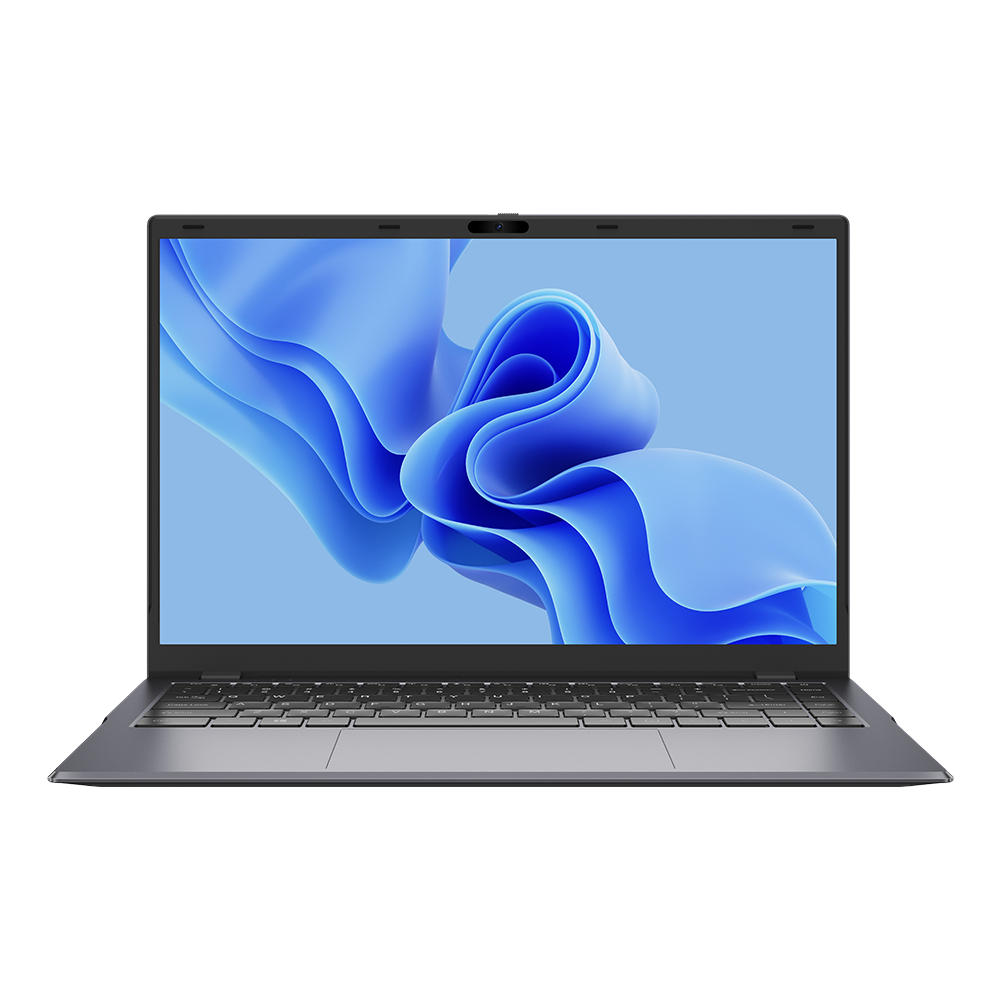
The Gemibook typically boasts a sleek and minimalist design, often constructed from aluminum or plastic. The build quality, while generally adequate for the price, may feel less premium compared to higher-end laptops. The chassis is often slim and lightweight, emphasizing portability. The keyboard layout and trackpad size are typically sufficient for comfortable typing, though the key travel might be shorter than what is offered by premium laptops. The hinges are usually sturdy enough for regular use, but longevity may vary depending on the specific model.
Display and Audio Performance
The Gemibook generally features a 13.5-inch or 14-inch display, often with a Full HD (1920×1080) resolution. The display quality is often decent for the price range, providing acceptable color accuracy and viewing angles. However, the brightness may be limited, making it less suitable for use in direct sunlight. Audio performance is another area where the Gemibook may fall short. The built-in speakers are typically adequate for casual listening, but they may lack bass and overall audio clarity. External speakers or headphones are recommended for a better audio experience.
Performance and Specifications
The Gemibook typically utilizes Intel Celeron or Pentium processors, coupled with integrated Intel UHD Graphics. While these processors are not designed for demanding tasks, they provide adequate performance for basic productivity and web browsing. The RAM typically ranges from 8GB to 16GB, allowing for smooth multitasking with several applications open simultaneously. Storage options usually include an SSD with capacities from 256GB to 512GB.
Ports, Connectivity, and Battery Life
The Gemibook is equipped with a range of ports, including USB-A ports, USB-C ports, a microSD card slot, and a headphone jack. The presence of USB-C is a welcome addition, enabling charging and data transfer with compatible devices. Connectivity options generally include Wi-Fi and Bluetooth. Battery life varies depending on the specific model and usage, but it usually offers several hours of use on a single charge. However, heavy usage, such as video streaming or gaming, will consume the battery more quickly.
Software and User Experience
The Gemibook usually comes pre-installed with Windows 10 or Windows 11. The operating system provides a familiar user interface and access to a wide range of applications. The overall user experience is generally smooth for basic tasks, but performance may be affected when running resource-intensive applications. Some users have reported issues with bloatware, which can be easily removed to improve performance.
Chuwi Gemibook: Who is it For?
The Chuwi Gemibook is best suited for the following types of users:
- Students: Its portability, affordability, and ability to handle basic tasks make it a good option for taking notes, writing papers, and doing research.
- Casual Users: Those who primarily use their laptops for web browsing, email, social media, and multimedia consumption will find the Gemibook to be a suitable option.
- Budget-Conscious Consumers: The Gemibook’s low price point makes it an attractive choice for those who want a functional laptop without breaking the bank.
- Travelers: The lightweight and compact design makes it easy to carry around.
Best Chuwi Gemibook Alternatives
Here’s a comparison table showcasing some competitive alternatives:
| Feature | Chuwi Gemibook | Acer Aspire 5 | Lenovo IdeaPad 3 |
|---|---|---|---|
| Price (approx.) | $300 – $500 | $400 – $700 | $350 – $650 |
| Processor | Intel Celeron/Pentium | Intel Core i3/i5/i7, AMD Ryzen 3/5/7 | Intel Core i3/i5/i7, AMD Ryzen 3/5/7 |
| RAM | 8GB – 16GB | 8GB – 32GB | 8GB – 20GB |
| Storage | 256GB – 512GB SSD | 128GB – 1TB SSD, HDD options | 128GB – 1TB SSD, HDD options |
| Display | 13.5″ or 14″ FHD | 14″ or 15.6″ FHD, some options with higher resolution | 14″ or 15.6″ FHD |
| Graphics | Intel UHD Graphics | Integrated Intel/AMD Graphics, some options with discrete GPUs | Integrated Intel/AMD Graphics |
| Portability | Very Good | Good | Good |
| Best For | Budget-conscious users, basic tasks, portability | Everyday use, light productivity, and some gaming | Everyday use, light productivity |
Chuwi Gemibook: Pros and Cons
Pros:
- Affordable price
- Lightweight and portable design
- Adequate performance for basic tasks
- Decent display quality for the price
- Good battery life (varies by model and usage)
Cons:
- Limited performance for demanding tasks
- Build quality may feel less premium
- Audio quality is often lacking
- Display brightness can be insufficient in some conditions
- Potentially limited upgrade options
Frequently Asked Questions (FAQ)
Q: Is the Chuwi Gemibook good for gaming?
A: The Chuwi Gemibook is generally not suitable for gaming. Its integrated graphics and low-powered processors are not designed to handle graphically intensive games.
Q: Can I upgrade the RAM or storage on the Chuwi Gemibook?
A: Upgrade options vary by model. Some models may allow for RAM upgrades, while others may not. Storage upgrades are often possible through the addition of an external hard drive or an external SSD. Verify specific model specifications.
Q: Does the Chuwi Gemibook have a touchscreen?
A: Some Chuwi Gemibook models may feature a touchscreen display, but it is not a standard feature across all models. Check the product specifications for the specific model.
Q: How long does the battery last on the Chuwi Gemibook?
A: Battery life varies based on the model and usage. Generally, you can expect several hours of use on a single charge with typical tasks such as web browsing and document editing. Heavy usage like video streaming or gaming will drain the battery faster.
Q: Where can I buy a Chuwi Gemibook?
A: The Chuwi Gemibook can be purchased from online retailers like Amazon, eBay, and directly from the Chuwi website.