
Microsoft Surface Laptop 4: A Comprehensive Review
The Microsoft Surface Laptop 4, released in April 2021, aimed to refine the elegant and user-friendly experience of its predecessors. Building upon the core strengths of the Surface Laptop line, Microsoft focused on improvements to performance, battery life, and processor options, offering consumers a choice between Intel and AMD processors within the same chassis. This review delves into the Surface Laptop 4, examining its design, performance, features, and overall value proposition to help potential buyers make an informed decision.
Outline
- Design and Build Quality
- Display and Audio
- Performance: Intel vs. AMD
- Battery Life
- Ports and Connectivity
- Software and Features
- Price and Configuration
- Surface Laptop 4: Pros and Cons
- Best Surface Laptop 4 Alternatives
- Conclusion
- Frequently Asked Questions (FAQ)
Design and Build Quality
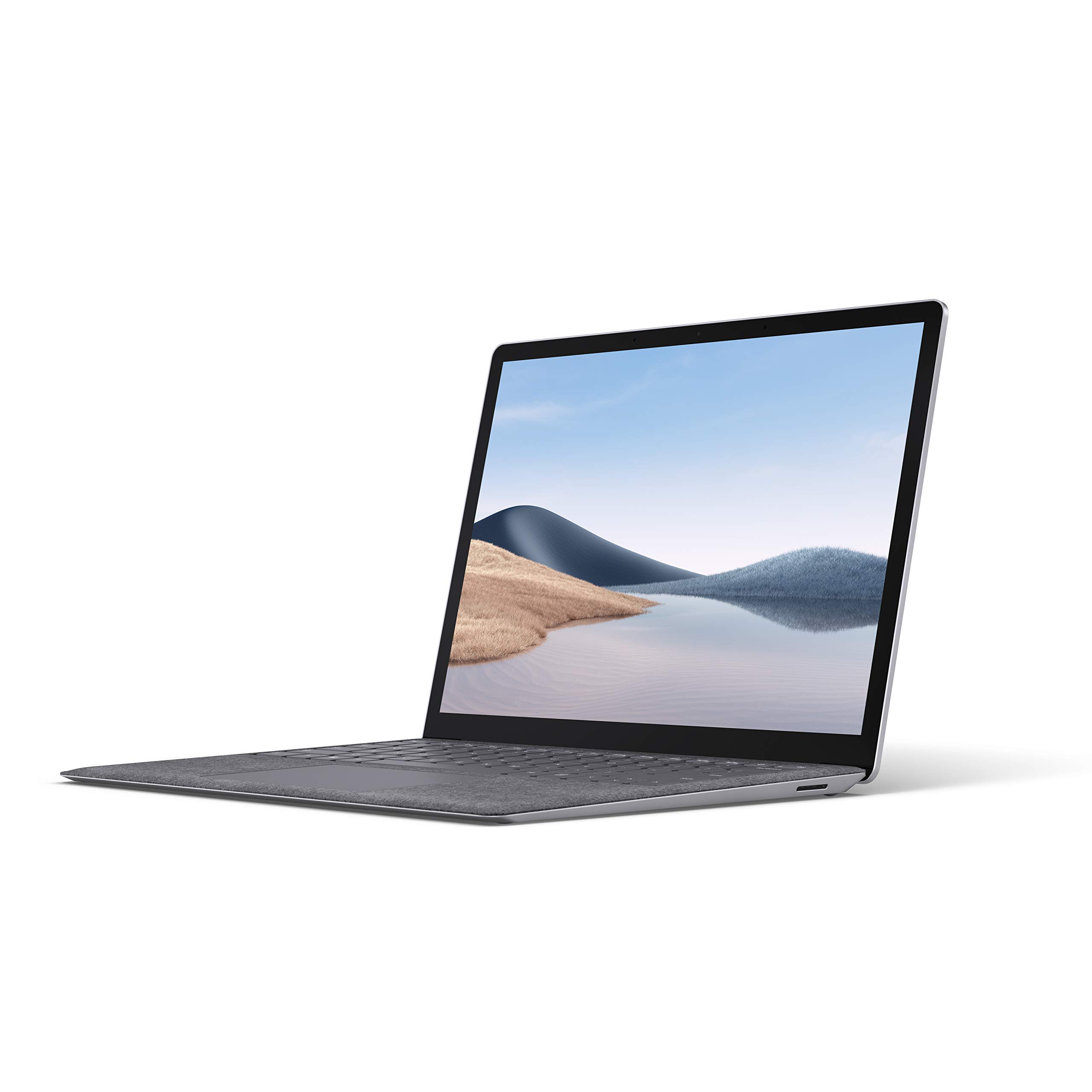
The Surface Laptop 4 retains the minimalist and premium design that has become a hallmark of the Surface line. Available in 13.5-inch and 15-inch sizes, the laptop features a clean aesthetic with a sleek, clamshell design. The device is constructed from premium materials, including an aluminum body and an Alcantara fabric finish option for the keyboard deck on some configurations, providing a comfortable and tactile experience. The build quality feels solid, and the laptop is remarkably lightweight and portable, making it an ideal choice for users on the go. The hinge allows for smooth and precise opening and closing, and the overall fit and finish are excellent.
Display and Audio
The Surface Laptop 4 boasts a vibrant PixelSense touchscreen display. The 13.5-inch model offers a resolution of 2256 x 1504 pixels, while the 15-inch model features a resolution of 2496 x 1664 pixels. Both displays offer a 3:2 aspect ratio, which is well-suited for productivity tasks, offering more vertical space compared to a standard 16:9 display. The screen is bright, with good color accuracy, making it suitable for both creative work and general use. The integrated speakers, located under the keyboard, provide decent audio quality for a laptop, with clear sound and sufficient volume for enjoying media or participating in video calls.
Performance: Intel vs. AMD
One of the key selling points of the Surface Laptop 4 is the choice between Intel and AMD processors. This allowed Microsoft to offer configurations catering to different performance and budget requirements.
The Intel configurations feature 11th Gen Intel Core i5 or i7 processors with Iris Xe graphics. These provide strong performance for everyday tasks, multitasking, and light content creation.
AMD configurations offered Ryzen 4000 series processors (specifically, the Ryzen 5 4650U and Ryzen 7 4980U in the 13.5 inch, and the Ryzen 7 4980U in the 15 inch). These processors provided compelling performance and power efficiency, particularly in the 13.5-inch model.
Performance Comparison Table (General Use – Estimated)
| Feature | Intel Configuration | AMD Configuration |
|---|---|---|
| Web Browsing | Excellent | Excellent |
| Office Productivity | Excellent | Excellent |
| Video Editing | Good (depending on model) | Good (depending on model) |
| Gaming | Integrated Graphics (light gaming) | Integrated Graphics (light gaming) |
Overall, the Surface Laptop 4 offers solid performance for its intended use case: productivity, web browsing, and general everyday tasks. It is not designed as a gaming powerhouse; if heavy gaming is your primary concern, consider a dedicated gaming laptop.
Battery Life
The Surface Laptop 4 offers respectable battery life, although the results vary slightly depending on the configuration and usage. Generally, the AMD models tended to deliver slightly better battery life than the Intel configurations, particularly in real-world usage. Microsoft claimed up to 19 hours of typical device usage for the 13.5-inch AMD Ryzen model and up to 17 hours for the 15-inch model. Intel models were slightly lower, with around 14-16 hours depending on the configuration. Real-world usage results often fell short of these claims, but the Surface Laptop 4 still delivers a full day of use for many users. Battery life is typically sufficient for a full workday of light to moderate use.
Ports and Connectivity
The Surface Laptop 4 maintains a minimalist approach to ports. It includes a USB-C port, a USB-A port, a 3.5mm headphone jack, and the Surface Connect port for charging and docking. This selection is somewhat limited compared to some competitors, and users who require more ports may need to invest in a USB-C hub or adapter. The laptop supports Wi-Fi 6 and Bluetooth 5.0 for wireless connectivity.
Software and Features
The Surface Laptop 4 runs on Windows 10 Home (upgradeable to Windows 11). The operating system provides a familiar and user-friendly experience, with access to a wide range of applications and software. The laptop also includes Microsoft’s suite of productivity apps, such as Microsoft Office, and integrates seamlessly with other Microsoft services. The inclusion of Windows Hello facial recognition allows for quick and secure login.
Price and Configuration
The Surface Laptop 4 was initially available in a range of configurations, with different processor options, RAM, and storage. The price varied significantly based on these specifications. Base configurations started at a competitive price point, while higher-end models with more powerful processors, RAM, and storage came with a premium price tag.
Surface Laptop 4: Pros and Cons
Pros:
- Stylish and premium design with excellent build quality.
- Lightweight and portable, easy to carry around.
- Excellent touchscreen display with vibrant colors.
- Choice of Intel and AMD processors.
- Comfortable keyboard and trackpad.
- Good battery life (especially on AMD models).
- Seamless integration with Microsoft services.
Cons:
- Limited port selection (no Thunderbolt).
- Pricey for some configurations.
- No dedicated graphics card (not ideal for gaming or demanding tasks).
- Alcantara fabric may be susceptible to staining (if selected).
Best Surface Laptop 4 Alternatives
If the Surface Laptop 4 isn’t quite the right fit for your needs, here are some viable alternatives, considering different user needs:
For Overall Value:
- Dell XPS 13: The XPS 13 offers a similar premium experience with a stunning display, a wider port selection (including Thunderbolt), and often a more competitive price, depending on configuration.
For Gaming and Performance:
- Dell G15 (or other gaming laptops): The Surface Laptop 4 is not intended for gaming. If gaming is a priority, consider a dedicated gaming laptop.
Comparison Table: Dell G15 vs Alternatives (Gaming Focus)
| Feature | Dell G15 | Surface Laptop 4 |
|---|---|---|
| Processor | Intel Core i5/i7/i9 (various generations) | Intel/AMD (11th Gen/Ryzen 4000) |
| Graphics Card | Dedicated NVIDIA GeForce RTX/GTX series | Integrated Graphics |
| Display | High refresh rate, gaming-focused | Good, but not optimized for gaming |
| Ports | More ports, including HDMI, Ethernet | Limited |
| Battery Life | Shorter, optimized for performance | Better |
| Price (Approximate) | Varies widely, depending on configuration | Varies depending on configuration |
For Budget-Conscious Buyers:
- Acer Swift 3: The Acer Swift 3 offers a good balance of features, performance, and affordability. It’s a great option for those seeking a more budget-friendly alternative.
Conclusion
The Microsoft Surface Laptop 4 is a well-designed and capable laptop that excels in its intended use case: productivity, content consumption, and everyday tasks. Its sleek design, excellent display, comfortable keyboard, and the option to choose between Intel and AMD processors make it an appealing choice for a wide range of users. While the port selection is limited, and the price can be a barrier for some, the Surface Laptop 4 remains a strong contender in the premium laptop market. If you prioritize portability, style, and a seamless Windows experience, the Surface Laptop 4 is definitely worth considering.
Frequently Asked Questions (FAQ)
-
Does the Surface Laptop 4 have a touchscreen? Yes, it does.
-
Does the Surface Laptop 4 support Thunderbolt? No, it does not.
-
Is the Surface Laptop 4 good for gaming? No, it is not primarily designed for gaming. The integrated graphics are suitable for light gaming but not demanding titles.
-
What is the battery life like on the Surface Laptop 4? Battery life varies depending on the configuration and usage, but generally, users can expect a full day of use. AMD models tended to offer slightly better battery life.
-
Can I upgrade the RAM or storage on the Surface Laptop 4? The RAM and storage are not user-upgradeable on most models.