Lenovo ThinkPad P16: A Deep Dive into Mobile Workstation Power
The Lenovo ThinkPad P16 represents a pinnacle of mobile workstation technology, engineered to meet the demanding needs of professionals in fields like engineering, architecture, content creation, and data science. This powerhouse blends cutting-edge performance with the reliability and durability that have become synonymous with the ThinkPad brand. The P16 delivers exceptional processing power, graphics capabilities, and expandability, all within a portable form factor, making it a compelling choice for users who require desktop-level performance on the go. This article explores the various aspects of the ThinkPad P16, from its specifications and performance to its design, features, and target audience, ultimately helping potential buyers make an informed decision.
Outline
- Overview and Target Audience
- Key Specifications and Features
- Performance Benchmarks and Real-World Usage
- Design and Build Quality
- Pros and Cons
- Best Lenovo ThinkPad P16 Alternatives
- Who Should Buy the Lenovo ThinkPad P16?
- Frequently Asked Questions (FAQ)
Overview and Target Audience
The Lenovo ThinkPad P16 is explicitly designed for professionals who demand high performance and reliability from their mobile workstations. Its target audience includes:
- Engineers and Architects: CAD software, 3D modeling, and simulations are handled with ease.
- Content Creators: Video editing, graphic design, and animation benefit from its powerful components.
- Data Scientists and Researchers: Handles computationally intensive tasks and large datasets efficiently.
- Financial Analysts: Running complex financial models and simulations.
The P16’s robust build quality, ISV certifications, and comprehensive security features further cater to this professional demographic. It is not necessarily targeted towards general consumer usage, but rather provides a solution for users requiring the maximum processing power in a portable format.
Key Specifications and Features
The ThinkPad P16 boasts a host of high-end components and features, ensuring top-tier performance and user experience.
Processor and Memory
The P16 offers a range of high-performance Intel Core processors, typically from the latest generation, including Core i7 and Core i9 options. These processors provide exceptional processing power for demanding applications. In addition, the P16 supports a substantial amount of RAM, often up to 128GB of DDR5 memory, allowing for seamless multitasking and handling of large datasets. This high memory capacity significantly benefits applications that require extensive memory resources.
Graphics Card
The graphics capabilities of the P16 are equally impressive, featuring professional-grade NVIDIA RTX A-series or NVIDIA GeForce RTX series graphics cards. These cards are specifically designed for workstation applications, offering certified performance and stability for demanding tasks. The choice of GPU allows users to select based on the intensity of their workloads, enabling anything from entry-level CAD software usage to intensive 3D rendering.
Display and Audio
The ThinkPad P16 typically features a high-resolution display, often with a 16-inch screen size and either a 16:10 or 16:9 aspect ratio. The screen choices are typically offering options like UHD+ (3840×2400) or FHD+ (1920×1200) panels. These displays provide excellent color accuracy and brightness, crucial for tasks such as photo and video editing. The audio system typically includes high-quality speakers and support for Dolby Atmos, delivering a rich and immersive audio experience.
Ports and Connectivity
The P16 offers a comprehensive selection of ports for versatile connectivity. Typical ports include:
- Thunderbolt 4 ports (for high-speed data transfer and external display connectivity)
- USB-A ports (for connecting peripherals)
- HDMI port (for connecting to external displays)
- Ethernet port (for wired network connectivity)
- SD card reader (for transferring data from cameras and other devices)
- Headphone/microphone combo jack
It also offers modern connectivity standards like Wi-Fi 6E and Bluetooth 5.2.
Keyboard and Trackpad
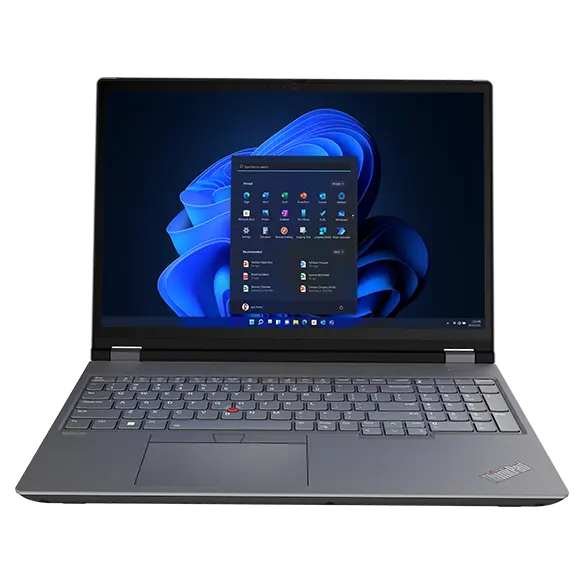
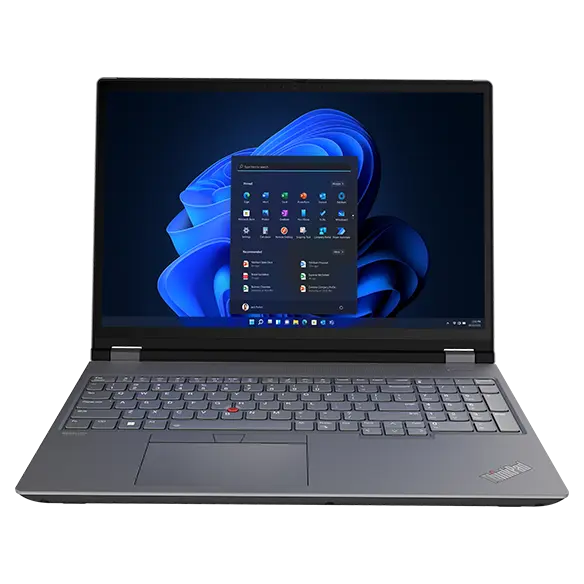
ThinkPads are known for their exceptional keyboards, and the P16 is no exception. It features a comfortable, responsive keyboard with excellent key travel and a satisfying typing experience. The trackpad is typically large, smooth, and precise, with support for multi-touch gestures. In addition, the traditional TrackPoint (the red pointing stick) is available, allowing users to navigate the cursor without lifting their hands from the keyboard.
Performance Benchmarks and Real-World Usage
The Lenovo ThinkPad P16 excels in performance benchmarks and real-world usage scenarios. Benchmarks consistently show impressive results in CPU-intensive tasks, graphics-intensive workloads, and memory-intensive applications. Users can expect smooth performance when running demanding software like Adobe Creative Suite, Autodesk AutoCAD, Dassault Systèmes SOLIDWORKS, and various data analysis tools. The combination of powerful processors, high-performance graphics cards, and ample memory ensures that the P16 can handle even the most complex projects with ease. Real-world usage demonstrates impressive performance in content creation workflows, engineering simulations, and scientific research.
Design and Build Quality
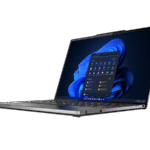
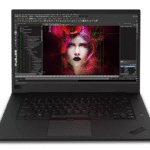
The ThinkPad P16 upholds the classic ThinkPad design ethos, characterized by its sleek, minimalist aesthetic and robust build quality. The chassis is typically constructed from high-quality materials, such as carbon fiber or a combination of aluminum and magnesium alloy, ensuring durability and a premium feel. The device is rigorously tested to meet military-grade standards (MIL-STD-810H) for reliability, which includes tests for extreme temperatures, humidity, vibration, and shocks. The keyboard is spill-resistant, providing an additional layer of protection. The overall design prioritizes both functionality and durability, making the P16 a reliable companion for professionals on the go.
Pros and Cons
Pros:
- Exceptional Performance: Powerful processors, high-end graphics cards, and ample RAM provide unparalleled performance.
- Durable Build Quality: Military-grade tested for durability and reliability.
- Excellent Keyboard: Comfortable and responsive keyboard with the signature TrackPoint.
- Comprehensive Connectivity: Wide range of ports for versatile connectivity options.
- High-Quality Display: Offers excellent color accuracy and brightness.
Cons:
- Price: High price point, reflecting the premium components and features.
- Weight and Size: May be bulkier and heavier than some ultraportable laptops.
- Battery Life: Battery life can be shorter when running demanding applications.
Best Lenovo ThinkPad P16 Alternatives
Finding the right alternative to the ThinkPad P16 requires careful consideration of specific needs. These laptops offer similar levels of performance and features, potentially suiting specific preferences or budget constraints.
Comparison Table: Dell Precision 7770 vs. Lenovo ThinkPad P16
| Feature | Lenovo ThinkPad P16 | Dell Precision 7770 |
|---|---|---|
| Processor | Intel Core i7/i9 (latest generation) | Intel Core i7/i9 (latest generation) |
| Graphics Card | NVIDIA RTX A-series/ GeForce RTX | NVIDIA RTX A-series/ GeForce RTX |
| RAM | Up to 128GB DDR5 | Up to 128GB DDR5 |
| Display | 16-inch, UHD+ or FHD+ | 17-inch, UHD+ or FHD+ |
| Ports | Thunderbolt 4, USB-A, HDMI, Ethernet, SD card | Thunderbolt 4, USB-A, HDMI, Ethernet, SD card |
| Build Quality | Robust, MIL-STD-810H tested | Robust, MIL-STD-810H tested |
| Key Differentiator | Keyboard and TrackPoint | Display size, Dell Support |
Comparison Table: Apple MacBook Pro 16-inch (M2 Max) vs. Lenovo ThinkPad P16
| Feature | Lenovo ThinkPad P16 | Apple MacBook Pro 16-inch (M2 Max) |
|---|---|---|
| Processor | Intel Core i7/i9 (latest generation) | Apple M2 Max chip |
| Graphics Card | NVIDIA RTX A-series/ GeForce RTX | Integrated GPU (part of M2 Max) |
| RAM | Up to 128GB DDR5 | Up to 96GB Unified Memory |
| Display | 16-inch, UHD+ or FHD+ | 16.2-inch Liquid Retina XDR display |
| Ports | Thunderbolt 4, USB-A, HDMI, Ethernet, SD card | Thunderbolt 4, HDMI, SD card, headphone jack |
| Operating System | Windows 11 | macOS |
| Key Differentiator | Platform support, expandability | Ecosystem, performance per watt |
Who Should Buy the Lenovo ThinkPad P16?
The Lenovo ThinkPad P16 is ideally suited for:
- Professionals requiring high performance for demanding workloads. This includes engineers, architects, content creators, and data scientists.
- Users prioritizing reliability and durability. The ThinkPad P16’s robust build quality and military-grade testing ensure it can withstand the rigors of daily use.
- Those who need a comprehensive range of ports and connectivity options. The P16’s versatility enables users to connect to various peripherals and external displays.
- Users who value a comfortable and ergonomic keyboard. The ThinkPad keyboard is renowned for its excellent typing experience.
- Individuals who require ISV-certified performance and stability for their professional applications.
Frequently Asked Questions (FAQ)
Q: What is the battery life of the Lenovo ThinkPad P16?
A: Battery life varies depending on usage, but typically, you can expect 4-8 hours with moderate use. Demanding tasks will consume more battery power.
Q: Does the Lenovo ThinkPad P16 support external monitors?
A: Yes, the ThinkPad P16 supports multiple external monitors via its Thunderbolt 4, HDMI, and USB-C ports.
Q: Is the Lenovo ThinkPad P16 upgradeable?
A: Yes, the RAM and storage are typically upgradeable, allowing you to increase the laptop’s capacity over time.
Q: What is the warranty on the Lenovo ThinkPad P16?
A: Lenovo typically offers a standard warranty, often including options for extended warranties and on-site service.
Q: Is the Lenovo ThinkPad P16 a good laptop for gaming?
A: While primarily designed as a workstation, the P16 can handle gaming very well, particularly with the higher-end graphics card options. However, its primary focus remains on professional applications.