Slimbook Titan: A Deep Dive into a Linux-Powered Gaming Powerhouse
The Slimbook Titan series represents a bold entry into the high-performance gaming laptop market, specifically targeting users who prioritize Linux as their operating system. This review will delve into the Titan’s capabilities, design, performance, and overall value, providing potential buyers with a comprehensive understanding of what this machine offers. Slimbook, known for its dedication to Linux compatibility, builds its reputation on providing high-quality hardware tailored to the needs of the open-source community. The Titan aims to capture the attention of discerning gamers seeking a powerful, customizable, and Linux-first experience.
Outline
- Introduction
- Design and Build Quality
- Display and Audio
- Performance and Gaming Capabilities
- Software and Linux Experience
- Battery Life and Portability
- Pricing and Configuration Options
- Best Slimbook Titan Alternatives for Gamers
- Conclusion
- Frequently Asked Questions
Design and Build Quality
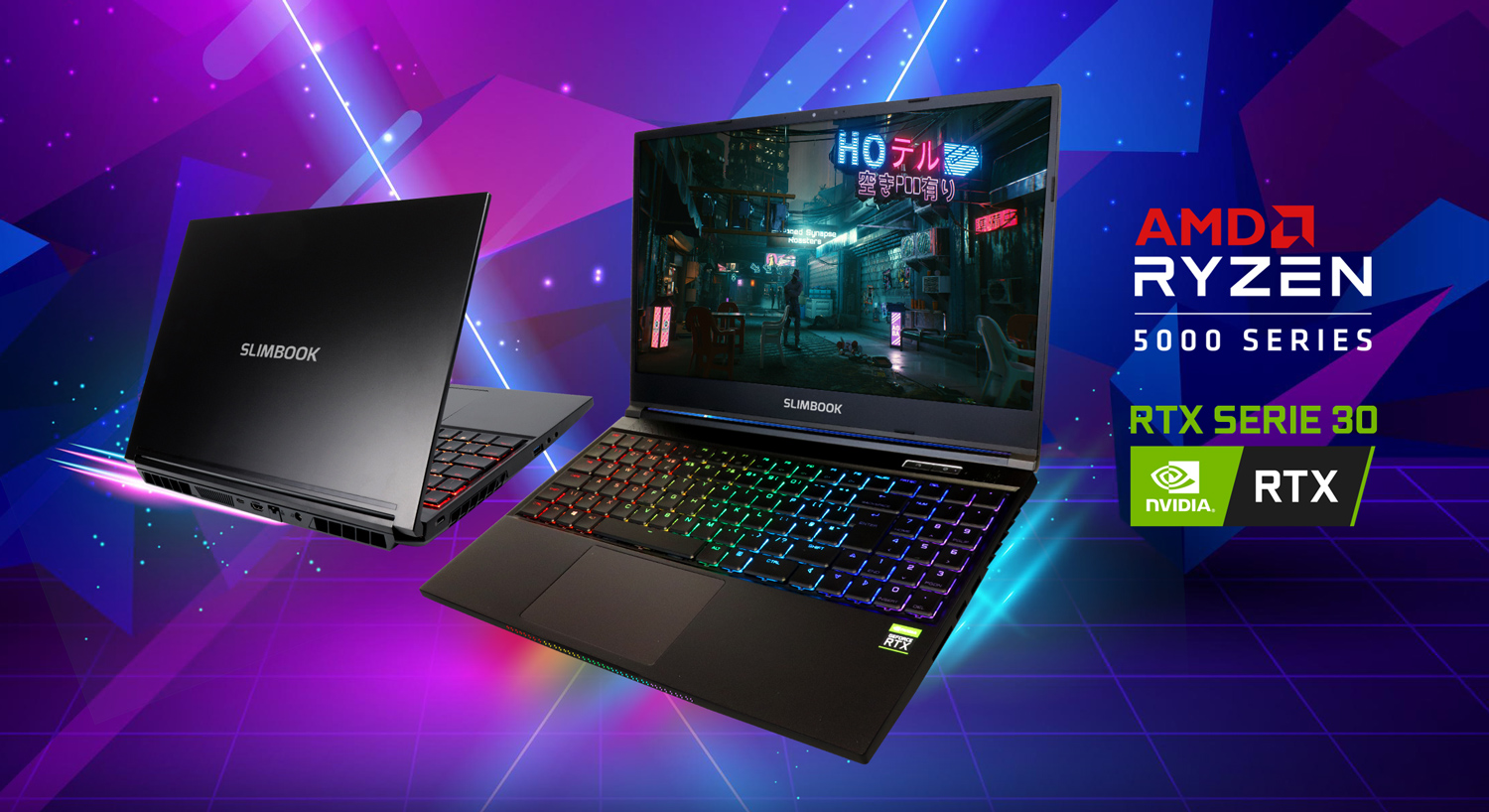
The Slimbook Titan typically sports a robust and minimalist aesthetic. The chassis is often constructed from high-quality materials, such as aluminum, which contributes to a premium feel and provides structural integrity. The design prioritizes functionality over excessive flair, featuring clean lines and a subtle Slimbook logo. The build quality feels solid, capable of withstanding the rigors of travel and everyday use. The keyboard offers a satisfying typing experience, and the trackpad is generally responsive and accurate. The cooling system, a critical component for gaming laptops, is usually well-designed to dissipate heat efficiently, preventing performance throttling during intense gaming sessions.
Display and Audio
The Titan’s display is a critical factor in the gaming experience. Slimbook often offers options for high refresh rate panels, typically 144Hz or higher, which provides smooth visuals and reduces motion blur. Resolution options generally include Full HD (1920×1080) and QHD (2560×1440), catering to different preferences regarding visual clarity and processing demands. The color accuracy and brightness of the display are often respectable, allowing for a vibrant and immersive gaming experience. Audio quality varies depending on the specific model and configuration, but it generally delivers clear sound through built-in speakers, and the presence of a headphone jack allows for a better audio experience via external headphones.
Performance and Gaming Capabilities
The Slimbook Titan’s performance hinges on the chosen configuration, but it typically boasts high-end components suitable for demanding gaming. This includes powerful processors from Intel (Core i7 or i9) or AMD (Ryzen 7 or 9), combined with high-performance discrete graphics cards from NVIDIA, like the RTX 3070, 3080, or 40 series. The inclusion of ample RAM (16GB or 32GB) and fast storage (NVMe SSDs) further contributes to overall responsiveness and fast loading times.
The Linux gaming landscape has improved significantly in recent years, thanks to projects like Proton and advancements in driver support. The Titan is designed to take advantage of these improvements. Game compatibility and performance vary depending on the title and the chosen graphics settings, but most modern games run smoothly with good frame rates. The powerful hardware ensures a fluid and enjoyable gaming experience, even at high settings. The cooling system’s effectiveness is critical here to prevent thermal throttling, ensuring sustained performance during extended gaming sessions.
Software and Linux Experience
One of the Titan’s defining characteristics is its deep integration with Linux. Slimbook preinstalls a chosen Linux distribution, often Ubuntu or a customized version, to ensure optimal hardware compatibility and a seamless user experience. This simplifies the setup process for Linux users, eliminating the need for manual driver installations and configurations. The pre-installed software suite includes essential drivers, tools for managing hardware, and often helpful pre-configured settings.
The Linux experience is generally polished, with a focus on ease of use. Users can readily access a wide range of software through package managers like apt or snap. The customization options are vast, allowing users to tailor the desktop environment and software installations to their specific preferences. Linux’s open-source nature provides excellent flexibility and control.
Battery Life and Portability
Gaming laptops are not renowned for their extended battery life, and the Slimbook Titan is no exception. Due to its powerful components and display, the Titan typically offers moderate battery life, usually lasting a few hours during standard use, such as web browsing or document editing. Gaming, of course, drastically reduces battery life.
The portability of the Titan is also dependent on the specific model and its chosen display size. While the design strives to be sleek and portable, the inclusion of high-performance components inevitably results in a larger and heavier device than ultraportable laptops. However, the slim bezel design typically employed keeps the overall footprint relatively manageable for its performance class.
Pricing and Configuration Options
The Slimbook Titan comes in various configurations, which allows users to select the optimal combination of components to match their budget and needs. The cost will vary depending on the chosen processor, graphics card, RAM, storage capacity, and display specifications. Slimbook offers a good degree of flexibility, allowing users to customize almost every component. This ensures that users are not forced to pay for components they do not require. The price point is generally competitive compared to other high-performance gaming laptops with similar hardware.
Best Slimbook Titan Alternatives for Gamers
Choosing the right gaming laptop requires a thorough comparison of specifications, features, and price. Here is a comparison table to help you decide.
| Feature | Slimbook Titan | Dell G15 (Example) | ASUS ROG Series (Example) |
|---|---|---|---|
| Operating System | Linux (Ubuntu, etc.) | Windows | Windows |
| Processor | Intel Core i7/i9 or AMD Ryzen 7/9 | Intel Core i7/i9 or AMD Ryzen 7/9 | Intel Core i7/i9 or AMD Ryzen 7/9 |
| Graphics Card | NVIDIA GeForce RTX 3070/3080/40 Series | NVIDIA GeForce RTX 30 Series | NVIDIA GeForce RTX 30/40 Series |
| Display | 144Hz+ FHD/QHD | 165Hz+ FHD/QHD | 144Hz+ FHD/QHD |
| RAM | 16GB – 64GB | 16GB – 32GB | 16GB – 64GB |
| Storage | NVMe SSD | NVMe SSD | NVMe SSD |
| Price (Base) | Varies based on configuration | Varies based on configuration | Varies based on configuration |
| Target User | Linux-focused gamers | General gamers | High-end gamers |
| Pros | Excellent Linux support, Customizable, Performance | Widely available, Great overall performance | High performance, Premium features |
| Cons | Limited availability, Linux-specific | May need extra configuration for Linux | Can be expensive |
The Dell G15 is a strong competitor for gamers seeking a Windows-based alternative. ASUS ROG series is often aimed at high-end gamers who are willing to pay for advanced features.
Conclusion
The Slimbook Titan stands out as a compelling choice for gamers who prioritize Linux and desire a high-performance machine. Its combination of powerful hardware, excellent Linux support, and customizable options makes it a significant player in the gaming laptop market. However, the user’s need to have some knowledge of Linux is a definite consideration. While other manufacturers provide strong Windows alternatives, the Titan carves out a unique niche for those seeking a Linux-first gaming experience.
Frequently Asked Questions
- Does the Slimbook Titan support dual booting? Yes, though the degree of ease in implementation depends on the distribution and user experience.
- What Linux distributions are supported? Slimbook usually offers optimized support for Ubuntu and their own custom distributions.
- Does the Titan include Thunderbolt ports? This varies depending on the configuration. Check the detailed specifications of the desired model.
- Is the keyboard backlit? Backlit keyboards are typically standard, often with customizable lighting options.
- How good is the cooling system? The cooling system is generally well-designed to handle high-performance gaming. Review the specifications for details on the cooling solution used.