
MSI Creator Z17: A Deep Dive for Professionals and Creatives
The MSI Creator Z17, a premium laptop designed with creators in mind, marries powerful performance with a sleek, minimalist aesthetic. This 17-inch device offers a stunning display, top-tier components, and features optimized for demanding creative workflows. It’s targeted towards professionals in fields like graphic design, video editing, 3D rendering, and software development, seeking a portable powerhouse that doesn’t compromise on style.
Outline
- Design and Build Quality
- Display and Audio Quality
- Performance and Specs
- Connectivity and Ports
- Keyboard and Trackpad
- Battery Life
- Software and Features
- Best MSI Creator Z17 Alternatives
- Verdict
- Frequently Asked Questions
Design and Build Quality
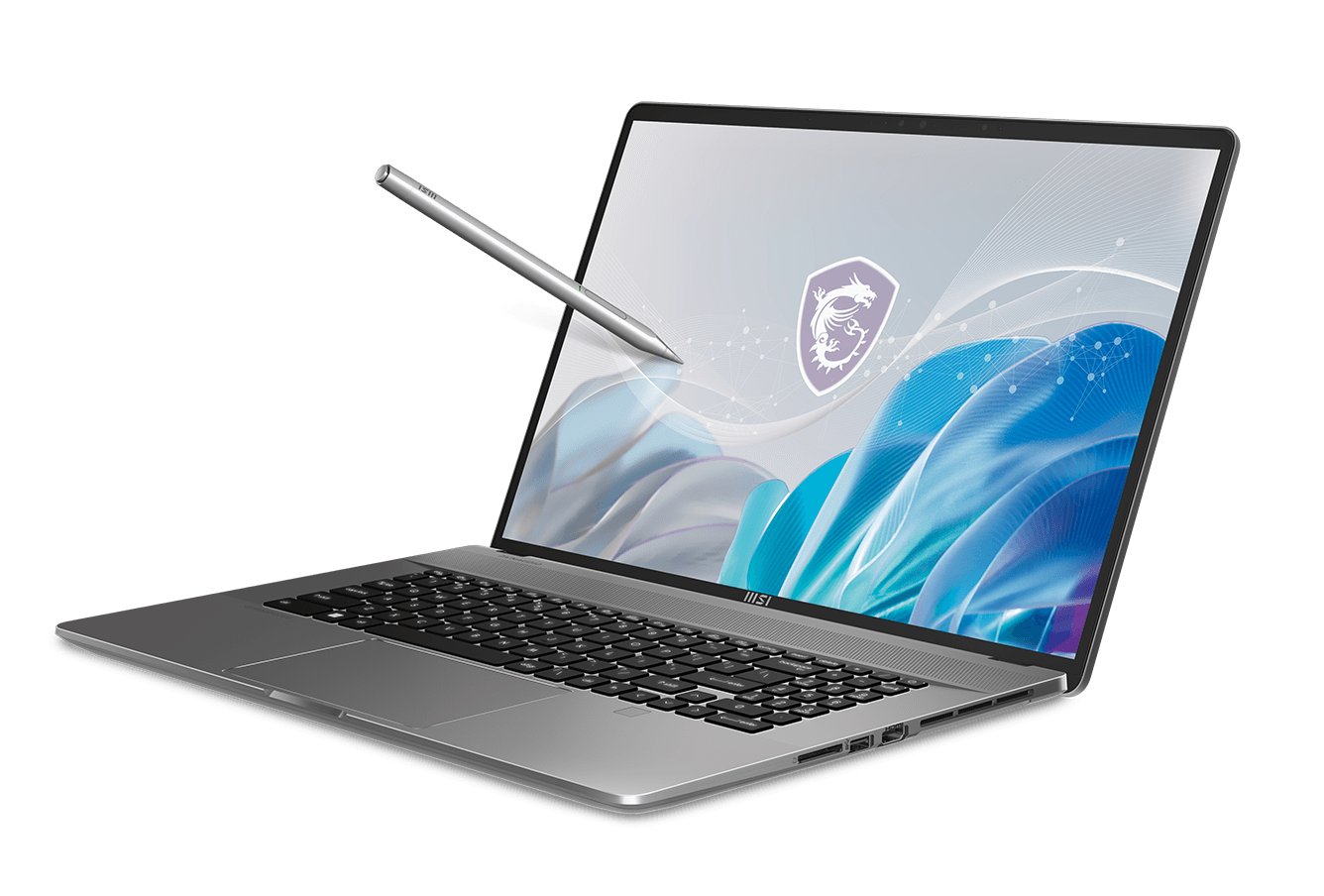
The MSI Creator Z17 boasts an elegant, minimalist design. Constructed from a single piece of CNC-milled aluminum, the chassis feels incredibly robust and premium. The smooth, sandblasted finish resists fingerprints and provides a comfortable tactile experience. The laptop’s slim profile and clean lines give it a sophisticated look that fits seamlessly into both professional and creative environments. The signature MSI logo is subtly placed on the lid, maintaining a low-profile aesthetic. The hinge allows for a full 180-degree lay-flat design, enhancing versatility.
Display and Audio Quality
The centerpiece of the Creator Z17 is its vibrant 17-inch display. The panel typically features a high resolution (QHD+ or UHD+), a high refresh rate (165Hz or higher), and exceptional color accuracy (often covering 100% of the DCI-P3 color gamut). This results in crisp visuals, smooth motion, and accurate color reproduction, essential for creative tasks. The display is often factory-calibrated for color accuracy. The audio system, usually consisting of dual speakers, delivers clear and immersive sound, supporting various audio formats. While the built-in speakers provide sufficient sound for media consumption, external speakers or headphones are recommended for professional audio work.
Performance and Specs
Under the hood, the MSI Creator Z17 is a performance beast. It typically comes equipped with:
- Processor: Latest-generation Intel Core i7 or i9 processors, offering exceptional processing power for demanding tasks.
- Graphics: NVIDIA GeForce RTX or RTX Studio GPUs, providing the necessary horsepower for rendering, video editing, and complex simulations.
- Memory: Up to 64GB of DDR5 RAM, ensuring seamless multitasking and handling large datasets.
- Storage: Fast PCIe Gen4 NVMe SSDs, offering rapid boot times and quick application loading.
These components work in tandem to deliver lag-free performance in resource-intensive applications. The advanced cooling system, including vapor chambers or heat pipes, keeps the components running cool and prevents thermal throttling, maintaining optimal performance during extended use.
Connectivity and Ports
The Creator Z17 offers a comprehensive selection of ports for seamless connectivity. These typically include:
- Thunderbolt 4 ports (often two or more) for high-speed data transfer, display output, and power delivery.
- USB-A ports for connecting peripherals.
- HDMI port for connecting to external displays.
- SD card reader for easy transfer of media files.
- Headphone/microphone combo jack.
- DC-in for charging.
The inclusion of Thunderbolt 4 ports is particularly valuable for creative professionals, enabling connection to external storage devices, docking stations, and high-resolution displays. Wireless connectivity usually comprises Wi-Fi 6E for fast and reliable wireless networking and Bluetooth for connecting wireless accessories.
Keyboard and Trackpad
The keyboard on the Creator Z17 provides a comfortable and responsive typing experience. The key travel is typically well-balanced, and the keys are well-spaced. The keyboard often includes per-key RGB backlighting, allowing users to customize the lighting effects and improve visibility in low-light environments. The trackpad is usually large, smooth, and responsive, with excellent palm rejection. It supports multi-touch gestures for intuitive navigation and workflow optimization.
Battery Life
Battery life on the Creator Z17 is generally decent for a high-performance laptop, though it’s not a strong suit. The battery capacity varies depending on the configuration, but it typically offers several hours of use on a single charge. However, intensive tasks like video editing or 3D rendering will drain the battery more quickly. The laptop supports fast charging, allowing users to quickly replenish the battery when needed.
Software and Features
MSI bundles the Creator Z17 with a suite of software to enhance the user experience. This includes:
- MSI Center: A central hub for managing system performance, customizing fan profiles, monitoring hardware, and accessing software updates.
- MSI True Color: Software for calibrating the display and selecting color profiles optimized for different creative workflows.
- Software optimized for creative workflows: Pre-installed software or links to specific software suitable for creatives.
These tools provide users with granular control over their system and enhance the laptop’s functionality for creative tasks.
Best MSI Creator Z17 Alternatives
Choosing the right laptop is crucial. Here’s a comparison table showcasing some of the alternatives.
Comparison Table: MSI Creator Z17 vs. Competitors
| Feature | MSI Creator Z17 | Apple MacBook Pro 16″ (2023) | Dell XPS 17 (2023) | Razer Blade 17 (2023) |
|---|---|---|---|---|
| Processor | Intel Core i7/i9 (Latest Gen) | Apple M2 Pro/Max | Intel Core i7/i9 (Latest Gen) | Intel Core i7/i9 (Latest Gen) |
| GPU | NVIDIA RTX/RTX Studio | Apple GPU (integrated) | NVIDIA RTX | NVIDIA RTX |
| Display | 17″ QHD+/UHD+, 165Hz+ | 16.2″ Liquid Retina XDR | 17″ OLED/LCD, Touch | 17″ QHD+/UHD+, High Refresh |
| RAM | Up to 64GB DDR5 | Up to 96GB Unified Memory | Up to 64GB | Up to 64GB |
| Storage | Up to 2TB PCIe Gen4 SSD | Up to 8TB SSD | Up to 8TB SSD | Up to 8TB SSD |
| Ports | Thunderbolt 4, USB-A, HDMI, SD | Thunderbolt 4, HDMI, SD | Thunderbolt 4, USB-C, SD | Thunderbolt 4, USB-A, HDMI, SD |
| OS | Windows 11 | macOS | Windows 11 | Windows 11 |
| Price (Starting) | $2,499+ | $2,499+ | $1,999+ | $2,699+ |
This information helps determine which laptop is the most suitable for your needs.
Verdict
The MSI Creator Z17 is an excellent choice for creative professionals and users who require a powerful, portable, and aesthetically pleasing laptop. Its exceptional display, robust performance, and premium build quality make it a top contender in the high-end laptop market. However, it’s a premium product, and its price reflects its performance and features. Users looking for a more affordable option might consider other alternatives.
Frequently Asked Questions
-
What is the target audience for the MSI Creator Z17?
The Creator Z17 is designed for creative professionals, including graphic designers, video editors, 3D modelers, and software developers, who need a high-performance laptop for their demanding workflows. -
What are the key advantages of the MSI Creator Z17?
Key advantages include its powerful performance, stunning display, premium build quality, comprehensive port selection, and software optimized for creative tasks. -
Does the MSI Creator Z17 support a touchscreen?
Some configurations of the Creator Z17 do feature a touchscreen display. Check specific model configurations. -
How long does the battery last?
Battery life varies depending on usage, but users can expect several hours of use on a single charge. Intensive tasks will drain the battery faster. -
Is the MSI Creator Z17 a good laptop for gaming?
While primarily designed for creative tasks, the Creator Z17’s powerful components, including its dedicated GPU and high refresh rate display, make it suitable for gaming. -
Where can I buy the MSI Creator Z17?
The MSI Creator Z17 is available from major retailers like Best Buy, Amazon, and MSI’s official website.