

Acer Chromebook Spin 714: A Comprehensive Review (2024)
Outline
- Introduction
- Design and Build Quality
- Display and Audio
- Performance and Specs
- Keyboard, Trackpad, and Ports
- Battery Life
- Software and Features
- Who is the Acer Chromebook Spin 714 For?
- Best Acer Chromebook Spin 714 Alternatives
- Acer Chromebook Spin 714: Pros and Cons
- Frequently Asked Questions (FAQ)
The Acer Chromebook Spin 714 has carved a niche for itself in the increasingly competitive convertible Chromebook market. Offering a blend of performance, portability, and versatility, it aims to be a compelling choice for students, professionals, and anyone seeking a lightweight and user-friendly laptop. This review delves into the various aspects of the Spin 714, exploring its design, performance, features, and ultimately, whether it’s the right Chromebook for you.
Design and Build Quality
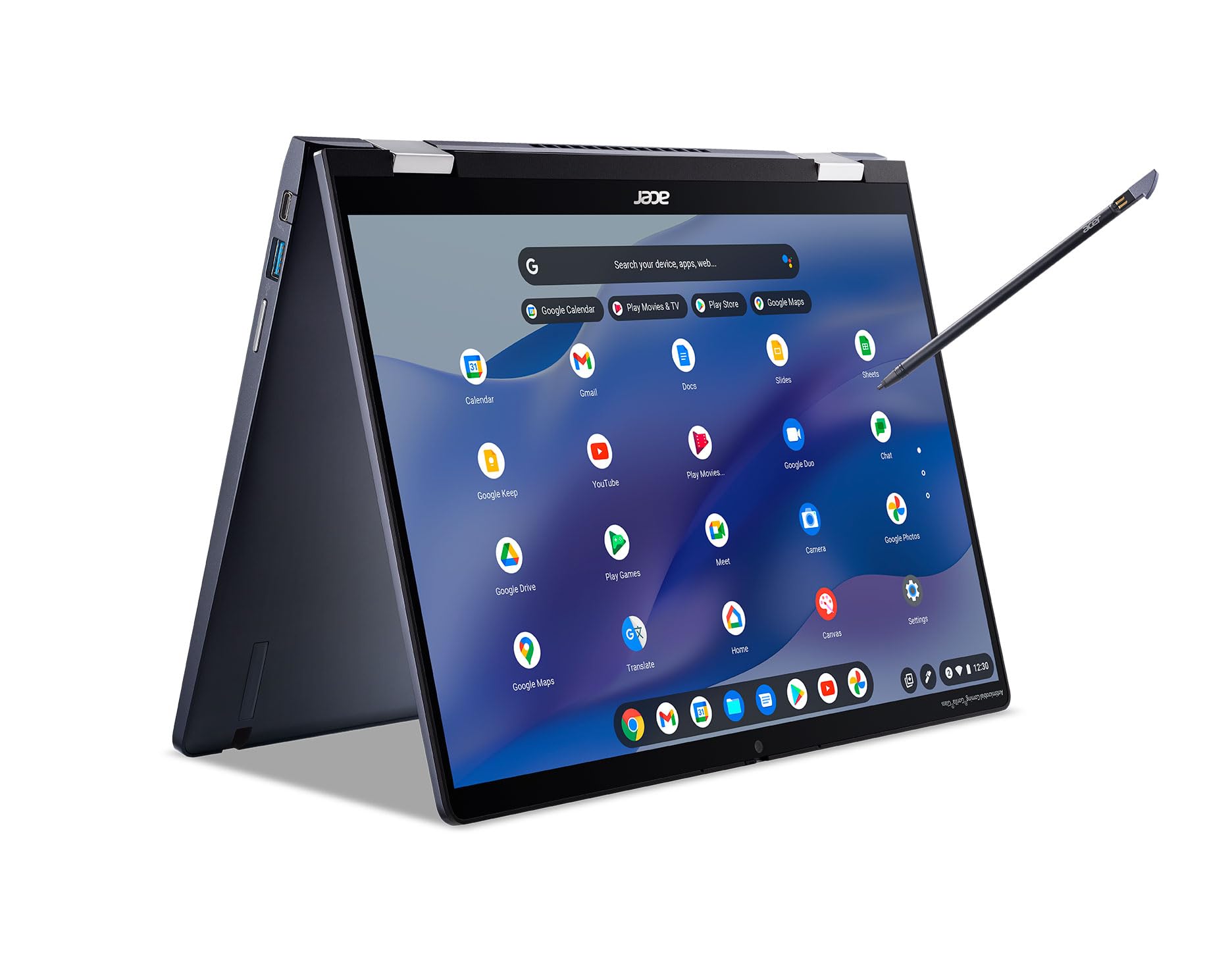
The Acer Chromebook Spin 714 boasts a sleek and professional design. Constructed primarily from aluminum, the chassis feels robust and premium, offering a reassuring sense of durability. The 360-degree hinge allows for various usage modes, including laptop, tablet, tent, and presentation modes, enhancing its versatility. The design is understated, featuring clean lines and a minimalist aesthetic. The overall footprint is relatively compact, making it easy to carry around. While the aluminum build contributes to a higher price point, it justifies the investment by providing a premium feel and enhanced durability compared to plastic alternatives. The Spin 714 is designed to withstand the rigors of daily use.
Display and Audio
The 14-inch display is a highlight of the Acer Chromebook Spin 714. It typically features a sharp and vibrant WQXGA (2560 x 1600) resolution, providing ample screen real estate for productivity tasks and media consumption. The display often boasts good color accuracy and brightness, making it suitable for both indoor and outdoor use (though direct sunlight can still pose a challenge). Touchscreen functionality is standard, further enhancing the convertible nature of the device, offering a more intuitive way to interact with the Chrome OS interface. Audio quality is generally acceptable for casual use, with stereo speakers often located on either side of the keyboard. While the speakers are capable of producing decent sound, they might not be the best for audiophiles; using headphones or external speakers is recommended for the best audio experience.
Performance and Specs
The Acer Chromebook Spin 714 typically packs powerful internals for a Chromebook. It usually comes equipped with Intel Core i5 or i7 processors from the 12th or 13th generation, providing significant performance improvements over previous generations. These processors, coupled with ample RAM (typically 8GB or 16GB) ensure smooth multitasking and a responsive user experience. Storage is provided by fast NVMe SSDs, typically ranging from 256GB to 512GB, which contribute to quick boot times and application loading. The Intel Iris Xe graphics handles everyday tasks and even some light gaming quite well. The combination of a powerful processor, plenty of RAM, and fast storage ensures that the Acer Chromebook Spin 714 can handle demanding workloads, including running multiple Chrome tabs, streaming video, and even running Android apps and Linux applications without significant lag.
Keyboard, Trackpad, and Ports
The keyboard on the Acer Chromebook Spin 714 is generally comfortable to type on, featuring well-spaced keys and a decent amount of travel. The backlight is a welcome addition, particularly for working in low-light environments. The trackpad is usually responsive and accurate, offering smooth scrolling and multi-touch gestures. The port selection on the Spin 714 is typically generous for a Chromebook. It usually includes two USB-C ports with Thunderbolt 4 support (allowing for fast data transfer and external display connectivity), a USB-A port for legacy devices, a headphone jack, and a microSD card slot for expanding storage. The inclusion of Thunderbolt 4 ports is a significant advantage, providing the flexibility to connect to a wide range of accessories and external displays.
Battery Life
The Acer Chromebook Spin 714 generally offers excellent battery life. You can expect to get a full workday of use out of a single charge, typically around 8-10 hours depending on usage patterns. Factors like screen brightness, the number of open applications, and the type of tasks being performed will influence battery performance. The long battery life makes the Spin 714 an ideal choice for students, travelers, and anyone who needs a laptop that can last throughout the day without needing to be constantly plugged in.
Software and Features
The Acer Chromebook Spin 714 runs on Chrome OS, Google’s operating system. Chrome OS is known for its simplicity, security, and ease of use. It’s designed to be cloud-centric, with most of your data and applications stored in the cloud. Key features include:
- Google Assistant Integration: Provides voice control for various tasks.
- Android App Support: Enables users to run Android apps from the Google Play Store.
- Linux Support: Allows users to run Linux applications for more advanced tasks.
- Automatic Updates: Chrome OS updates itself in the background, ensuring you always have the latest features and security patches.
- Fast Boot Times: Chromebooks boot up quickly, allowing you to get started with your work almost instantly.
The Chrome OS experience is generally streamlined and user-friendly, making the Acer Chromebook Spin 714 a suitable option for both tech-savvy users and those new to computing.
Who is the Acer Chromebook Spin 714 For?
The Acer Chromebook Spin 714 is an excellent choice for a variety of users:
- Students: Its portability, long battery life, and affordable price make it ideal for taking notes, writing papers, and accessing online resources.
- Professionals: The powerful performance and premium build quality make it suitable for productivity tasks, such as creating presentations, managing emails, and working on documents.
- Travelers: Its lightweight design and long battery life make it a great companion for on-the-go productivity.
- Anyone seeking a versatile and user-friendly laptop: Chrome OS is easy to learn and use, making it an excellent option for users of all skill levels.
- Users who prefer cloud-based workflows: Chrome OS excels in cloud environments, providing seamless access to Google services and other web-based applications.
Best Acer Chromebook Spin 714 Alternatives
While the Acer Chromebook Spin 714 is a strong contender, several other Chromebooks offer compelling alternatives. Consider these options:
| Feature | Acer Chromebook Spin 714 | Dell XPS 13 2-in-1 (Comparable Price Range) | HP Spectre x360 14 (Comparable Price Range) |
|---|---|---|---|
| Operating System | Chrome OS | Windows 11 | Windows 11 |
| Processor | Intel Core i5/i7 | Intel Core i5/i7 | Intel Core i5/i7 |
| RAM | 8GB/16GB | 8GB/16GB | 8GB/16GB |
| Storage | 256GB/512GB SSD | 256GB/512GB/1TB SSD | 256GB/512GB/1TB SSD |
| Display | 14″ WQXGA Touchscreen | 13.4″ OLED Touchscreen | 13.5″ OLED/IPS Touchscreen |
| Battery Life | 8-10 Hours | 6-8 Hours | 7-9 Hours |
| Ports | USB-C, USB-A, microSD | USB-C (Thunderbolt 4), microSD | USB-C (Thunderbolt 4), USB-A, microSD |
| Build Quality | Aluminum | Aluminum | Aluminum |
| Price (Approximate) | \$700 – \$900 | \$1000 – \$1500 | \$1200 – \$1700 |
| Best For | Chrome OS users | Windows users needing a compact laptop | Premium build, Windows user, productivity |
This comparison helps illustrate the Spin 714’s strengths while showcasing the potential benefits of considering alternatives based on operating system preference and budget.
Acer Chromebook Spin 714: Pros and Cons
Pros:
- Premium Build Quality: Aluminum chassis provides a durable and high-quality feel.
- Excellent Performance: Powerful processors and ample RAM handle demanding tasks.
- Vibrant Display: High-resolution touchscreen provides a great viewing experience.
- Long Battery Life: Keeps you productive throughout the day.
- Versatile Design: 360-degree hinge allows for various usage modes.
- Thunderbolt 4 Support: Provides fast data transfer and external display connectivity.
- Competitive Price: Offers excellent value for its features.
Cons:
- Chrome OS Limitations: Relies heavily on cloud connectivity and can be less versatile than Windows or macOS for certain applications.
- Audio Quality: Speaker quality might not satisfy audiophiles.
- Price: While competitive, it’s still pricier than some entry-level Chromebooks.
Frequently Asked Questions (FAQ)
- Q: Can I install Microsoft Office on the Acer Chromebook Spin 714?
- A: Yes, you can use the web versions of Microsoft Office apps (Word, Excel, PowerPoint) through a web browser. You can also install the Android versions of these apps from the Google Play Store, though their functionality might be somewhat limited.
- Q: Does the Acer Chromebook Spin 714 support stylus input?
- A: Some models include a USI (Universal Stylus Initiative) pen for drawing, writing, and navigation. Check the specific model’s specifications.
- Q: Is the Acer Chromebook Spin 714 good for gaming?
- A: It can handle some light gaming through the Google Play Store or cloud gaming services like GeForce Now. However, it’s not designed for demanding PC gaming.
- Q: Does the Acer Chromebook Spin 714 have a webcam?
- A: Yes, it typically includes a webcam for video calls and conferencing. The resolution varies depending on the specific model.
- Q: How do I update Chrome OS?
- A: Chrome OS updates automatically in the background. You can check for updates manually in the settings menu.
- Q: Can I use the Acer Chromebook Spin 714 offline?
- A: Yes, you can access offline files stored on your device and use certain apps that support offline functionality. Chrome OS is designed to be cloud-first, but it can still function offline to a degree.









