Lenovo ThinkPad X1 Carbon Gen 11: A Deep Dive for Professionals
The Lenovo ThinkPad X1 Carbon series has long been a benchmark for premium business laptops, and the Gen 11 continues this legacy. Known for its lightweight design, robust performance, and unwavering security features, the X1 Carbon Gen 11 is designed to cater to the needs of mobile professionals. This comprehensive review explores its design, performance, display, battery life, keyboard, ports, and overall value proposition, helping you determine if it’s the right laptop for you.
Outline
- Design and Build Quality
- Performance and Specifications
- Display and Audio Quality
- Battery Life and Portability
- Keyboard and Trackpad Experience
- Security Features and Software
- Who Should Buy the Lenovo ThinkPad X1 Carbon Gen 11?
- Best Lenovo ThinkPad X1 Carbon Gen 11 Alternatives
- Comparison Table: Lenovo ThinkPad X1 Carbon Gen 11 vs. Dell XPS 13
- FAQ
Design and Build Quality
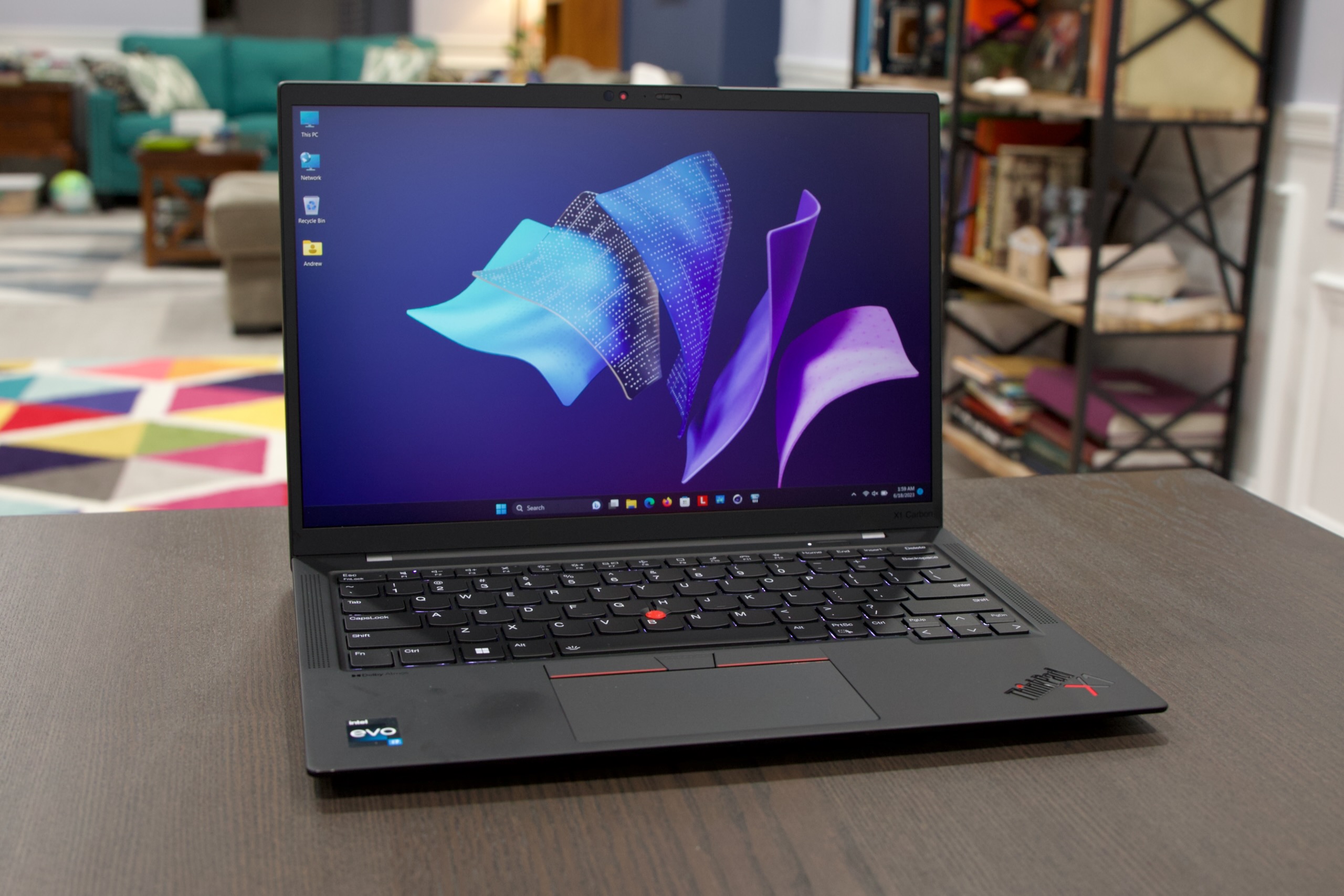
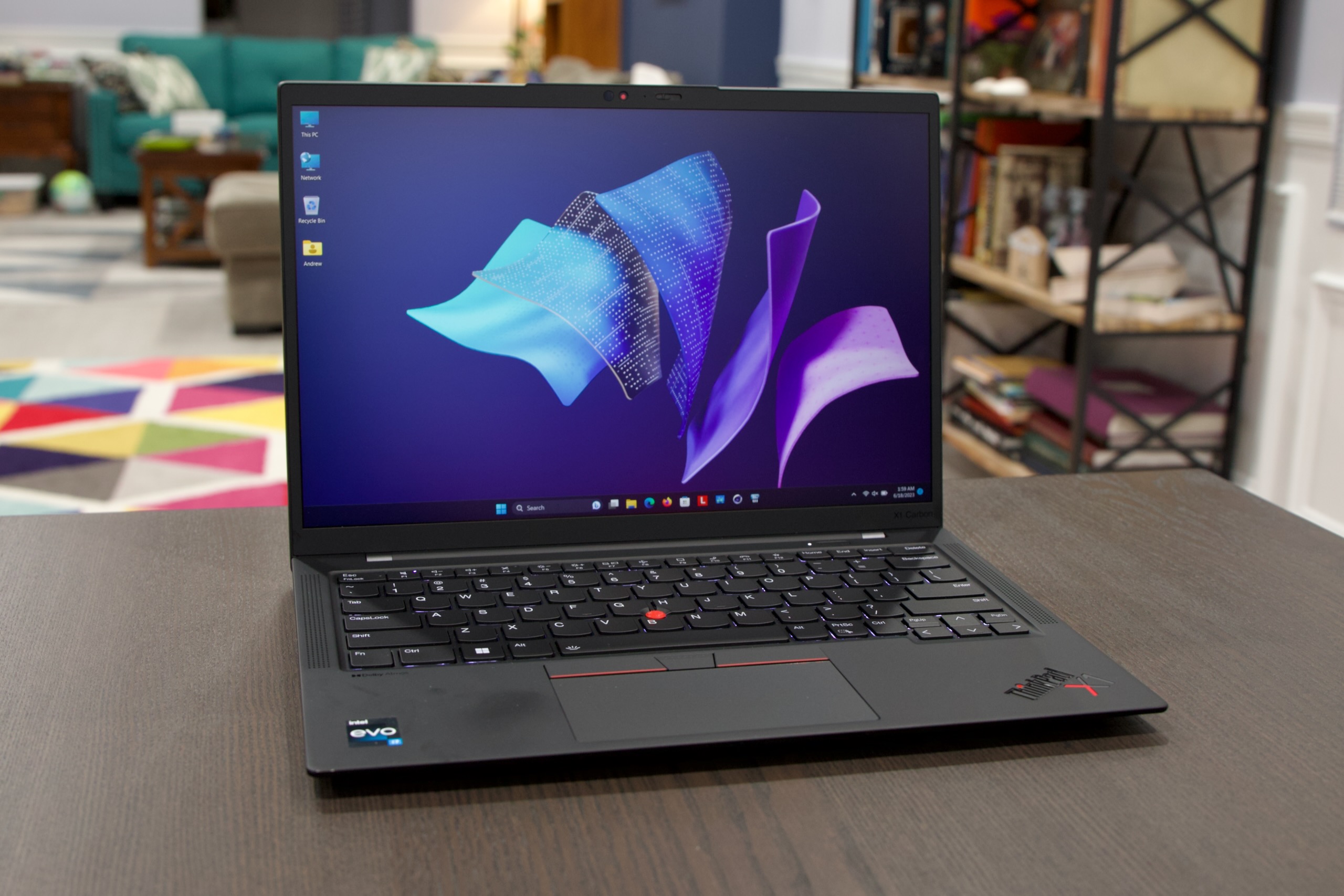
The Lenovo ThinkPad X1 Carbon Gen 11 maintains the iconic ThinkPad aesthetic: a sleek, matte-black finish, a subtle ThinkPad logo with the red “i” dot, and a robust build. The chassis is constructed from high-quality carbon fiber, contributing to its exceptional lightness and durability. This makes it incredibly easy to carry around all day. It’s also MIL-STD-810H tested, meaning it can withstand harsh conditions, including extreme temperatures, humidity, and drops. The design is understated yet professional, making it suitable for any work environment. The hinges are sturdy, allowing for smooth opening and closing of the laptop. The overall feel is premium, reflecting the device’s high-end status.
Performance and Specifications
The X1 Carbon Gen 11 comes equipped with the latest 13th Gen Intel Core processors, offering a range of options from Core i5 to Core i7, with the possibility of vPro configurations for enhanced security and management features. Integrated Intel Iris Xe graphics handle everyday tasks and even some light photo and video editing. RAM options typically start at 8GB and go up to 32GB, providing ample memory for multitasking. Storage is handled by fast NVMe PCIe Gen4 SSDs, with options up to 2TB, ensuring quick boot times and rapid application loading. Performance is snappy and responsive, easily handling demanding workloads such as spreadsheet processing, video conferencing, and managing multiple applications simultaneously. This laptop is engineered for productivity, not gaming or computationally intensive tasks such as video editing.
Display and Audio Quality
The X1 Carbon Gen 11 offers a variety of display options. Most configurations boast a 14-inch display, with options ranging from Full HD+ (1920×1200) to 2.8K OLED (2880×1800) panels. The higher-resolution panels provide sharper images and more vibrant colors, making them ideal for creative professionals or those who enjoy multimedia consumption. The displays also feature impressive brightness and color accuracy. Anti-glare coating is standard, significantly reducing reflections and improving visibility in bright environments. Audio quality is acceptable for video calls and casual media consumption. The speakers produce clear sound, but the bass is limited compared to dedicated audio systems.
Battery Life and Portability
One of the key strengths of the ThinkPad X1 Carbon Gen 11 is its portability. Its lightweight design and long battery life make it an excellent choice for users on the go. Battery life varies depending on the configuration and usage, but you can generally expect a full workday of use. The device often offers approximately 8-12 hours of real-world battery life for tasks such as web browsing and document editing. The inclusion of rapid charging technology allows you to quickly recharge the battery when needed, minimizing downtime. The combination of a lightweight design and long battery life makes this a truly portable work companion.
Keyboard and Trackpad Experience
ThinkPad laptops are renowned for their exceptional keyboards, and the X1 Carbon Gen 11 does not disappoint. The keyboard features a comfortable key travel and a responsive feel, making it a joy to type on for extended periods. The keys are well-spaced, with a curved design that helps to minimize typos. The trackpad is smooth and accurate, with precise cursor control. ThinkPads retain the iconic TrackPoint “nipple” in the center of the keyboard, providing an alternative to the trackpad for cursor navigation. It allows users to control the cursor without taking their fingers off the home row.
Security Features and Software
Security is a top priority for the ThinkPad X1 Carbon Gen 11. It incorporates several features to protect your data and privacy. The device typically includes a fingerprint reader for secure login and a physical webcam privacy shutter, allowing users to physically block the camera when not in use. Additionally, vPro configurations provide enhanced security features and remote management capabilities. Lenovo’s pre-installed software is minimal, mostly comprising utilities and drivers, keeping the system clean and efficient.
Who Should Buy the Lenovo ThinkPad X1 Carbon Gen 11?
The Lenovo ThinkPad X1 Carbon Gen 11 is best suited for:
- Business professionals and executives: Its robust performance, security features, and professional design make it ideal for demanding work environments.
- Frequent travelers: The lightweight and portable design, coupled with long battery life, is perfect for on-the-go productivity.
- Users who prioritize keyboard comfort: The legendary ThinkPad keyboard is a major draw for users who type for extended periods.
- Those who value security and data protection: The built-in security features offer peace of mind for sensitive information.
Best Lenovo ThinkPad X1 Carbon Gen 11 Alternatives
While the ThinkPad X1 Carbon Gen 11 excels in many areas, here are some alternatives worth considering depending on your specific needs:
- Dell XPS 13: A sleek and stylish laptop with a stunning display and excellent performance, but often more expensive. It’s a great choice if aesthetics are a higher priority than the business-focused features of the ThinkPad.
- Apple MacBook Air (M2): Offers excellent performance and battery life, particularly for macOS users. It’s an excellent choice if you’re already invested in the Apple ecosystem.
- HP Spectre x360: A premium 2-in-1 laptop with a stylish design and versatile functionality. Suitable for users who value a touchscreen and 360-degree hinge.
- Lenovo ThinkPad X1 Yoga Gen 8: A 2-in-1 convertible version of the X1 Carbon, offering similar performance and features with added flexibility.
Comparison Table: Lenovo ThinkPad X1 Carbon Gen 11 vs. Dell XPS 13
| Feature | Lenovo ThinkPad X1 Carbon Gen 11 | Dell XPS 13 |
|---|---|---|
| Processor | 13th Gen Intel Core i5/i7 (vPro options) | 13th Gen Intel Core i5/i7 |
| RAM | Up to 32GB | Up to 32GB |
| Storage | Up to 2TB SSD | Up to 2TB SSD |
| Display | 14-inch, FHD+ to 2.8K OLED | 13.4-inch, FHD+ to 3.5K OLED |
| Keyboard | Excellent, with TrackPoint | Excellent, comfortable |
| Portability | Lightweight, durable | Lightweight, stylish |
| Battery Life | Up to 12 hours (depending on usage) | Up to 12 hours (depending on usage) |
| Security | Fingerprint reader, webcam shutter, vPro options | Fingerprint reader, webcam shutter |
| Design | Professional, matte-black carbon fiber | Stylish, minimalist, aluminum |
| Target Audience | Business professionals, travelers | Consumers, creatives, professionals |
FAQ
-
Is the Lenovo ThinkPad X1 Carbon Gen 11 good for students? While it’s a capable device, its higher price point might make it less appealing to students. The robust build and good keyboard are beneficial, but there may be cheaper, more student-friendly options.
-
Does the X1 Carbon Gen 11 have a touchscreen? Touchscreen options are usually available as a display option, depending on the configuration you choose.
-
What is the warranty on the Lenovo ThinkPad X1 Carbon Gen 11? Lenovo typically offers a standard one-year warranty, with options to extend coverage or add accidental damage protection.
-
Can I upgrade the RAM or storage later? The RAM is usually soldered onto the motherboard and is not user-upgradeable. The SSD is often user-replaceable, allowing for storage upgrades.
-
Is the ThinkPad X1 Carbon Gen 11 a good gaming laptop? No, the X1 Carbon Gen 11 is not designed for gaming. Its integrated graphics and business-oriented focus make it unsuitable for demanding games.